


The Aquila20 HD is the second BetaFPV kit we review here on FirstQuadcopter. What makes this “HD” edition interesting is the new Artosyn P1 digital FPV system, which promises a higher-quality video feed than the analog counterpart.
Intended for beginners, the BetaFPV Aquila20 HD features three flight modes and three speed rates to match the pilot’s skills. The “Standard” mode is fully stabilized, including altitude hold, which makes it extremely easy to pilot—even for first-time users.
In this review, I take you on a detailed journey through every component of the kit—from the drone itself to the radio controller—examining how each part performs and how well they integrate into a cohesive ecosystem. The goal is to uncover not only the strengths and weaknesses of individual elements but also how they work together to deliver a seamless user experience.
BetaFPV Aquila20 HD: Artosyn Inside & KAP Supported!
Disclosure: I received this all-in-one RTF kit in a product review collaboration with BetaFPV. Product specs and quality may vary according to the manufacturer’s reliability, so I cannot guarantee that you will get a drone that performs the same as in my article.
I’ve noticed that BetaFPV releases a new drone almost every month, and I was excited when they asked me to review their first HD digital kit based on the Artosyn system. The package arrived on Christmas Eve, and since then, I’ve had the chance to test it in various flight conditions, both indoors and outdoors.
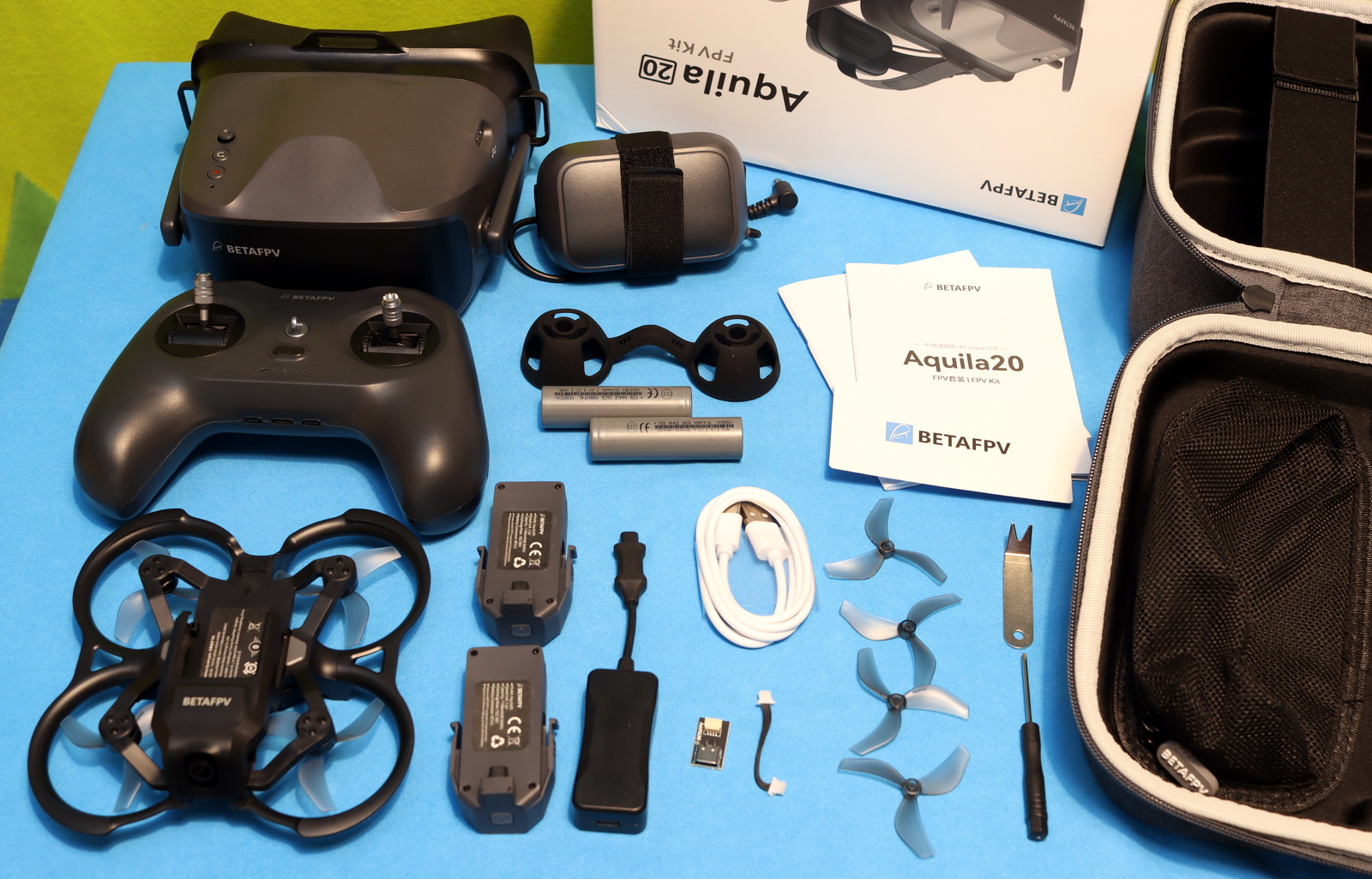
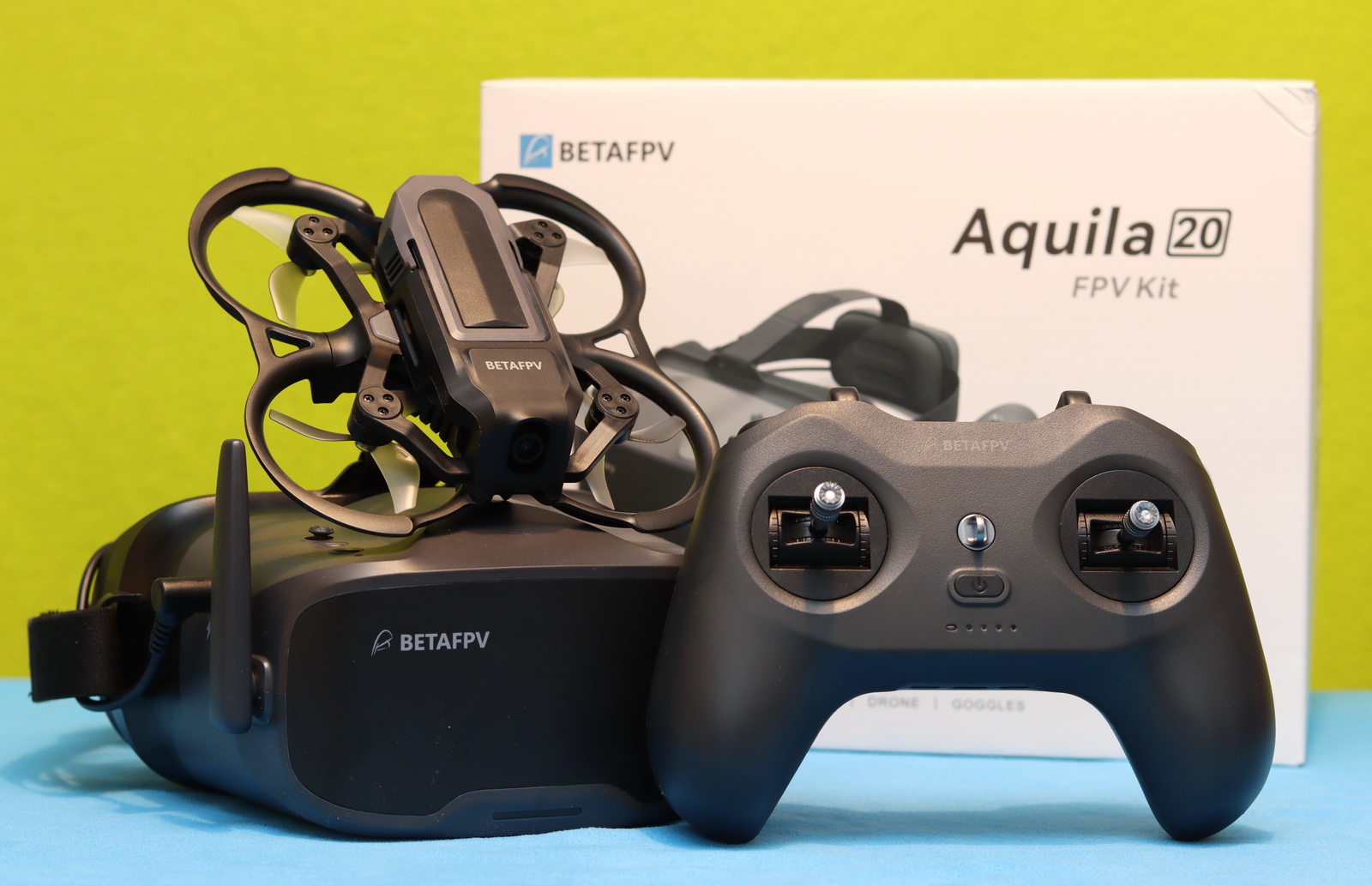
The kit comes in a convenient carry case, allowing safe transport and storage. Besides the drone, it includes the VR04 goggles with two 18650 Li-ion batteries, a LiteRadio 4 SE radio controller, two flight batteries, a charger, a USB cable, a set of spare propellers, and a drone manual.
The drone: Design and build quality
Design-wise, the Aquila20 HD drone looks identical to the older analog version—the differences are hidden inside. While the frame is made of plastic with no carbon fiber parts, it still feels robust and durable. The frame consists of two parts with a wheelbase that measures 100mm. The take-off weight, including the battery, is about 125 grams. The overall layout is clean and well-organized, with all wiring neatly routed inside the frame—something not always guaranteed with custom-built FPV drones.
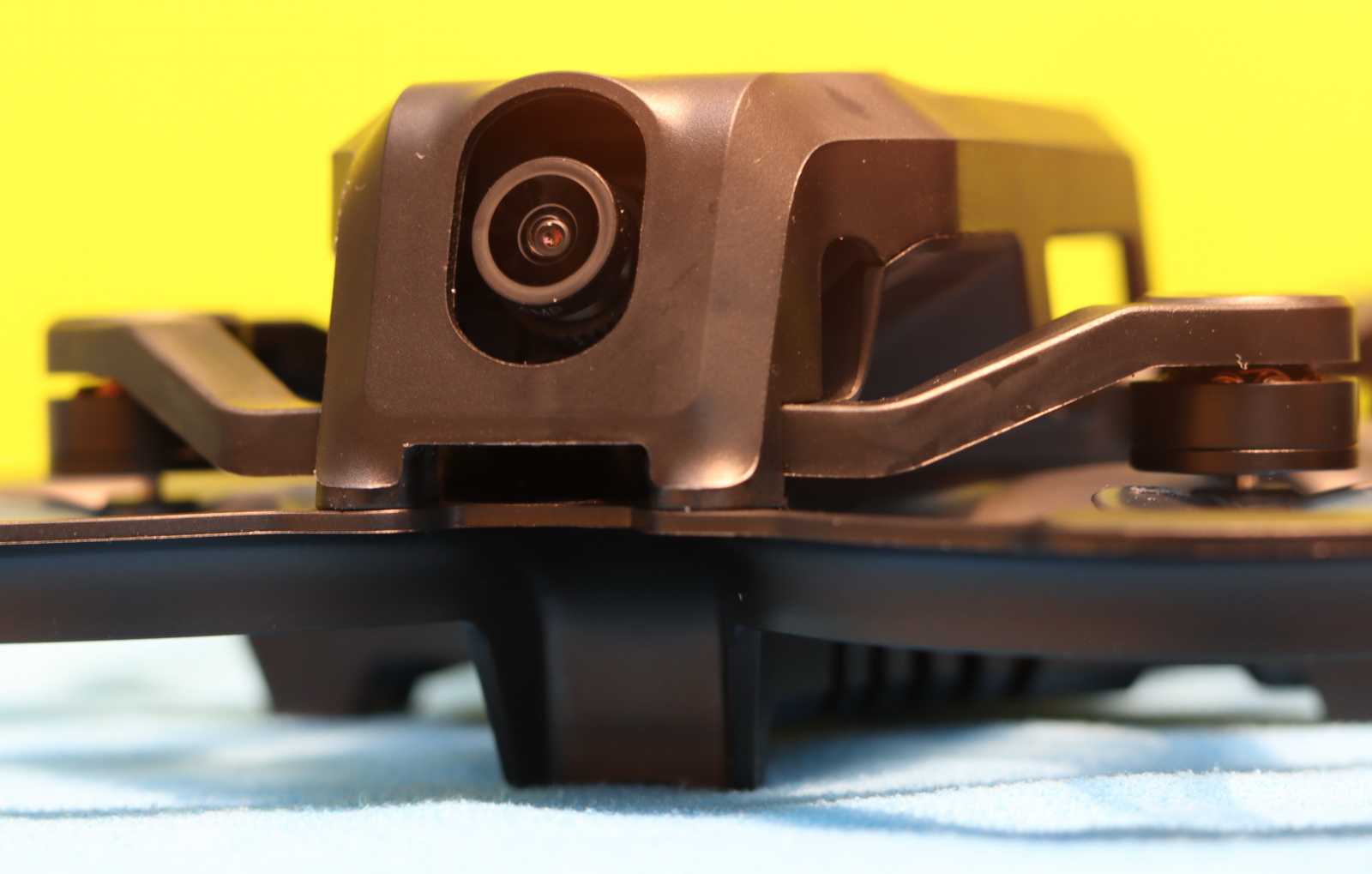
As you can see in the photo below, there are two optical flow sensors and the flight controller connector on the belly (Type-C Adapter Board included in the box). The tiny, full black 1103 10500KV motors are matched with Gemfan 2218 3-blade propellers.
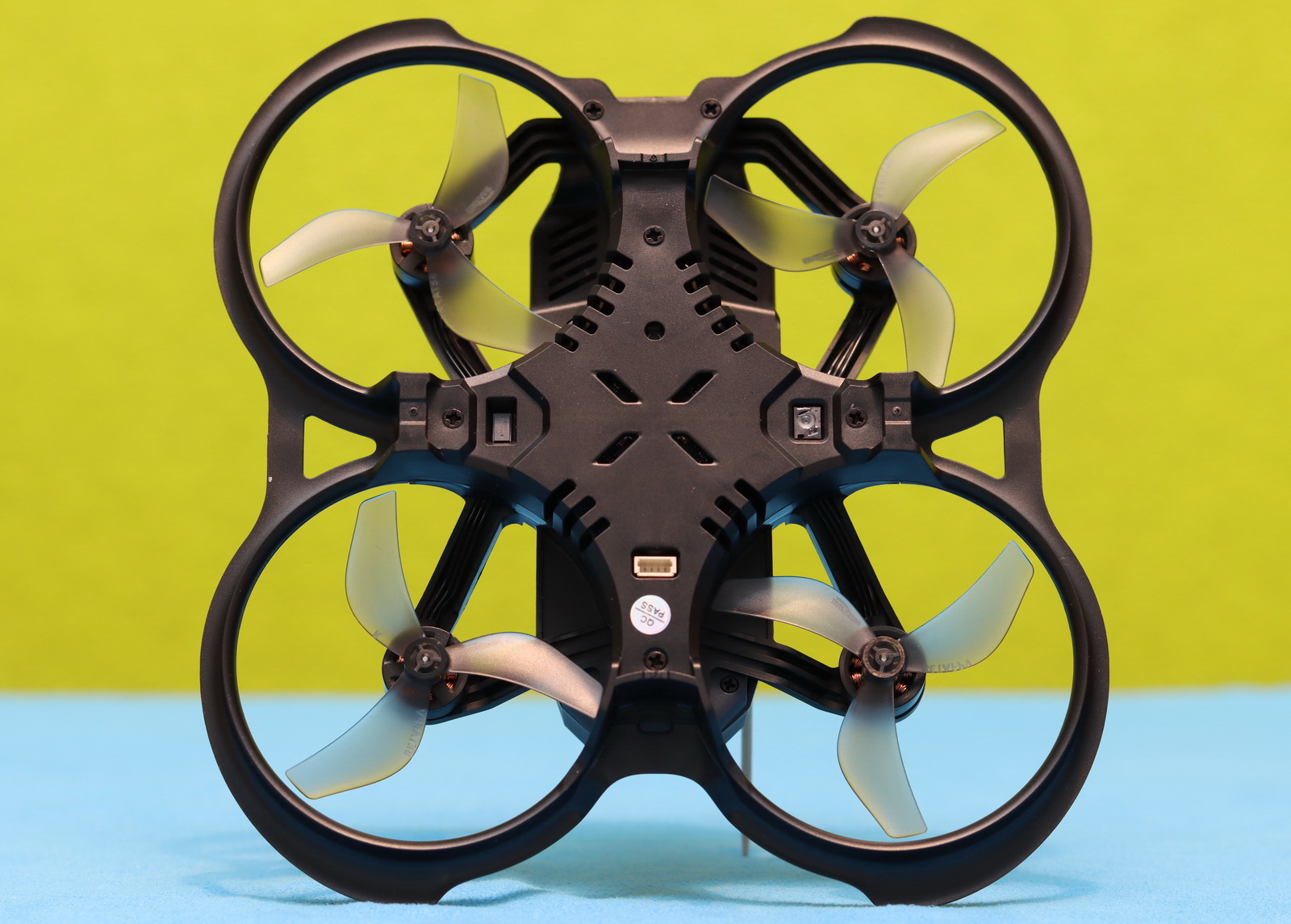
The battery slides into a dedicated compartment and features a power-on sequence comparable to DJI drones. This elegant approach prevents accidental reverse-polarity connection of the battery, which often happens with XT30 connectors.
Inside the frame, there is an Aquila20 V1.0 all-in-one flight controller with an onboard 2.4G ELRS V3.X receiver. For easy maintance the motors have connectors. The Artlynk P1 Air Unit VTX has a lightweight heatsink and a PCB-style antenna mounted on the side of the frame.
The Radio Controller: BetaFPV LiteRadio 4 SE ELRS
The LiteRadio 4 SE, bundled with the Aquila20 HD, follows a standard, universal radio layout and is built around the ExpressLRS protocol. This design choice gives it a familiar feel from the very first use and allows the controller to be easily paired with other ELRS drones, extending its usefulness well beyond the Aquila ecosystem. Furthermore, the LiteRadio 4 SE controller is also compatible with most drone simulators.
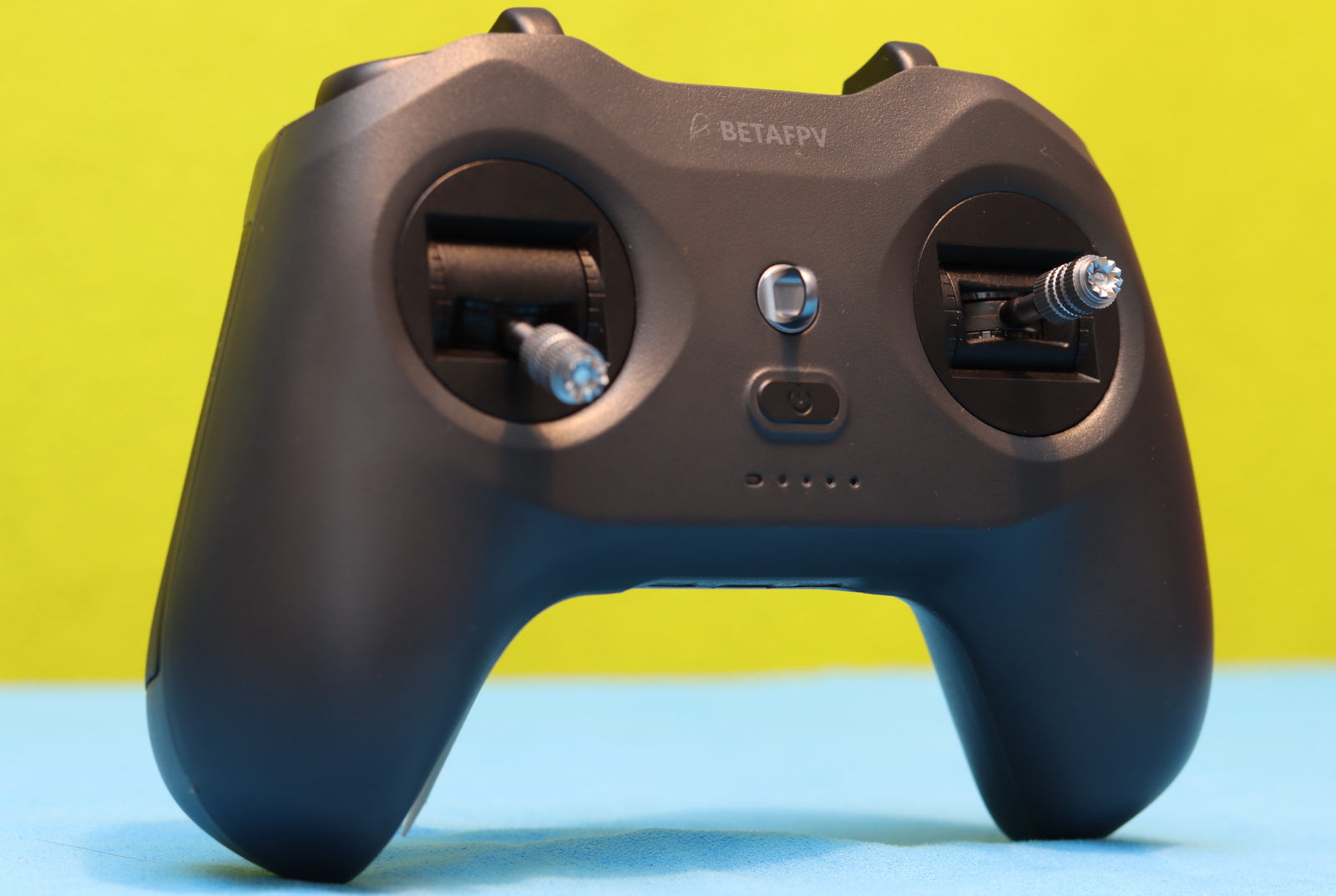
The controller has three shoulder switches in each corner. The left 2-position (S1) Aquila20 HD arms/disarms the motors, and the left one turns on/off the turtle mode. The left 3-position switch (SB) allows toggling between flight modes (Normal|Sport|Manual). The 3-position switch on the right (SC) lets you change flight speed (Slow| Middle |Fast).
The Artosyn FPV Goggles: BetaFPV VR04 HD
The Aquila20 HD is completed by the VR04 HD FPV goggles, featuring a built-in Artosyn receiver. It has a comfortable T-style headband and premium PU padding, with a glasses-friendly interior that accommodates most eyewear. The battery box attached to the head strap holds two 18650 2600 mAh batteries and provides a runtime of up to three hours.
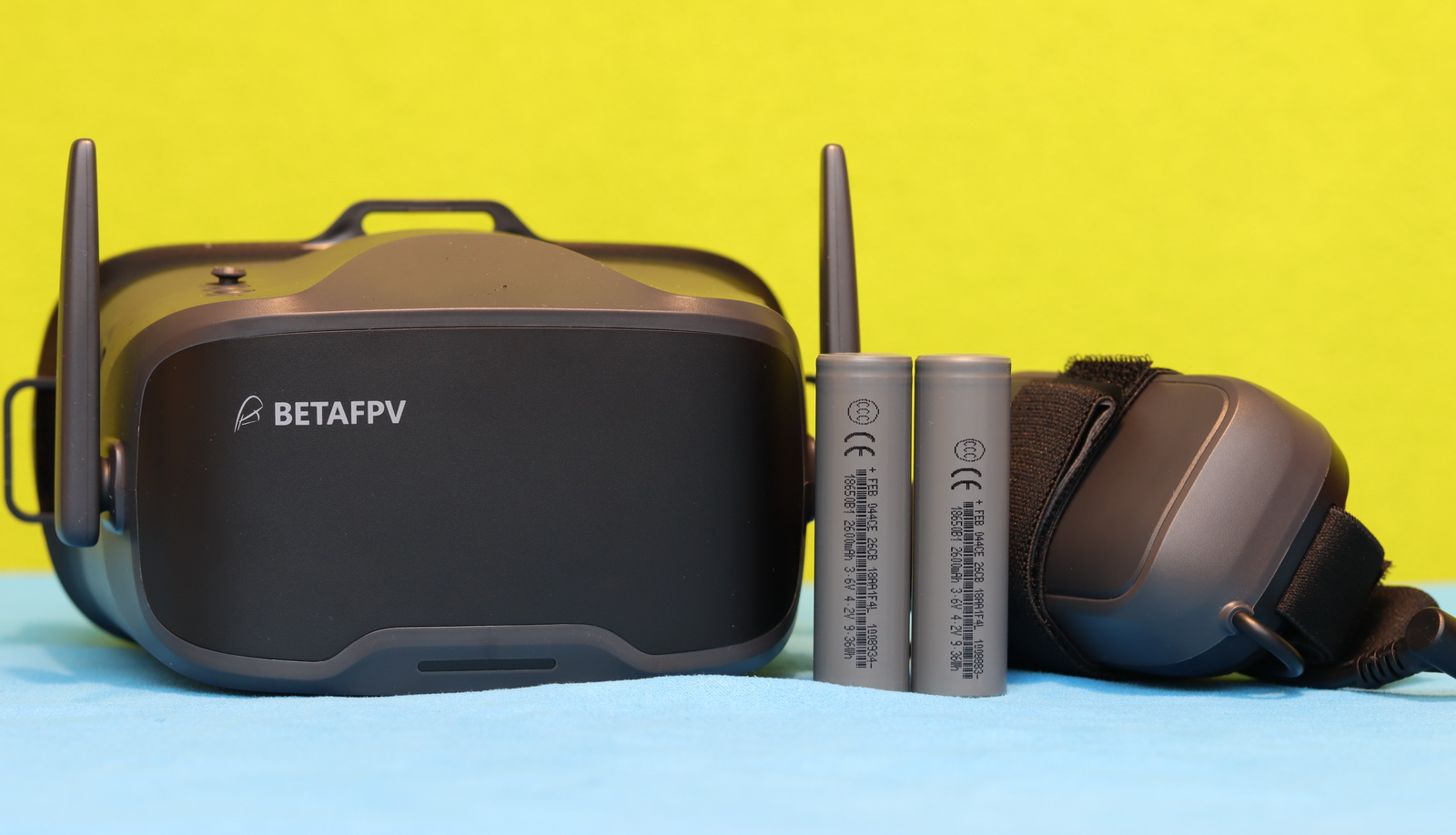
The BetaFPV VR04 HD goggles feature two foldable antennas and a 4.5-inch LCD with 1920*1080px. It allows onboard recording on a micro SD card (maximum 1TB) with FHD resolution, with up to 25Mbps. In addition to the 5D mini joystick, it has record and back control buttons.
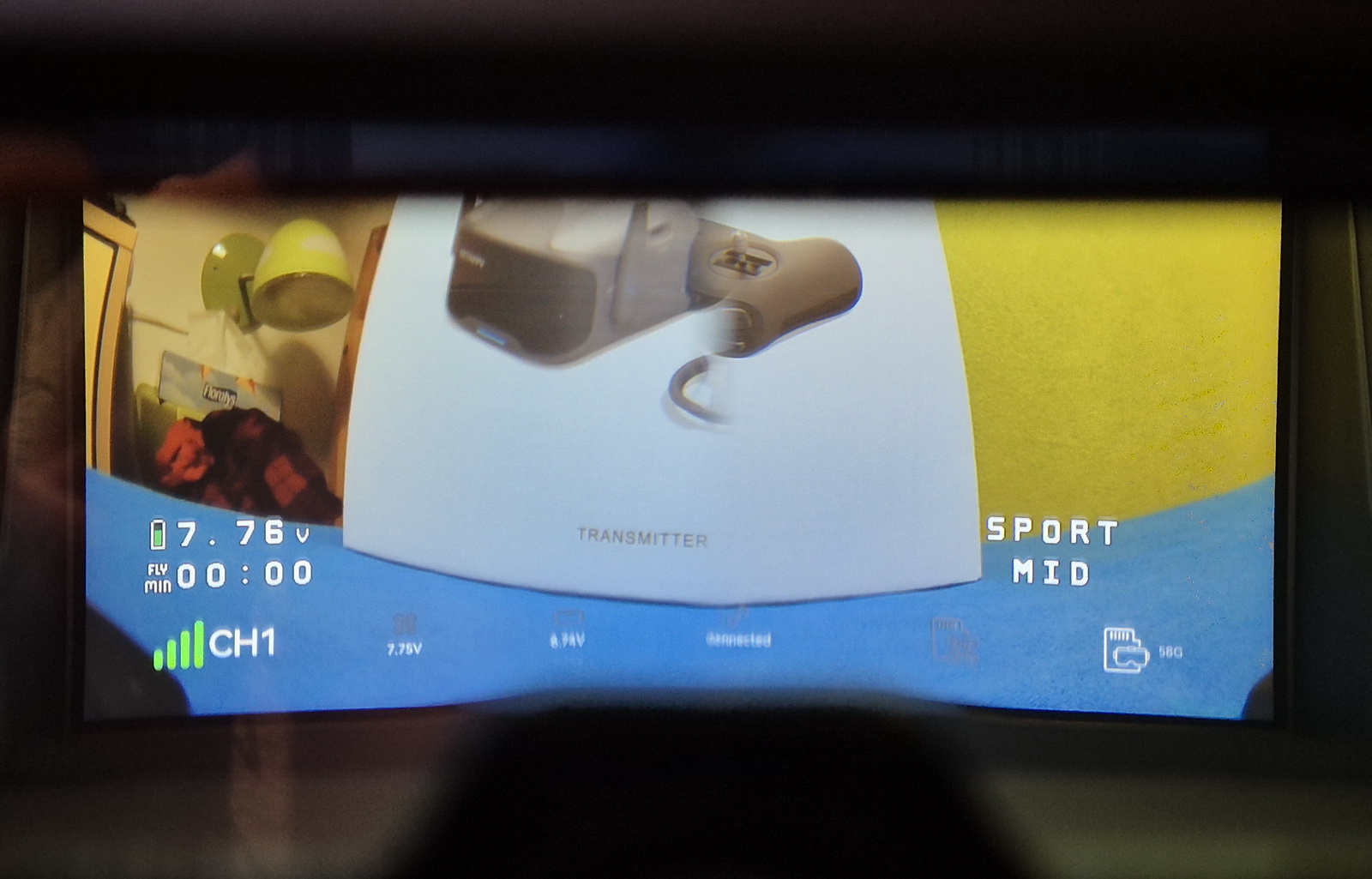
As you can see in the image above, BetaFlight telemetry details are shown on the bottom ribbon. From left to right, you have: Artosyn channel number and signal strength, drone battery voltage, flight time, flight distance, flight mode and speed, and storage status. The recorded footage is clean, and these details are saved in an SRT file, similar to other digital FPV systems.
What is this new ArtLynk FPV system?
I already own four different FPV headsets, and I’m concerned that by 2026, even more open-source digital FPV platforms and standards will be released, further fragmenting the market and complicating compatibility across devices.
While diversity in standards is often beneficial because competition can drive down costs, FPV systems present a unique challenge. Each new standard typically creates its own isolated ecosystem with specific compatibility requirements. For instance, leading digital FPV platforms such as DJI’s system operate within a closed environment, where headsets, air units, and transmitters are designed to work exclusively with one another. This approach significantly limits interoperability across different standards.
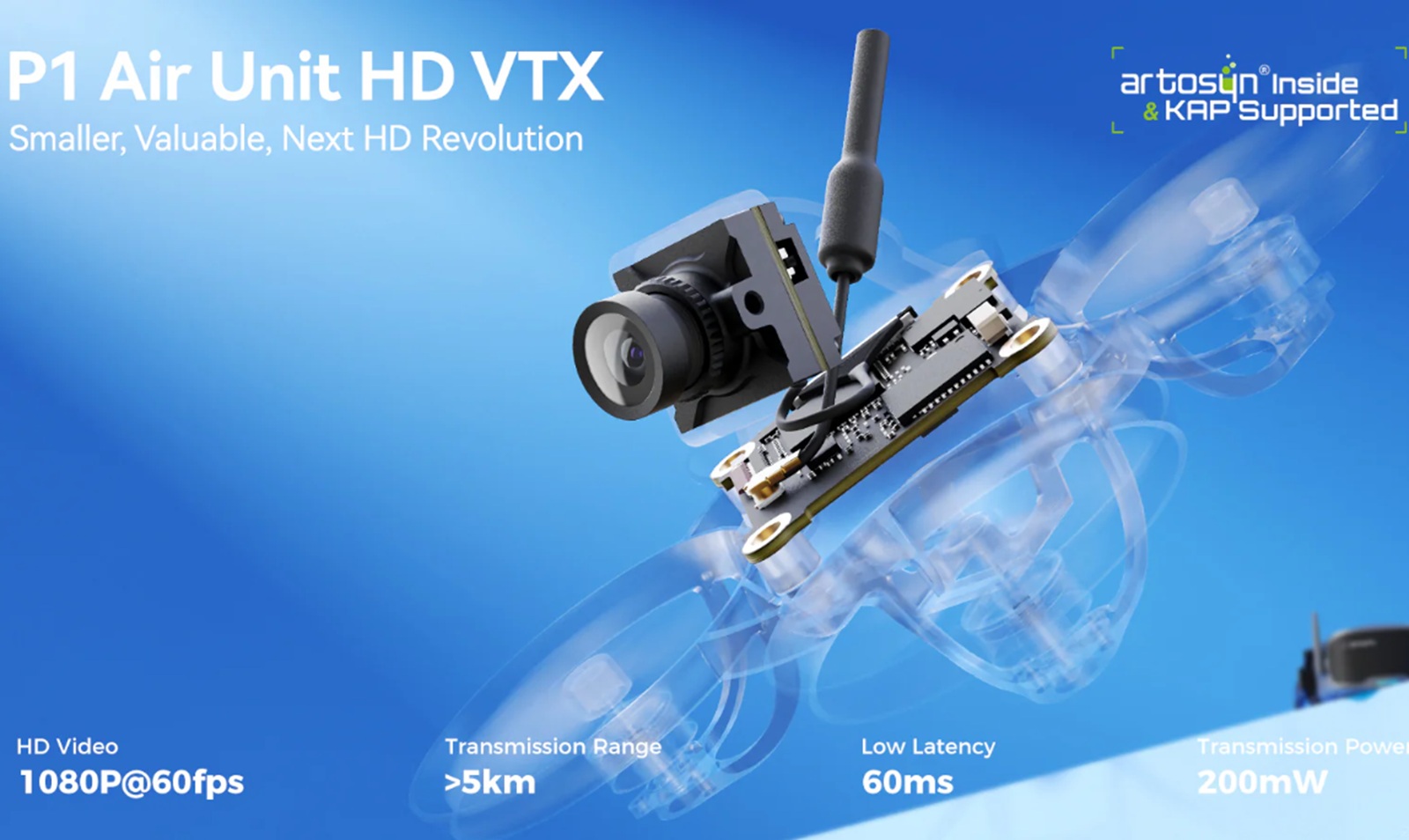
ArtLynk claims to be an open-source platform, in which theoretically anyone can develop their compatible gears, such as cameras, VTXs, and FPV goggles. Unlike other systems that rely on their own proprietary radio control, the Aquila20 HD uses the open-source and widely popular ExpressLRS protocol.
The P1 Air Unit HD digital system promises a range of up to 5 km with 60 ms latency at 200 mW transmission power. To keep the system lightweight, it offers only remote recording via FPV goggles. Unfortunately, this approach doesn’t guarantee consistent quality, as the bitrate decreases with distance—even though the recording resolution is 1920×1080 at 60 frames per second. I found similar specifications in CaddxFPV’s new Walksnail Ascent Lite Kit, and I’m curious whether they will ever be compatible.
BetaFPV Aquila20 HD – Getting Ready for Takeoff
After getting familiar with each component, one would normally expect a configuration and binding stage—but that’s not the case with the Aquila20 HD. It comes pre-configured and tuned, with all devices already bound together and ready to use. The only thing that needs to be done before your first flight is to charge the drone battery, RC, and FPV goggles.
Flight performance
With three flight modes and three adjustable speed rates, the BetaFPV Aquila20 HD is suitable for FPV pilots ranging from beginners to experienced users. It can be operated in Standard Mode, where the optical flow positioning sensor ensures stable and easy hovering; Sport Mode, which provides greater freedom while still benefiting from stabilization assistance; and Manual Mode, which allows pilots to perform rolls and flips. Each flight mode offers slow, medium, and fast speed settings.
First, I conducted an indoor test using the standard flight mode. The drone was remarkably easy to control, even in tight and confined spaces. I was able to smoothly navigate from one room to another with precise movements and stable handling. It also performed exceptionally well while ascending the staircase, allowing me to safely and efficiently inspect the second floor, making it well-suited for practicing indoors during the cold winter days.

It hovers at roughly 40% throttle, and while it doesn’t feel especially powerful, that’s actually a good thing. The gentle power delivery makes it far more forgiving and well-suited for beginners who are still getting comfortable with the basics.
The flight distance is displayed on the screen, but it’s worth keeping in mind that this figure is only an estimate, calculated based on transmission latency, as the Aquila20 HD does not have an integrated GPS. In open areas, I achieved a stable signal over a couple of hundred meters, but once obstacles came between me and the drone, the bitrate dropped noticeably, making the video feed glitchy and eventually unrecognizable. Unfortunately, since the drone does not record onboard, the only footage available is what you see through the headset.
Durability
I crashed it a few times without any visible damage. On one occasion, the drone ended up buried in about half a meter of snow, and when I recovered it, it was completely covered. When I tried to take off again, one of the motors refused to start. At that moment, I thought it was damaged or that an ESC channel had burned out. Luckily, after leaving it to dry for a day on a warm radiator, the drone armed and flew again, as if new.
Battery life and charging options
As mentioned, the Aquila20 HD kit includes two 2s 1100mAh batteries, each promising 10 minutes of flight time. During my test flights, I usually get around 6–8 minutes, depending on the wind and how hard I push the throttle.
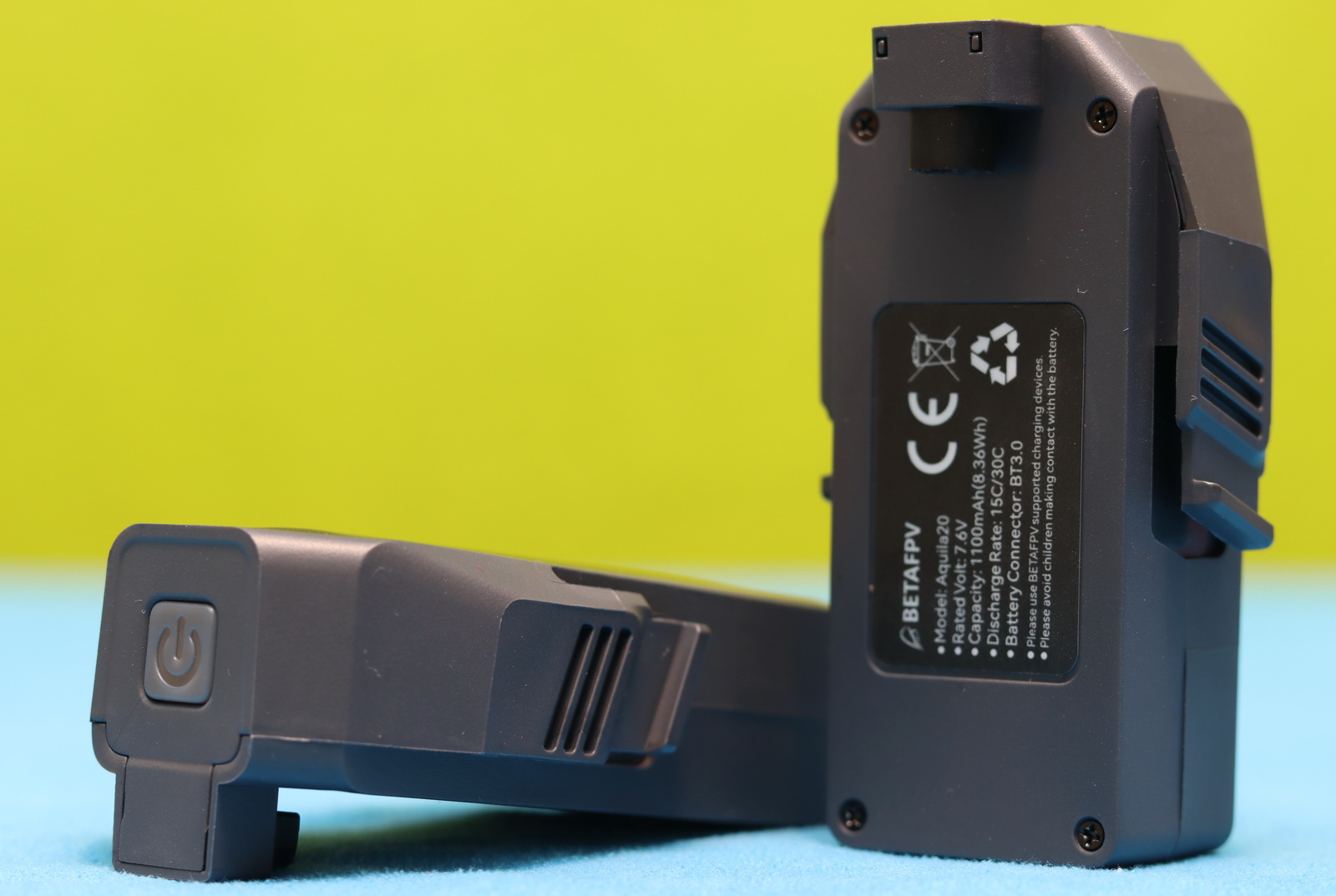
The box comes with a USB charger with Type-C input and a voltage indicator. The battery needs to be powered ON from its push button to start charging. Initially, I didn’t know this fact, and I was disappointed that after three hours it was still not fully charged.
Shortly after I received the kit, BetaFPV released a three-way charging hub, which makes the charging process easier, and it costs just $14.99. Thanks to PD 3.0 fast-charging support, all three ports can charge at the same time, each delivering up to 15W for a combined output of 45W. This means all three batteries are charged simultaneously, quickly and efficiently, without having to juggle packs one by one.
Price, availability, and options
The Aquila20 HD comes with everything you need to begin your journey into the world of FPV. That said, it isn’t cheap. The combo kit featured in this review—which includes FPV goggles, an ELRS radio transmitter, two batteries, and a carry bag—costs $358.99. You can choose between Mode 1 and Mode 2 controllers. It would be great if BetaFPV also offered a bare-drone option for pilots who have lost or damaged their quad during practice.
If you plan to build an ArtLynk-compatible FPV drone, the P1 Air Unit HD kit is priced at just $37.99. What’s interesting is that it promises a range of up to 5 km, while the Aquila20 HD, which is based on the same platform, offers only about 400 meters.
Aquila20 HD vs CaddxFPV Protos
CaddxFPV recently released a similar budget-friendly digital FPV combo kit, much like the Aquila20 HD. Both kits target a similar audience and sit at the same price point, but they have some significant differences you should consider before pulling the trigger.
Definitely the biggest advantage of the CaddxFPV Protos over the BetaFPV Aquila20 HD is its much longer FPV range. While the Protos uses the Ascent Lite VTX with 100 mW power, promising up to 3000 meters of transmission distance, the Aquila20 HD uses the ArtLynk P1 VTX with 200 mW, which provides only around 400 meters of range. The Ascent system also claims to have half the latency (35 vs 60ms) of the ArtLynk.
Both models use ELRS radio control systems and promise around 10 minutes of flight time. Being powered by a smaller-capacity battery, the Protos is about 20 grams lighter than the Aquila20 HD.
Comparison table
| BetaFPV Aquila20 HD | CaddxFPV Protos | |
| FPV system | ArtLynk | Ascent |
| Latency | 60 ms | 35 ms |
| Camera | 1/2.9″ | 1/2.8″ |
| Recording | Onboard: NO Goggles: 1080P@60FPS |
Onboard: NO Goggles: 1080P@60FPS |
| Range | 400 meters | 3000 meters |
| Flight time | 10 minutes | 10 minutes |
| Radio system | ELRS 2.4Gh | ELRS 2.4Gh |
| Flight controller | Aquila20A AIO V1.0 | Caddx Protos AIO 1.0 |
| Motors | 1103 10500KV | 1102 14000KV |
| Battery | 2S 1100mAh HV | 2S 840mAh |
| Flight modes | Normal, Sport, and Manual | Poshold, Angle, and Acro |
| Dimensions | 110x110x40mm | 110×102.8x41mm |
| Weight | 122 grams | 105 grams |
| Kit content | Aquila20 HD Drone VR04 Goggles LiteRadio 4 SE radio controller 2S Charger Goggles LIION Batteries 2S Batteries x 2pcs USB charging cable Carry case |
Protos Drone Ascent Goggles A-Link radio controller 2S Charger Goggles Battery 2S Batteries x 3pcs USB charging cable Carry case |
| Price | $358.99 | $389.99 |
You Can Trust Our Reviews!
Since 2014, FirstQuadcopter has reviewed, thoroughly tested, and rated hundreds of products, including drones, gimbals, power stations, action cameras, 3D printers, video lights, and other high-tech gear to help you make better buying decisions.
We don’t do paid reviews or agree to affiliate links. All products are tested fairly and equally, and if anything changes over time, I will update the written reviews.
As always, if you found this review helpful, don’t forget to like, share, comment, and bookmark for more content like this!
Wishing all FPV enthusiasts a fantastic 2026! May your flights be smooth, your footage crystal clear, and your adventures unforgettable. Happy New Year from FirstQuadcopter!


Another product that died at birth. Walksnail and DJI are already doing just fine; we don’t need yet another digital standard.
It’s a fun drone but the video quality sucks.