

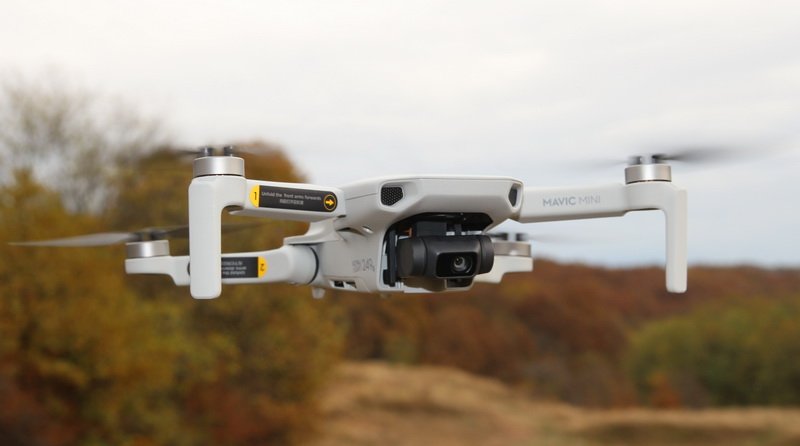
After countless of rumors and speculation, the DJI Mavic Mini was finally revealed officially on 30th of October. FirstQuadcotper is between the first drone review blogs which had the luck to receive the Mavic Arya for an in-depth analysis. Every new DJI drone comes with its own slogan, the smallest member of the Mavic series has ‘Fly as you are’ – let’s find out the sense of these words.
Over the last few years, I reviewed more than 100 drones from various brands but, by far, the best were from DJI. To be honest, they were the most expensive ones too, so, in order to beat this fact, the Mavic Mini comes with a very competitive price. Advertised for only $399, it is not just the cheapest but also the smallest and lightest drone from DJI. The Mini mixes the friendly price tag of the retired Spark with the practical foldable design of the Mavic series into a size of a iPhone XS.

Mavic Mini Arya highlights
- Super compact folded size (130 × 80 × 60mm);
- Ultra lightweight (249 grams);
- Up to 30 minutes flight time;
- Long range Enhanced WiFi transmission (4Km-FCC or 2KM-CE);
- 720p@30fps FPV with up to 4 Mbps (170-240 ms latency);
- Stable hover (GPS&GLONASS + Downward Sensors);
- 3 type of flight modes (CineSmooth, Position and Sport);
- QuickShots (Dronie, Rocket, Circle and Helix);
- 12MP camera with 1/2.3″ CMOS sensor and 2.7K video recording;
- 3-axis mechanical stabilization.
Hands on: Mavic Mini review
Disclosure: I received this pocket flycam drone as part of a product review collaboration with DJI. Product specs and quality may vary according to the manufacturer’s reliability, so I cannot guarantee that you will get a product that performs exactly the same as seen in my article. As I received an early release test unit, package content may also vary.

I got the package two days before its official reveal – which was a big honor – and I need to thank DJI for the opportunity to make this prime-time review.
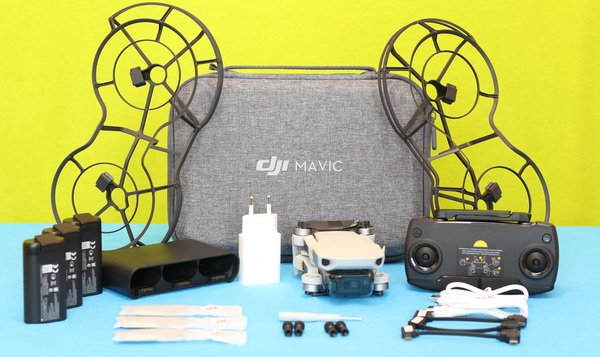
Being very enthusiastic, I immediately unwrapped the package and I happily found out that I got “Fly more combo” version with the following accessories included: 3 batteries, charging dock, transmitter, 360° blades guard, 3 pair of spare props, USB cables, gimbal protector and travel case.
At a glance
After 3 years of flying with a Phantom 3 Advanced, I was pretty impressed by the size of the DJI Mavic Mini – it is damn small! (especially that both have cameras with similar specs).
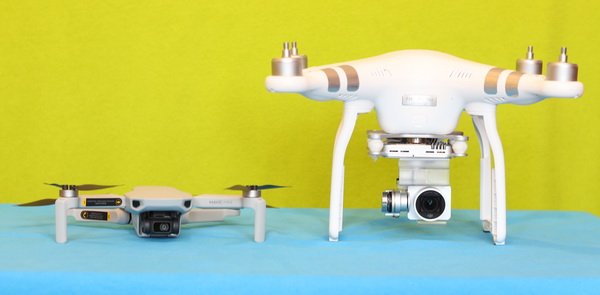

When folded up, the Mavic Mini’s footprint is just slightly larger than a smartphone. It measures roughly 13 × 8 × 6 cm and weights 249 grams. Just by compassion, its bigger brother – the Mavic Air – has 430 grams and 16.8 × 8.3 × 4.9 cm. As far as I know, FAA has a relaxed regulation for under 250 gr. class drones – actually many countries are much permissive with lightweight flying machines.

I already mentioned about the “Fly as you are” slogan but, actually, I think it would fit also: “Fly wherever you are” as well. The Mavic Mini is a super backpack friendly drone, you can take it with you everywhere and shutting videos, regardless of your traveling destination, hiking or you just having a walk in the nearest park. Note: Always fly responsibly, without putting in danger any living being – including you!
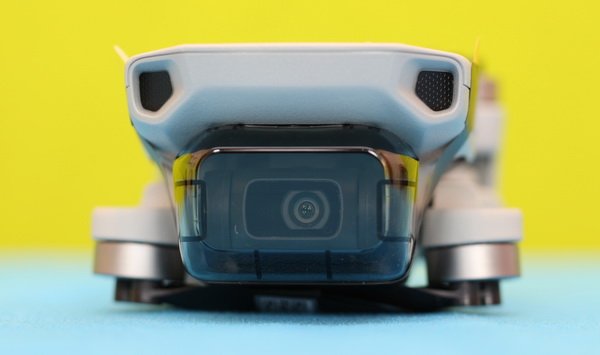

In terms of design, the front of the MM reminds me about the head of a shark. Instead of frightening teeth it has a tiny 3-axis camera. Before you are getting too enthusiastic, those fake eyes are not obstacle avoidance sensors, they are just part of the design. You know, in order to make it as light as possible, you can’t fit inside all the technology available – especially when the budget is a quarter of Mavic 2’s price.
On the belly, besides the power switch and battery level indicator, there are two vision positioning TOF sensors. Those tiny cameras allow stable hovering for indoor environment or out of GPS coverage. USB port and micro SD slot are found under the battery bay’s flap.


With only one LED light on back, it will be hard to find it during night flights.
Mavic Mini review: Camera
Although we all expected from a 2020 drone to feature 4K resolution, the Mavic Mini comes with only 2.7K. IMHO, DJI did’t wanted to cannibalize the Mavic Pro’s market segment, this is why they limited the video resolution. Also, it features 720P WiFi video transmission instead of the more reliable OcuSync. Anyway, even 1080P satisfies most consumers’ image quality needs for social media sharing and personal archive. Don’t mention that 2.7K videos require less storage space and CPU power for post-editing than 4K ones. But who knows, maybe like in case of the P3A, which initially had 1080P and trough a firmware upgrade received 2.7K, the MiNI could receive a 4K upgrade in the future.


Despite its small size, the camera has 3-axis mechanical stabilization – which is a significant improvement compared to Smark’s 2-axis gimbal. The DJI Mavic MINI’s camera features 1/2.3 CMOS image sensor with 12M effective pixels.
Sample videos & photos will be added later!
Mavic Mini review: Transmitter
The MINI is packed with a similar entry-level remote like the Mavic Air. While FCC version has a range of 2.5 miles/4 Km, the CE compliant has only 2 Km. Yes, in US it is not just cheaper but flies further too :D.
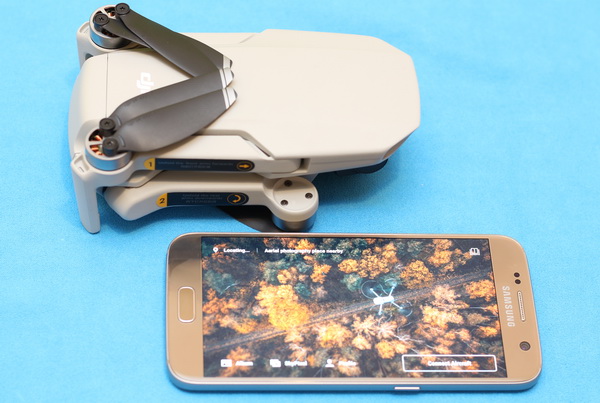
As it is designed to be used in tandem with a smartphone, it does not have a status screen, nor FPV monitor. Your phone needs to be linked to the RC through one of the 3 types of included USB cables (Lightning, Micro and Type-C). The phone holder in the bottom folds down alongside the antenna on the top. In order to fit better into your pocket, the control sticks are detachable and can be stowed away in the bottom. Don’t worry if you loose them, one pair of spare stick-ends are included.
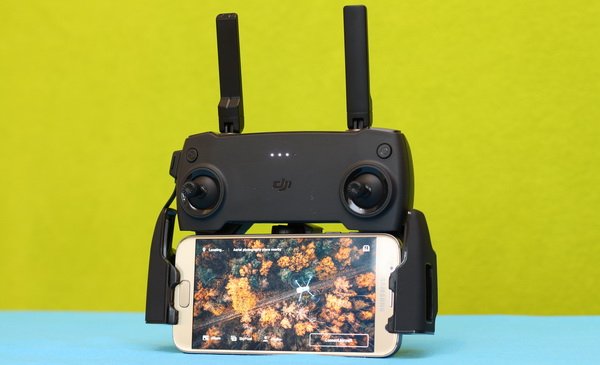

On front panel, besides the control sticks and changing level indicators, there are only two control buttons: left one enables auto return to home and right one turns on/off the transmitter.
While the left shoulder button allows to start/stop video recording, the right one takes still photos. On back, under the recording button there is a dial knob which allows to remotely change the camera’s tilt angle.
DJI Fly – GO Lite app
Mavic Mini is operated on a brand new more user friendly APP. With redesigned layout, the live view (FPV) area is now 20% bigger comparing to the DJI GO 4 app, making newbie pilots’ flying experience much more intuitive.
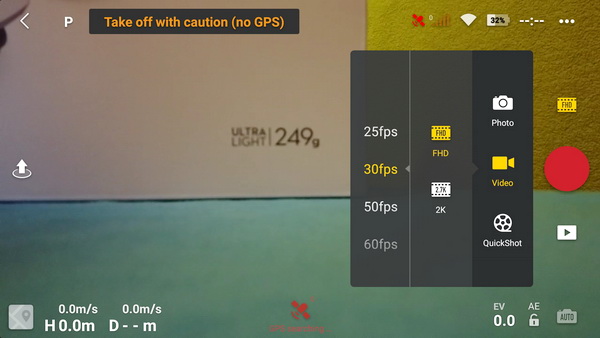

Besides real-time flight telemetry, live-view, camera control and social media share, the APP has 3 extra features: Creator Templates + QuickShots, Video Editor and Flight tutorials. I suggest you to go through the flight tutorials prior to your flights and only after that learn about how to edit your footage.
By default safety settings are set to 120m max altitude and 2000m max flight distance. Auto return to home altitude is set to 30 meters.
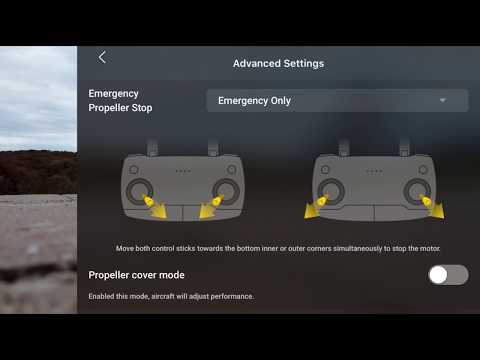
QuickShots
Automated flight modes, known as “QuickShot” mode, allows you to capture professional-looking videos automatically. Pilots can choose from Rocket, Dronie, Circle and Helix camera moves in order to make creative aerial videos.
- In “Rocket” mode, the Mavic Mini flies autonomously straight up while keeps the desired subject in frame.
- The “Dronie” mode allows you to create the ultimate selfies. In a nutshell, the drone flies up and away from you while keeping you in the shoot.
- “Helix” mode is the enhanced version of the “Circle” or “Orbit” mode. In this mode, without the touch of control sticks, the Mavic Mini will rotate and rise autonomously around the point of interest.
Mavic Mini battery life: How long the fun lasts
The 2s/2400 mAh battery pack is loaded from the tail of the drone. According to its size, it looks like it uses two standard 18650 type LIPO cells.
For a super compact drone, it features an outstanding battery life – probably the best one in its market segment. According to DJI, a freshly charged battery provides up to 30 minutes of airborne time (measured while flying at 14 kph in windless conditions). Furthermore, the Combo pack includes 3 flight batteries, which allows close to 90 minutes of uninterrupted flying fun.
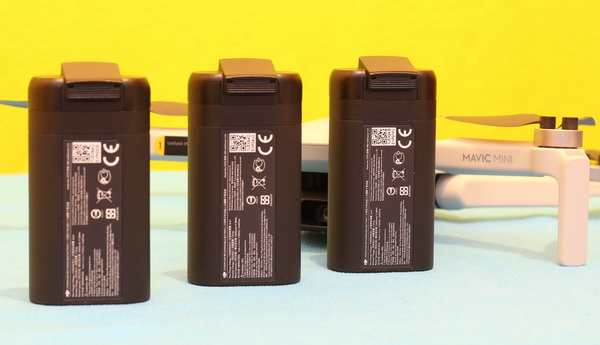

Thanks to the standard USB port, the battery can be conveniently charged with any normal or fast phone charger. You can refuel even on the field from a power-bank. The Combo’s two-charger allows to charge 3 batteries but not in the same time – they are charged one by one.
Based on my experience, drone LIPO’s need few flights till they work at maximum performance. After 5-10 cycles of charging I will do a real-world flight time test to check how the manufacturer’s specs are accurate or optimistic.
Price & availability
Starting with today, you can order the Mavic MINI from DJI online store. While the “Standard” edition is priced for $399 for US and €399 for Europe market, the “Combo” pack with extra accessories has a price of US$499 and EU€499, respectively.
What you get for extra 100 bucks? Difference between Standard & Combo pack
| What’s Included | Mavic Mini – The Everyday FlyCam | Mavic Mini Fly More Combo |
| Aircraft | 1 | 1 |
| Remote controller | 1 | 1 |
| Flight battery | 1 | 3 |
| Pair of Spare Propellers | 1 | 3 |
| Micro USB Cable | 1 | 2 |
| Gimbal Protector | 1 | 1 |
| RC Cable (Micro USB connector) | 1 | 1 |
| RC Cable (USB-C connector) | 1 | 1 |
| RC Cable (Lightning connector) | 1 | 1 |
| Pair of Spare Control Sticks | 1 | 1 |
| Spare Screw | 6 | 18 |
| Screwdriver | 1 | 1 |
| 360° Propeller Guard | – | 1 |
| Two-Way Charging Hub | – | 1 |
| DJI 18W USB Charger | – | 1 |
| Carrying Bag | – | 1 |

Accessories – Pimp your Mavic Mini
While the Mavic Mini was just revealed officially today, you can already find some cool genuine, as well as third-party, accessories for it:
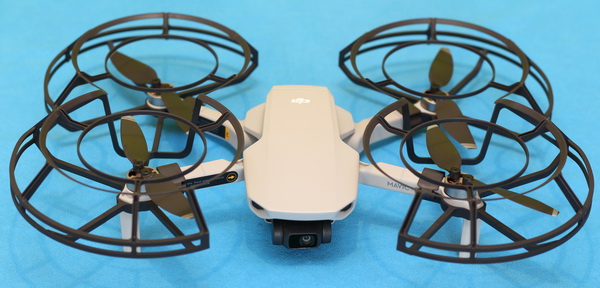
- 360° Propeller Guard (included in Combo pack) – Safer flights for newbie pilots;
- Two-Way Charging Hub (included in Combo pack) – Re-fuel up to 3 flight batteries in sequence;
- Hand bag (included in Combo pack) – Carry easily with style;
- DIY Creative Kit – Customize your Mavic Mini’s design. Kit includes shell stickers and colorful markers;
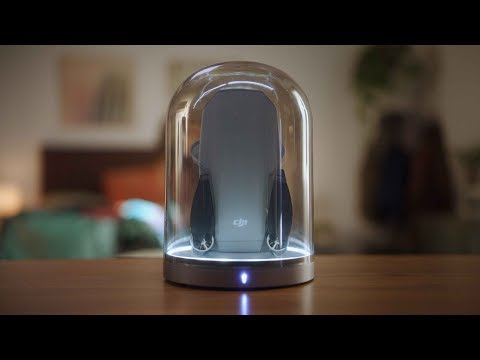
- Illuminated glass charging base – Mavic Mini expo stand;
- Snap Adapter – Use it with wide range of snap-in accessories;
- Propeller holder – Secures and protects the propellers for safer storage and transportation.
One week with the DJI Manic Mini

What’s next?
In the following days, I will upload lots of sample videos captured with Mavic Mini, I will perform an in-depth test of each QuickShot modes. I will also test the Arya’s max FPV and control range.



Just wondering if is still the dji mini (gen1) a good drone, or should I look for the newer brothers? I’m on a tight budget….
Sorry Marvin for the late reply.
Yes, if you are on a tight budget, the Mavic Mini 1, is still a great flying machine. The stabilized camera is decent, if you shout in FHD (1920×1080).
just purchased a used one on ebay for 100$. best deal ever!
When replacing props, is it suggested to use the lock nut liquid? What do you guys think? And do you use the original screws again or always new ones?
Visitor Rating: 5 Stars
I bought this from Costco. The Mavic Mini is my first drone, and I have to say I didn’t expect to have so much fun, and the videos are incredible!
Hello everyone! I’m a beginner in the drone world I’ve recently purchased a Mavic Mini but I’m not sure if it’s the right one for me. I wanted something that can track me during outdoor sports activities. Any help on how to use the Mini for such a thing
Visitor Rating: 5 Stars
Visitor Rating: 5 Stars
Visitor Rating: 3 Stars
What are your opinions on motor dust covers for the Mavic Mini?
Personally, I avoid using third-party accessories.
Just took the Mini on its first flight. This drone is AMAZING for its price!
Who has a 107 license for Mavic Mini, and why?
How many of you fly further than LOS and above 400 ft without a part 107?
Can the FAA or other authority track how high and far you fly your Mavic Mini?
How often does everyone shoot in 24fps? What are the advantages over 25fps, 30, or even 60fps? I want to get the best out of this little drone…
Do you know how to install FCC hack for Mavic Mini?
Has anyone tried a drone parachute with the Mavic Mini?
With blade guards, the Mavic Mini goes into payload mode due to the additional weight?
Yes, with stock guard protector the MINI starts in beginner mode (limited altitude and range)
Visitor Rating: 5 Stars
how do I make a tiny planet with the mm?
Just ordered my Mavic Mini, it was on sale and I do not need 4k. While waiting for it to arrive is there anything I should buy besides a micro SD card?
How often do you do calibrations on your mavic mini? And why?
I went to use my Mavic Mini ( after 3 months ) and it won’t turn on. I charged the batteries and still it won’t turn on … any suggestions? Is something wrong with the drone or the battery?
Please help
Most likely the battery is damenage. Long term storage (without using) kell kill them, especially if they left fully charged.
Using a multi-meter you could these The MINI’s battery voltage. If is below 6 volts, then is dead.
Visitor Rating: 5 Stars
There is any way to go LIVE on FaceBook with the Mavic Mini?
Any hack/mode for flying into the no-fly zone?? Even at low altitude…
Any other cheap software for video editing apart from DJI Fly software? Maybe which allows upscaling from 2.7k to 4k.
thx
Visitor Rating: 5 Stars
I have bought my son the Mavic Mini for Christmas, he’s never flown a quadcopter before. Can you share any advice, top tips to get him started please, thank you!
I also purchased the Care refresh package, do I need to activated now or after he unbox the drone?
Here is a pre-flight checklist that every new pilot should follow:
– Register/Activate your Air 2 at Dji
– Get and activate DJI Care Refresh within the first 48 hours
– Calibrate the drone before fly ( Compass and IMU)
– Download and install the latest firmware for the drone, remote, and batteries
– Watch on YouTube many tutorials and follow the FAA rules
– Check your drone and the environment where you fly it
– Fly only in large fields
– Never fly over people
Merry Christmas!
Just put that cage on for the first flight it’s a great must-have if indoors too!
I’ve only been able to go about 100m up, and it loses signal and I can’t even 500meters horizontally because the signal is very weak…
Visitor Rating: 3 Stars
How to fix the Gimbal stuck and Gimbal overloaded issue? I got this message almost every time I try to take-off
Mine shows “Gimbal Unable to connect….”. Error code: 40012
Any solution on this?
Am afraid to fly my Mavic Mini with the 1.2.1 update. Does anyone know if there is any other update after this one?
Actually, the 1.2 version has issues.
Has anyone successfully fixed their Mavic Mini “prop speed warning” by rolling back the firmware, and then updating it, through DJI Assistant? I got warnings on rear motors…
You should try to replace the props first. Usually, this solves all the isues.
How to downgrade DJI Fly APP (1.2.0 –> 1.1.10) on Apple (iOS) phones?
Visitor Rating: 3 Stars