

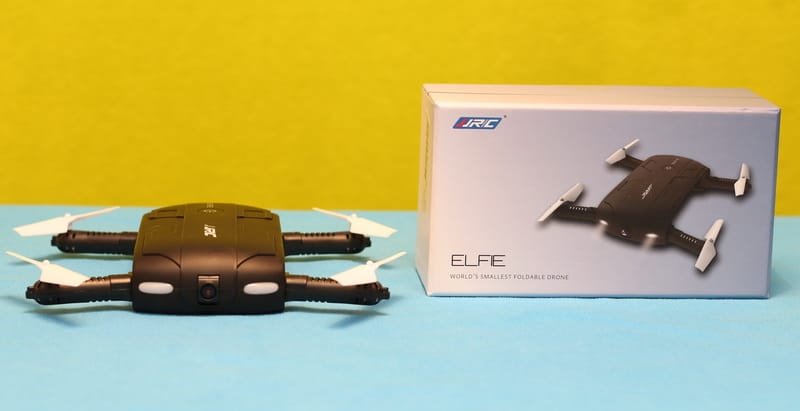
Usually, selfie drones like this JJRC H37 Elfie are very expensive gadgets. Although the design of the JJRC Elfie is very similar to the one ZeroTech Dobby has, they are from a completely different league. Is a bit exaggerated to categorize the H37 as a selfie quadcopter.
In 2016, most of the major drone manufactures, like Yuneec and DJI, announced their selfie drone. Even if the JJRC H37 is just a cheap imitation, I think it deserves to be reviewed on FirstQuadcopter.com.
Announcing new and interesting quadcopters almost every month, JJRC quickly became one of the most popular toy drone brands. I reviewed a few of their drones, and I can say that they have an excellent price/value ratio.
In my opinion, around Christmas, the Elfie drone seems to be a nice, fun gift for a low budget.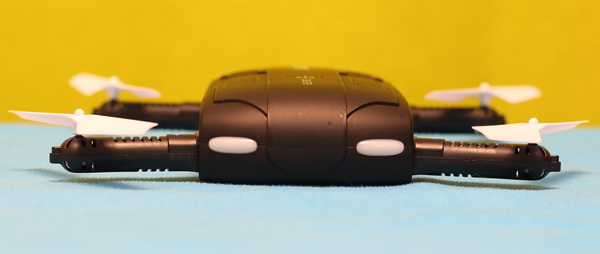

JJRC H37 quadcopter highlights
- Foldable design;
- APP control (G-sensor and virtual sticks);
- Wi-Fi real-time image transmission;
- Altitude hold (auto-hover);
- One key return-to-home (not GPS);
- Headless flight mode;
- Multiple flight speed rates (30%, 60% and 100%);
- About 8 – 15 minutes of flight time;
- Near 100 meters control range in an open field.
JJRC H37 Elfie review with pros and cons
I will start my JJRC H37 review by thanking Alice from GeekBuying for offering me this nice gadget. I asked her if she knew the cute girl from the H37’s promo video because I want to meet someone with whom I can learn Chinese :D
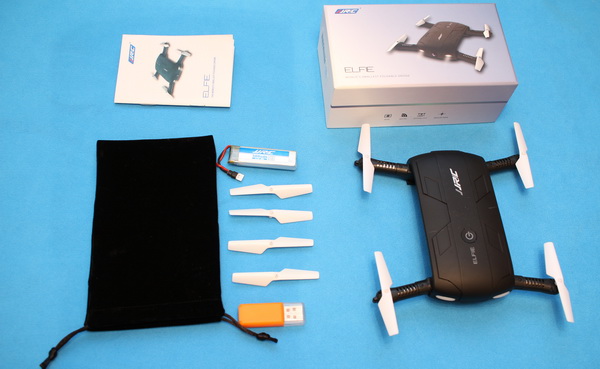
Inside the surprisingly small cardboard box, besides the folded aircraft with loaded battery, I found the following: velvet carry bag, USB battery charger, 1 set of spare propellers, and user manual. There is no remote controller included.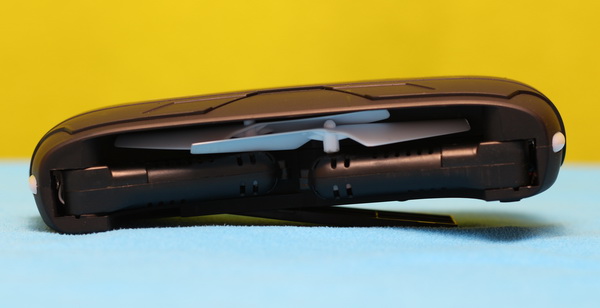

The size of the aircraft is about 135 x 65 x 26mm. The arms can be easily folded/unfolded in seconds, so they will fit into your pocket.
Due to the foldable design, the motors are orientated horizontally and not vertically as on other toy drones. In case of motor failure, you can conveniently replace the entire arm. It costs only $3.30 and includes the motor, main gear and propeller.
A tiny camera is located in front of the drone. The tilt angle of the lens is adjustable (about ± 15 degrees) to obtain the best field of view.
The power button is located on the top, visible, and easy to access.
During night flights, you will be guided by two white LEDs in front and two red ones in the rear.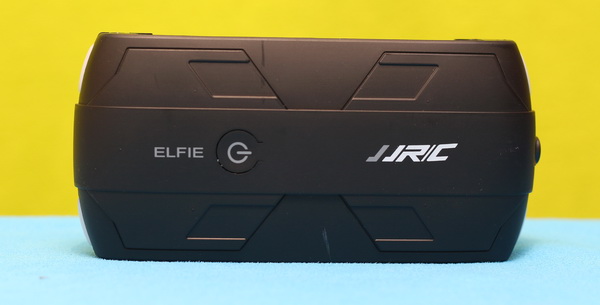

The longish 500mAh battery is loaded from the bottom of the quad. Frankly, the advertised flight time of up to 15 minutes sounds unbelievable.
Thanks to the included velvet bag you can conveniently carry the quad and store it safely.
JJRC H37 review – Camera
The onboard 0.3MP (480p) Wi-Fi FPV camera allows to capture photos and videos with a resolution of 720 x 576 pixels.
Five minutes of video occupies about 23 MB. The JJRC H37 doesn’t require a micro SD memory card because the captured files are stored on your smartphone’s internal memory.
The video files are stored under the “JJRC” folder and end with the H264 extension. Unfortunately, I didn’t manage to play the videos on my desktop computer even if I renamed the files to *.avi, *.mpg or *.mp4. Anyway, because the videos are captured from the live-video stream, I don’t expect spectacular quality.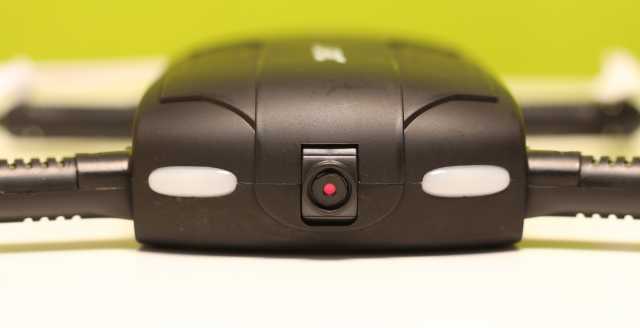

The camera’s real-time video feed can be displayed on your mobile device (smartphone/tablet) through the JJRC APP. The quality of the live video is pretty enjoyable; kids will love that they can spy on the neighbor’s dog.
JJRC H37 review – Remote APP
As I mentioned, the JJRC H37 comes without a transmitter and can only be controlled through your mobile device.
You can opt to control aircraft in two ways, using virtual sticks or through a gravity sensor (not working with my Samsung Galaxy S7). I’m curious if the manufacturer plans to offer in the future a conventional transmitter for this model.
The flight direction of the drone can be controlled with the right virtual stick or through the smartphone’s internal gyro-sensor by tilting the phone. Practically, the JJRC Elfie H37 can be controlled like we play a mobile game, kids will surely love this feature.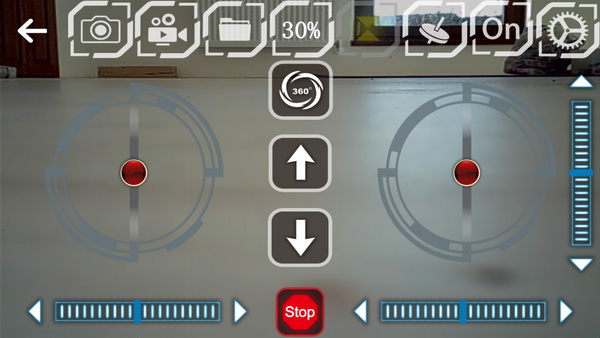

Finishing your flight was never simpler. You just need to press the arrow-down button, and the quad will land and stop its motors.
The JJRC APP allows to review your photos/videos right on the flight field. The captured files are stored on your smartphone’s memory, and you can instantly share them with your friends.
JJRC H37 review – First usage
Before your first flight, you must install the APP on your mobile device. After unfolding the arms, power ON the quad and look for the “JJRC–526E61” Wi-Fi network. The motors can be armed through the APP using the “Up” arrow.
The control mode is set to virtual sticks by default. Push up the throttle stick (left one), and the drone will start to rise.
The integrated air-pressure sensor keeps the aircraft’s flight altitude very stable.
For newbies and indoor flight, I recommend setting the speed rate at 30%.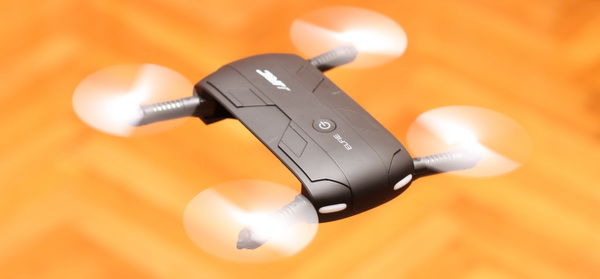

When I switched to “full speed – 100%” the H37 became speedy and more agile. This speed rate is recommended for outdoor flights.
In case of emergency, you can use the “Stop” button, this will stop all the motors instantly.
Of course, due to the WiFi protocol, the live video has some lag, and it’s not recommended to fly exclusively in FPV mode.
Pricing and availability
For those who became curious and want to try it, this pocket drone can be ordered for $41.99 with one battery and for $43.99 with two batteries right here. Both variants are delivered free of charge.

First flight with the H37 Elfie drone quadcopter



You can purchase separately the remote controller for only 7 dollars. It is more fun than with phone control. I like the JJRC H37, it is the best drone for its price!
Thank you for the Great review!
I own the JJRC H37 Elfie and after few flights on motor stopped to work. What can I do? Please help
If you have luck, only the motor is dead. You will need to buy a spare arm with motor. Replacing the motor is very easy.
If you will have the same issue after motor replacement, you will need to take apart the H37 and check the wires. If everything good you will need to replace the mother board (flight controller + receiver).
Good luck!
how god is the JJRC H37 camera for selfie videos? I panning to purchase a selfie drone but without spending to much on it. I think 50~100$ is a decent price for such toy…
Great review!