

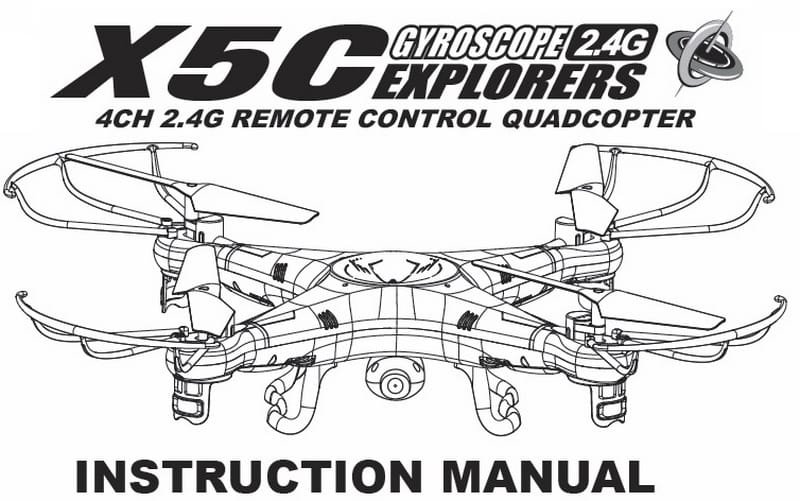
Syma X5C instruction manual download page
Before your first flight with a new quadcopter it’s very useful to read the aircraft’s instruction manual.
You will find more then ten useful chapters in this user manual:
- Key features of quadcopter;
- Safety & Caution of using RC aircrafts;
- X5C Package content;
- Remote control keypad and LCD user manual;
- How to make ready your Syma X5C quadcopter for the first flight;
- How to change and charge the battery on the quadcopter;
- Battery repair and maintenance;
- Install the landing skids and the blade protecting frame on the Syma X5C;
- Controller modes and flight instructions;
- Introduction to quadcopter functions;
- 3D eversion and throwing flight instructions;
- Instruction to install and operate the 2Mp HD camera on the Syma X5C;
- Trouble shooting the quadcopter;
- List of spare parts for Syma X5C;
- X5C breakdown and diagram.
X5C User Manual download
It was very hard to find the complete X5C user manual, you will not find it even on the manufactures website. If any problem occurs through the time of using , operating and flying the quadcopter, you can read the X5C user manual for troubleshooting before contact your sales agent. [wpdm_file id=1]
updates: WOW this post reached 100 comments! I’m very happy that are so many X5C pilots around the world!


thank you!
Thanks!
I just purchased a used Syma X5 and the manual helped me to start with it.
after 4 yeas, still own the x5c I replaced all the motors at least 5 times :D
thanks for the manual!
Colleagues
just bought the X5C $29 kmart version
where can i get spare blades ( in australia) thanx in advance
Thanks for sharing the manual. It solved the issue with my Syma x5c.
My X5C propellers ( all 4 ) fire up as soon as I plug the battery to the X5C drone unit. what is wrong ? this happens with the on/off switch in either position. if on it spins faster if off it reduces the blade spin speed. the unit will not connect to the remote or take off, just sits on the ground with spinning blades till I disconnect the battery… ( carefully ).
is there any program or software that will
allow me to see what X5C camera sees while in flight
Sorry, the X5C does not have Wi-Fi FPV!!!
for those of you with only 3 or less blades turning:
I had the same problem with 2 of the same model, I ended up cracking open the motors to find pretty crappy build quality. You’ll most likely just have to replace the motors.
Just received my HR SH5 Standard (Syma X5C clone).
When I turn it ON, only a 2 red and 2 blue lights blink once. I can connect with my remote control but it doesn’t respond on it and nothing happens.
Any suggestions?
Thanx
thanks for this user manual!
My son received a new X5C on Christmas and promptly flew it out of sight. Today, a neighbor brought it back to us after finding it floating in his pool.
Any suggestions as to where to start with attempting a repair?
Got new X5C for Christmas….. Can not get blades to turn…. took a picture on the ground. Lights flash…charged battery till light went off…. the inst at the bottom shows the lines going up and down and I have read the manual several times….no contact numbers….no one to talk too… I followed all directions and can’t get the motors going…. any ideas?
I have a problem with my batteries not charging property. I charged them all day andelivery I only get many 15 seconds of use before it starts blinking at me and the controls go buggy.
It’s my first drone all help is appreciated.
I have not seen this problem anywhere.
The quad-copter powers up and lifts off no problem but when I apply the steering the unit rotates. Des anyone know what could be wrong? For months it flew fine and now I can’t do anything except go up and down.
Help!
How high/far can the X5C drone travel before losing control?
about 50 meters
Only 3 blades spinning can be one or more of a few things. It is mainly gear problems with the teeth not meshing correctly. As dirt builds up inside the teeth the gears start to be ground down by the fine dirt like sandpaper. Eventually the tears no longer mesh together and u get a prop failiur. Preventing this is impossable but you can extend there life. After every flight take a stiff toothbrush and brush out all the built up dirt. DO NOT PUT OIL ON ANY PART OF THE QUAD. You can’t oil gears or motors as dirt aticks to it and kills the gears almost every flight. Keep standard day and clean or you can use some mineral powder lube like magnesium which u brush on evenly.
If u get a gear problem DONT onlycfhange the affected one. Change BOTH motor gear and shaft gear TOGETHER. This ensures the life of the heads are good. One used gear and one new one together causes them to quickly grind away.
You can tell this if you get motor scream when u up throttle. Next the motor. Test it works both ways with a 3.7v battery on + & – charges.scteaming means its either going the wrong way or its well screwed. Replace if needed. Last check the wiring to the pcb flight control board looking for broken or dry solder connections. Fix as/when needed only. Any other reason is youve not got the drive assembly set right and its too tough to move.
You should dismantel it in full and rebuild. You are better swapping the standard slow 7mm motors they come with and upgrading both the motor and gear assembly with an 8mm one.
The quad will be 10x as fast and react much better. Upgrade the battery lipo pack from a 500mah one to no more than 3000mah and no more than 3.7v.
Could you please advise as to what SD card I should buy to replace the one I lost in a field after crashing.
I have tried various places but cannot nail down the SD model
Would very much appreciate some help getting up and running with a new X5C-1 Upgraded Version. Can’t get the controller and quad to bind.
Included battery for the quad has been fully charged. 4 new batteries in the controller. Fine tuning indicators all centered. Mode 2 controller (throttle on left), and display on controller indicates Mode 2.
After turning on both the controller and quad, light flashes rapidly on the controller, and initially very rapidly on quad changing to a slow flash after 3 seconds.
There is a beep when throttle is moved up and another beep when moved back down, after which the light on the controller quits flashing and remains steady but the lights on the quad continue to flash slowly, never staying steady.
If either stick is moved the corresponding indicators in the display move as they should.
Have tried turning the controller on first, quad on first, moving the throttle up then down fast, slow and everything in between.
Any thoughts?
Thanks,
Stan