

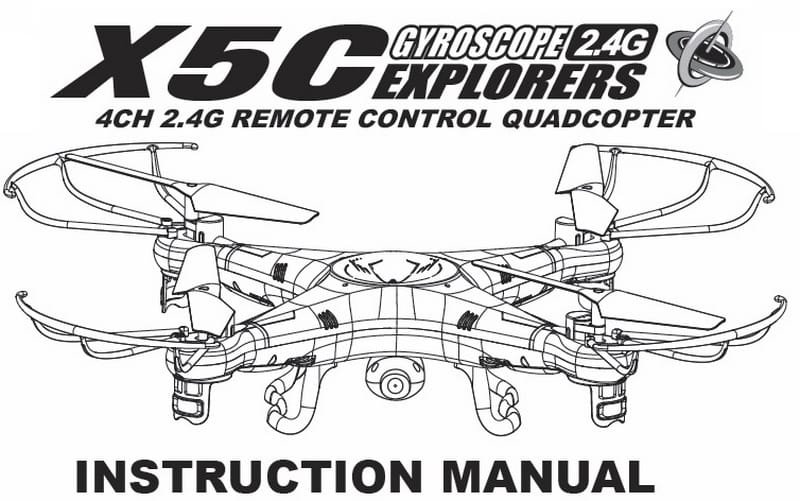
Syma X5C instruction manual download page
Before your first flight with a new quadcopter it’s very useful to read the aircraft’s instruction manual.
You will find more then ten useful chapters in this user manual:
- Key features of quadcopter;
- Safety & Caution of using RC aircrafts;
- X5C Package content;
- Remote control keypad and LCD user manual;
- How to make ready your Syma X5C quadcopter for the first flight;
- How to change and charge the battery on the quadcopter;
- Battery repair and maintenance;
- Install the landing skids and the blade protecting frame on the Syma X5C;
- Controller modes and flight instructions;
- Introduction to quadcopter functions;
- 3D eversion and throwing flight instructions;
- Instruction to install and operate the 2Mp HD camera on the Syma X5C;
- Trouble shooting the quadcopter;
- List of spare parts for Syma X5C;
- X5C breakdown and diagram.
X5C User Manual download
It was very hard to find the complete X5C user manual, you will not find it even on the manufactures website. If any problem occurs through the time of using , operating and flying the quadcopter, you can read the X5C user manual for troubleshooting before contact your sales agent. [wpdm_file id=1]
updates: WOW this post reached 100 comments! I’m very happy that are so many X5C pilots around the world!


Hy, this is Monil
My quadcopter x5c all motors working properly but cant go up all the propellers and motors are putted properly but whats tha problem?
I fly it only goes up only 1 m then and comes down …… if battery problem or other …dont know?
pleaseeeeeeeee fix it
Buy a standard micro sd card, usualy from a smartphone and u can go upto any size u want 1gb to 500gb choice is yours
500gb? it’s a joke?? go for a max 8 GB one
It says in the manual that the camera is ready when green light is ON. My camera shows a blue light, does this mean it’s connected but not ready iv tried taking a pic but it’s not saving on the 4gb card.
I’m pressing up on the remote I see the red light flash but doesn’t save …..
Any ideas would be a help I’m a noob flyer looking to learn
I have a problem with the transmitter controls. The mode set is mode 2, but the yaw (rotation) control on the stick has moved from the left hand stick to the right hand stick. the pitch stick now controls the yaw, and the left hand stick is controlling the rotation (banking left and right). Does any one have any idea how to swap them back. I have tried swapping the modes back and forward but this has not corrected the problem.
My Syma x5c only records audio in the video, no picture no video ..pls suggest anything I can do to fix this
Same problem here. Any solution?
Hello,
In laptop can only listen to audio, no video, no photo with my Syma X5C .. Any suggestions?
My x5c takes pictures but I take videos and they are just black but pictures work fine please help?
My new battery of 3.7v is not working on my quadcopter and it only just lighting up lights.
When it is fully charged is only 3.7v?
This is the second quad I have purchased, also the second one to be unable to fly due to one motor (or controller) not developing enough thrust. Both quads have had the same problem. The second one is out of warrantee, so, I don’t expect an sort of reply, let alone help. This message is sent in the hopes and spirit that may help develop a better machine. If you would like to have these two quads returned so you can examine them, let me know
in the manual page 11 – it states the 2 rotating motors ( 07) & 2 receiver motors (08) –
a soilder iron and small philips – swap a faulty one ? –
and then match the correct blade ???
I’d buy them if cheap enough !
I just bought the Suma X5c1. I’m beginer and need to know, how I can lift the Syma stright up. It goes litle bit left, right when lifting up.
you can try to re-calibrate the gyro
What is the button for the camera on the X5C’s transmitter???
Press down on the slider button just right of the left joystick, the green light on the camera should go red. Green is ‘NOT recording’, RED is recording.
Hi,
I just wanna ask if i can use my jy-x5 transmitter into syma x5c? Bcs im planning to buy syma x5c without transmitter. If not, how can i manually reset my jy-x5 transmitter into syma x5c transmitter?
Thanks
My video playback is always tilted over at 45 degrees, ie the horizon is on a slant even when flying level. Anyone know how to correct that please?
Hey just bought one and the display on screen is blank i turned it ON and OFF and LEDs are geed it both ON and OFF.
When i click record button on remote it records I see it on sd card.
Does anyone know where to get a new controller for the X5C or can I bind it with another 2.4 ghz 6 channel controller? The original controller lasted 2 days and then something in it died..no output to the copter receiver and no display on the controller.
My son should have sent it back but didn’t under warranty. I’ve checked the batteries and followed power into the circuit board so the switch is okay.
Thanks,
John
X5c-1 not working, the battery is fully charged but when I plugged into drone all i get is a red light on camera and nothing else. any ideas ?
Anyone having trouble with their card reader not being “found” by the USB port on their laptop? It’s been working fine on mine for over a month, but suddenly my laptop no longer can mount that card reader.
I know they’re pretty dinky construction and bound for easy damage. But I wonder if it could be something else?
Just got the Syma X5C-1 can’t get to hover in one spot indoors, any suggestions? Moves very fast and erratic.
My camera on the x5c turns on red light, flashes green 3 times then red light turns off. Does anyone know what this means? The camera used to work but now this happens and it turns off
If your battery is plugged in to your x5c properly there should only 4mm of your battery connecter stuck out of the socket. I cut a bit off the battery connecter lugs so they would go in properly and easier
Great drone to fly but when i’m outdoors, 360 degree button won’t work when pressed. I usually do it at an appropriate altitude and I make sure that there’s enough battery. Very frustrated I can’t have fun! Any suggestions??
To do the flip on your x5c you have to have your direction stick full out in any direction then hit the flip button
HELP!
I plugged my battery in to my x5c, turned the switch to ON and the red and green lights flashed once… then quit. The battery charger is not lighting red, so my battery should be charged. It plugs up and clicks in properly, so it should have a good connection. I’m having a hard time removing the tiny screws to take the body apart to verify that.
Anyone have any recommendations or similar experiences?
It has been asked several time by other users with no reply but I try again: both quadcopter and controller turn on but seem not to sync ant talk to each other, anyone knows how to fix this?
I need help with the camera,
I record my Flights since day one, they have always played on my windows 10 pc and on my tv until a few days ago..
the footage is saved as an AVI file and i have to convert them to mp4 every time now.
they were mp4 beforehand but now are not.
any assistance is greatly appreciated
Alex
Help, how can i fly it in a upward takeoff. Im a Beginner. T.Y.
My son replaced his rotor blades and every since. It will not lift off the ground. it seems they are turning backwards.
Warning. Warning
Syma
Warning. Warning
That how the propellers should be if you look at it above your x5c
My spacing did not work above
But if look down on your x5c with the writing on your propellers all the same way as Syma is written then the top two should have the writing on the outside and the bottom two writing should be togetheR
When you put your batteries into the charger they should click in
I had to trim the battery connecting lugs for them to in
Hi, I am having an issue getting the charge cable to start charging. I have plugged it in to the wall with a block, into any system I have with a USB and my computers and nothing get the red light to stay on. I was able to charge it on computers my friends had but it is still frustrating. Is it just an input voltage issue?
Any help is appreciated
It is possible that your battery is over-discharged, this is why it not start charging process…
I have got the x5sc-1. It flies fine but when I put the SD card into my phone the videos don’t work or they don’t have an image does anyone know what to do
Probably work better in a computer, that way you have different options of which viewer to use, or media player.
I hold the right switch to the right then turn on the power but it won’t change to mode 2. is there anything I can do?
Need help. my son got a quad for Christmas and has lost it already. He said it went over the trees and then he lost sight of it. How far will it go once it’s out of range?
He said he stopped flying once he couldnt see it. We’re trying to find it.
My son’s quad-copter came with an orange thing that looks like an usb thing — it is NOT the charger.
Does anyone know what this is? It did not appear in the manual.
Also, how do I know if the camera is working? Thanks in advance
that orange “thing” I think is a USB micro SD card reader.
Take some test photos & videos and download in your computer :)
I have a 4gb sim card for my x5c but how can i see images on it
I need help.
My quad keeps tilting which ever way the orange lights are pointed.
I was changing the blades. Than I turned it on and this started happening.
It will always tilt towards the orange lights if it is going forward
My sons got these for Christmas and after using them for a day they won’t fly. One of them will only pick up on one side.
The batteries are fully charged and we have replaced the propellers. Any advice would be great really weird to us that they are both having the same problem.
We have the same issue with one my husband purchased.
We have discovered one of the propellers on the side it tips over on isn’t spinning as fast as the other 3 if we figure out how to fix will post again.
Make sure the propellers are in the correct order!
My husband purchased one of these and it worked fine to start out, but now all it does is fall to one side. it won’t lift up. Any suggestions?
You can try to recalibrate the gyro.
Can you tell us how to do that? We are new to this. thank you!
As stated in the manual, hold both control sticks to bottom right for a few seconds. Watch the lights on the drone.
For those of you having trouble with the Controller…left stick side to side toggle is now controlling side to side movement instead of rotation, you may be in Mode 2. To switch to the other mode, the button below right toggle stick push to the right (with the controller power off). Then, while holding that button to the Right, turn on the power. This should take care of your problems :)
Hi,
I got my x5c a few days ago and its flied great with the original battery it came with but I got a backup battery in a repair kit i got for the copter, the connector on the new battery does not click into the drone like the original does and the drone flies very sluggish with this battery, is there any fix considering the new battery is 600mah instead of 500mah but that should only make flight longer.
any suggestions would be great
Sorry, forgot to mention that the quadcopter model is X5C-1. It is supposed to be an improved model.
The Instruction Manual says that the button below the left throttle lever is supposed to be the Auto-Home Button activated with two beeps. However, it does not seem to work, or is there something I am not doing right? Thanks.
How does the Auto-Home button work? It is supposed to be the button below the left side throttle of the controller. Would appreciate receiving some help. Thanks.
The X5C does not have auto return to home!
Woops! I meant the left toggle controlled assent/decent and the right controlled forward/backward and right left fly.
Something happened to the copter control. Out of the box the right toggle controlled the assent/decent and the left controlled forward/backward and left/right fly.
Now the left toggle controls the assent/decent and left and right fly. The right toggle now controls forward/backward fly and turns the copter left/right (spins).
Is there a fix? I reset the transmitter but the controls are the same.
Thanks
hello..
i just got the X5C quadcopter including camera and 4GB sd card..
although the camera light is constant green, it doesn’t save any thing on the sd…
any suggestions !!??
Same problem. Anyone with a solution?
Hi everyone
It looks like one of your motors are failing
Got a set of 4motors off eBay for £4
Flew my newly acquired Syma X5C for several flts with no issues. Changed the battery to new ‘fully charged’ battery and now the power to props are not sufficient to raise Syma over 6 inches – seems it lacks power even with full power applied. All props are turning by hand with no apparent issues.
Re-charged all new (have 4) batteries and tried each one with no results. Have tried to re-calibrate but to no avail.
Any thoughts and suggestions??
Thanks
have you tried fresh batteries in the controller?
If your quadcopters rotors are turning
but it wont lift off check that you have the correct configuration of rotors! Two rotors turn one way and two the other. Look closely- the rotors are different angles.
I have had my x5c for a while now and have been wondering, if i swap the motors for some bigger ones would it still work and would it be able to lift heavier things?
Hi, I was flying my x5c and it went pretty high and it drifted off and went over into the trees or neighbors yard or somewhere. I can’t find it in the neighbor yard or any where, but it is definitely within 100 yards. Any ideas with tracking it?
Thanks!
Hi Kyle
I found a x5C in my garden 3 weeks ago.
I am in Bentley, Walsall, UK.
If this is yours contact me on the e mail address and arrange to collect it.
Dave
Does anyone know why I can’t view the videos I take? I can only hear the audio.
Did you find out? Got same problem
did you find a solution to this?
Hey everyone, I flew my x5c way out of range, it drifted a good two hundred meters before landing in a open field, when I retrieved the quad my controls had flipped, the left stick on my transmitter still does throttle (up and down movements) but will not rotate left to right, instead that action is now on the right stick of my transmitter, so I have forward/backward, rotate left or right both on the right stick and throttle up and down and left right movement with the left stick, I’ve read the controls can be changed with the flip of a switch I’m just not sure what button I’ve pressed to have caused this can anyone help me, I’ve only just gotten used to the controls as I’m new and now they have changed.. I don’t want to have to learn these new controls please help me!