

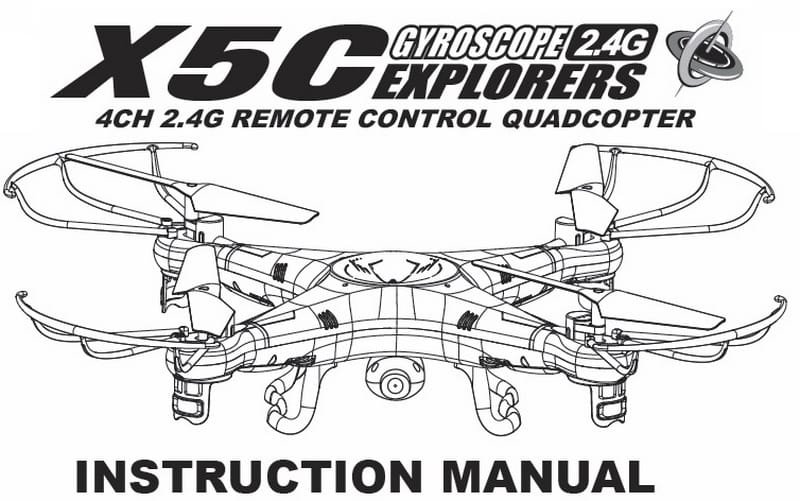
Syma X5C instruction manual download page
Before your first flight with a new quadcopter it’s very useful to read the aircraft’s instruction manual.
You will find more then ten useful chapters in this user manual:
- Key features of quadcopter;
- Safety & Caution of using RC aircrafts;
- X5C Package content;
- Remote control keypad and LCD user manual;
- How to make ready your Syma X5C quadcopter for the first flight;
- How to change and charge the battery on the quadcopter;
- Battery repair and maintenance;
- Install the landing skids and the blade protecting frame on the Syma X5C;
- Controller modes and flight instructions;
- Introduction to quadcopter functions;
- 3D eversion and throwing flight instructions;
- Instruction to install and operate the 2Mp HD camera on the Syma X5C;
- Trouble shooting the quadcopter;
- List of spare parts for Syma X5C;
- X5C breakdown and diagram.
X5C User Manual download
It was very hard to find the complete X5C user manual, you will not find it even on the manufactures website. If any problem occurs through the time of using , operating and flying the quadcopter, you can read the X5C user manual for troubleshooting before contact your sales agent. [wpdm_file id=1]
updates: WOW this post reached 100 comments! I’m very happy that are so many X5C pilots around the world!


I’ve been having trouble with my transmitter on my syma x5c and it lets out a long continuous beep and won’t control the quadcopter.
help plz
This just happened to me. Have gotten a response or had if fixed yet?
Any Solution about that? I’ve the same problem with my X5C :(
Hi, could someone tell me if it is possible to use the transmitter from another Syma quadcopter such as the X1, they look identical and both transmit on 2.4Ghz or does some modification have to be made?
Thanks
My USB that came with the X5C does not fit in my Macbook Air or newest Macintosh desktop computer.
Does anyone have a solution?
Yes the same for me it’s soooooo annoying
Sandpaper does the trick.
Could someone help me?
I have a syma x5c quadcopter and it works just fine, except for the camera.
the light on the camera is always green and it doesn’t take pictures/videos.
I tried both ways to use the camera (button on the top right and the one left to the power button) but it doesn’t work
also tried configuring the SD-card, but still the same problem.
I even bought a new camera, but as you might have guessed… same problem
It would be nice if someone had the solution :)
does your remote beep when you try to record the video or is it silent? if its silent then you will need to open your remote and try and do repairs on it. try looking on youtube for help :)
Hello, when i plug the battery one of the rotor start spinning, doesn’t matter if the drone is on or off when i plug battery start spinning, maybe someone can help me!!!!!!
In flight over the thick vegetation x5C-1 battery discharge and falls quickly, so that I do not know exactly where it landed.
There is a system via transmitter to find it?
Thanks a lot.
Unfortunately, NO! You have to look for the quad-copter by your self, and ask some friends to help you :)
I just got my Syma X5C and can’t get it to sync everything is charged an the lights are all working but it won’t sync.
I’m trying to download my videos and pictures from the SD card that came with my X5C with the included SD card reader, which is orange in color.
When I connect it to my computer with the same cable I use to charge it, my computer can’t find it. Should I just get a regular SD card reader or am I doing it wrong. I’ve tried it on Windows and OS X.
I had the same problem and found out that the card was bad. I bought a new card and it worked fine. Make sure the indicator light on the camera is blinking as it should when you record.
Good luck.
Hi I ordered a motor because one A motor died. When I make contact with the board this motor spins, even though my syma is off.
Please help.
I got a new X5C, charged the battery but the copter does not have any signs of life – when turned ON, not lights or sounds. Please help :-(
1. contact the seller, request 2 refund
2. check the battery voltage, open the quad look for broken wires, poor soldering…
I have a X5C with a camera, and I was wondering if and how u could get live feed through it. I tried an app but it apparently only works for the W models.
Sorry, you can’t!
Buy the 50 dollar camera that comes with a screen
It’s made for the x5c
Hi there,
What will happen if my batteries in the control die or are low
First of all your quadcopter LED’s should blink couple of times then better just land.
If your battery is warm or swollen be careful.
If battery is low … you will see it ;)
My x5c will not lift off. All props spin but it won’t lift the copter into the air. One side will raise up maybe a couple inches but that’s it.
I’ve tried recalibrating it but no luck.
Any suggestions? Thanks!
You may have something in one of the four “drivetrain” in a bind. Do all the motors make the same sound and have similar durations when you spin them by hand?
If one is different, look for gear issues, gear on spindle issues, propeller screw tightness, and adjust until it has the same characteristics as the others.
Over-exuberance here can cause chronic headaches, so make infinitely tiny adjustments.
I took it apart and everything seems to be fine. After some experimenting I’ve determined that only one side is trying to lift the copter, the other side only spins or will try to push the quad copter down. It’s not the front or back (2 red or 2 green lights) it’s one red and one green on the side of the copter with the “S” of Syma. Frustrating!!!
Any help would be greatly appreciated :)
Hi,
I have the same problem with my X5C fly one side only when try to lift the quad-copter, have you solve the problem?
Any help will be appreciated
Yosuph
Hi,
I ordered the syma x5c (from ebay, new) and from the start I haven’t been able to get the camera to work. I’ve read over the internet and tried the possible button scenarios (LHS slide switch up and down for photo and video – this does beep on the remote but the camera doesnt engage), other forms said the top right hand button but it didnt work either.
I’ve tried two different memory cards (the 4gb included and a 2gb higher quality one i had about), both were empty but had the files photo and video on it.
When you switch it on it flashes red then stays a constant green – I’ve gathered it goes red when recording?
I’ve contacted the seller who has offered a partial refund to buy the parts necessary but i do not know which parts to get? Would it likely be the camera unit only or would there be something wrong with the quadcopter circuit board or maybe the remote?
It’s quite expensive to post back and forth for returns which is why he offered the partial refund (and saves me time as well really).
Any advice greatly appreciated!
Hi,
I lost my syma x5c1 couple of days back I’m still looking for it though.. It has been raining past two days. Question is if its sitting somewhere and getting rainwater on it would it still be possible to use it if found? Thx
Yes, the are chance that will work your X5C-1, but the battery probably will be dead.
My very first venture outside at night lasted about 3 minutes and ended with the quad 60 ft. up a tree in 20˚ weather. I pondered the situation heavily and surveyed my options. I went inside and went to bed. In the light of the next day I got my binoculars out and did a more precision assessment of the situation.
I went inside, sat down at the computer, and quickly ordered another. That machine served its purpose admirably, but I still examined the tree-dweller daily, hoping that the elements might provide a little incentive for movement.
Day after day, it just sat there. Through multiple snowstorms, multiple ice storms, and as the days marched on, spring rains.
About 4 months in, the routine of the daily scrutiny was broken when the drone had ceased to be a familiar feature in the landscape. I calmly walked into the trees to the area where it should have fallen. It was sitting there, I picked it up and it looked none the worse for wear.
Took it inside, peeked at her insides, connected a battery, and she came to life. Synced without difficulty to the controller, we flew around in the house for awhile, went outside and although she seemed to take a short time to get the cobwebs out, she ultimately flew like a champ.
Is still flying like a champ, as is her subsequent replacement. Lessons learned? Take the prop guards and landing gear off and put them in a box somewhere because you’ll never use them, they’re just dead weight and removal favorably impacts the handling characteristics of the craft, and maybe the flight time as well.
With said “hooks” attached, trees are your worst enemy. Even without the hooks they’re your enemy, but with all the needless gear attached, they’re like velcro.
Don’t fly outside at night unless you have a large, unobstructed field to fly in.
Simple question, how do I transfer footage from Syma x5c to my imac?
using a USB card reader.
When I turn on my quadcopter, the lights don’t blink any more they just stay ON and it will not do anything at all, what is happing?
I just got my X5C today. I was flying it great with no issues. I let all my batteries charge and went back out but now it won’t take off, even at full throttle. I’ve tried the both sticks to the bottom right recalibration but still nothing.
Any help?
Hi. I just bought my X5C-1. I’m a newbie still learning how to fly this quad.
Only 2 propellers are currently working. Any suggestions on how to fix this problem?
One of the rotors is spinning whitout having the controller connected, pls help
Pôr favor veja se é possivel me enviar um manual em portugues.
I have a 4gb card and my computer sees no files under video and photo folders even tho the controller beeps like it should when I hit the camera button. Its brand new and the camera has never written a photo or video to the card. The card came with the copter. The camera has the solid green led so that seems correct. I tried 2 different computers and same thing.
try another memory card with your X5C
The green light, solid, means the camera is on and ready. On the new version, hit the button beside the left joystick, down, it will start recording, the LED will flash red, while recording… should also hear 2 beeps to indicate that it started recording.
My camera flashes red and green light then goes off. It’s not showing any lights when I click record. I’ve tried another camera and the same. Is this a problem with my drone can you help
Had same problem. We were not correctly closing / ending the video just turning the X5C drone OFF. When we ended / closed the video it would play. Windows media player .avi
Hey I need help! I was flying my Syma x5c outside and it was working perfect until it kind of lost signal and came down like 20ft and hit my driveway. Now after that it doesn’t seem to reading my signal from my transmitter 100%. I’ve put new batteries recalibrated it by resetting on the transmitter. But it still won’t go any higher then like 5ft and real choppy. Any ideas please? Thank you
Gostaria de uma ajuda meu drone syma 5xc funcionou bem no primeiro dia no segundo ele começou a soltar a hélice e o eixo , resolvi colar para não soltar mas , mas agora ele não levanta mas voo so fica puxando para um lado, o que faço?
Hi,
I bought a Syma x5 quad. I would like to now how to install a camera. Is this easy? does it require soldering or is there a plug ready to attach the camera to?
thanks
Yes it has a 3 wire plug and is very easy to install the camera on the Syma X5 basic model.
Hi, just ordered the x5 base model & then saw a camera on ebay that states it will fit this model, is it a simple plug attachment or do I need to cut & solder?
Thanks.
Yes, it has a connector.
The camera replacement it is very easy, but probably will work only with X5C cameras.
Buenas noches, alguien me podria decir en donde puedo comprar un mando para un quadricopter SYMA X5C de 2.4 G y el precio del mismo. Gracias
Need some help please.
I was flying my X5C indoors at about head height when it lost power. Not a slow loss, sudden as if the power was switched off. I have tried everything I can think of but can’t get power to the quad. Plug in new/recharged battery – nothing – no lights, zilch!
I’m getting withdrawal symptoms has anyone else had this problem?
Hello, I received today my x5c, and I try it in my home. It fly very well but I can’t put on the camera. No picture & movies how can I do ?
How do i use the picture & video? does it do it automatically? – Sorry… new user.
You can use them. I’ve actually converted my Syma to JST connections.
Using 800-1000 mah batteries will work
but It’s relative.
The more mah, the heavier. The more the quad has to work on keeping flight.
You will have a little more time flying, but at the cost of your motors burning out early. So is it worth the extra 1 min flight time?
Meh,,, try it anyway :} Motors are cheap
Would you be kind to help me with my question??
I have a few 800-1000mah 3.7v li/ion cell phone batteries laying around. Granted I can solder the connections correctly, would there be any problems with using these? They have almost twice the juice but less than 3g more weight.
Probably will not work, because the Syma X5C will need battery with least 15-20C discharge rate.
The “C” rating is the maximum safe continuous discharge rate of the battery. If you your smartphone battery has 5C, it means it can be discharged at 5 times that battery’s capacity.
Usually the smartphones batteries are not marked with the typical discharge rate.
Don’t forget, Li-Po batteries can be very dangerous! You don’t want to burn down your house just for extra 1minute of flight time.
Calibrate the remote so all 4 blades will start to turn
hi, I have a problem with my syma x5c-1, it was flying perfectly, until one of the motors don´t works good, it keep spining, but suddenly stops when start to flying, somehow it can´t move freely, and the motor get really warm, someone can help me please.
If and when your X5C takes on water. This is the most important step – disconnect the battery immediately. This could save your electronics from permanent damage. The next step is to remove the contaminated water from your electronics.
There are two methods to removing the contaminated water from your electronics:
(1) purchase a can of contact cleaner spray from your local electronics store. (make sure it is safe for use on plastics) spray your electronics with the contact cleaner to remove contamination that could destroy the circuit board. If you can’t find contact cleaner locally, then you can order it from ebay, mouser.com or digikey.com.
(2) Remove electronics from X5C and clean it with distilled water and let dry completely. Distilled water has no contaminates in it, for that reason it does not conduct electricity or leave a residue on the circuit boards. My preferred method is to use contact cleaner.
Thanks, Helpful advice!
Immediately remove and submerge all electronic components in rice, from electronic components to absorb moisture that hand drying them will not accomplish.
My X5C quad fell into a canal, not surprisingly it was damaged, however it still gets about 6 feet off the ground but then cuts out, any one have any ideas??
I’m quite happy with the X5C that I’ve bought just this week. I have a question regarding charging.
Instead of charging it via USB ports on my laptop, can I use my (smartphone) charging adapter (100-220V) which has a USB port in it? I would plug in the X5C’s USB into that adapter, and then the adapter directly into the power outlet.
Any comments will help. Thanks!
Justin
I always charge my quad-copter Li-Po batteries using my smartphones charger (Samsung S4). It works only for 1cell 3.7V batteries!
Thanks, Quadcopter Novice! I’ll, too, go ahead and use my smartphone charger. Blessings! J
I have been flying this thing all over the place, and have had lots of fun, until this weekend, when it just stopped flying correctly. Initial flight setup yields stable takeoff and ascent, but input on the control does not stop the copter. I am thinking the gyro is to blame. It does not right itself when the stick is released, it just keeps going in the same direction it was going.
Figured it out. After initialization of gyros, and binding, moved both sticks to the bottom right corners and reset the gyro calibration. Done! Yay, me!
My Syma x5c and its remote control does not sync. Any solution?
I’ve got problem with my Syma X5C…the controller didn’t detect the quadcopter. What should I do and what the solution for this problem?
Thanks
I have the Syma x5C-1 and every time I put the SD card that came with it in my pc, I get a message that says I won’t play. Do I have to download anything so it will work? Thank you. Jaymes
try to reformat the memory card as fat32 (do not use quick format) and do not use high capacity memory cards.
Even through all that showed was “quick format” it worked!!!!!! THANK YOU VERY MUCH. Jaymes
Thank you so much for this info. we had purchased the X5C and took a few photos…then viewed them. went back out to record more footage and began having trouble with the sd card when loaded into computer, it would not read even though the content had been erased earlier. this helped with the photo s but we are still having issues when we try to video things…why is that…please help
I got my Syma X5C quad copter with the camera and ive used it a few time and worked great well i decided i wanted a bigger sd card so i got a 64GB card to use and it worked fine a few times but then my videos stoped working right on the card so i tried clearing everything off of it and placed it back in and it flashed red one time and nothing happened so i took it out and laced it back in and it continously flashes green now but has no response when i try and take a picture or video now… the old 2GB card still works fine but i cant get this one to work any tips? what am i doing wrong thaanks
Usually these cheap quad cameras can handle only up to 32GB.
Anyway, why you need 64GB?? 1 minute of X5C video takes ~100MB, that means you can record 640 minutes on a 64GB memory card.
Usually longest flights last 6-7 minutes resulting more then 100 flights on a 64GB memory card.
I recommend you to buy an 8GB SD card for your Syma X5C and keep the 64GB card for something else.
64GB may be too much, even Windows XP cannot handle it. Try something smaller like an 8GB or 16GB. Hopefully you have figured this out yourself :)
I have an SJ-x300 and I need a cam so the Syma x5c look like the same cam so I bought it.
The wires on the syma are 4 pin and mine needs a 4 pin any idea where i can get the pin out info so I can convert it
Only 3 of my 4 props turn on my syma x5c. A few of u here graciously suggested replacing the rotor/motor. Looking on Amazon there is # x5-07 and # x5-08…..which should I get? Thanks.
I suggest you to order one pair of motors, sooner or later you will need it.
You can read here https://www.firstquadcopter.com/news/syma-x5c-repair/ about how to replace the X5C’ motor.
I’m sure that you don’t need to do that. Just check whether the motor drive gear is rotating. If it isn’t then you may need a new motor. However, if the motor is running then the gears are just misaligned. Then The gears are misaligned because the propellor is too loose. If you pull up on the propellor the gears will become aligned again. You can see this from underneath. Remove the propellor screw. Push down on the propellor to reseat it and realign the gears. Replace the propellor screw. Fixed.
Hi. I am very happy with my X5C. But I have a doubt. What would it happen if drone flies beyond radio cobertura?
Would engines stop or drone would go away?
The Syma X5C it has auto cut-off. The motors will be turned off (stopped) if the quad is out of range or lost the RC signal.
You can read about how it work here: Syma X5C auto cut-off
Only 3 of the 4 propellers turns. I took off the 4 propellers, gave it some throttle, and only 3 of the 4 shafts/axis turn.
Does anyone have a suggestions?
You can check the motor wires poor soldering.
The gears are misaligned because the propellor is too loose. If you pull up on the propellor the gears will become aligned again. You can see this from underneath. Remove the propellor screw. Push down on the propellor to reseat it and realign the gears. Replace the propellor screw. Fixed.
Sorry about my earlier reply. I just carefully read your question. Seems that you have already determined that a motor is bad.
Now if I can just determine why my camera has stopped working after 1 week and my computer can no longer read the 2GB card
Power on and pair.
Hold both sticks full down and to the right.
See if it clears up.
This resets the “gyro”
I would like to know if there is a way of resetting the camera’s date/time stamps to show videos current date and time?
Hi Robert,
I’m afraid that the Syma X5C-1’s camera is not that smart.
You don’t have any possibility to set or reset da camera’s date and time.
Is there a way to adjust the LVC? Mine wont fly for more than 1 min and it shuts itself down. Troubleshooting suggests the LVC is bad.
Someone posted the trick on the Amazon reviews –
Create a text file using note pad or word on the micro-SD card named “time.txt” with the content ( on one line ) and WITHOUT the quotes ! “yyyy/mm/dd hh.mm.ss” example: “2014/10/23 21.10.00” and one carriage return.
This will re-time your videos; however, you will have to edit it each time if you want it to change!
Thanks for the Syma X5C camera time trick!
where is the memory card and how to retrieve the photos
Use notepad or other text editor, create a file on the micro-SD card named “time.txt” with the content ( on one line ) and WITHOUT the quotes ! “yyyy/mm/dd hh.mm.ss” example: “2015/05/29 23.16.10” and one carriage return
then save the file.
This file will set the camera’s clock – for as long as the Syma X5C is powered ON.
Actually there is a way to set it, when u plug your camera into your computer, it will open a file that shows different stuff, one being video another being a file that you open with notepad. Open the note pad and change date and time accordingly.
I bought the x5c quadcopter but the manual is only in chinese language so I couldn’t understand…
same problem
You can get the manual in English here. Just scroll down to the X5C manual and click on the download button on the right
The manual should be in English, not very good English, but better than nothing ;)
Favor necesito manual en espanol del quadcopter SYMA X5C
I purchased the quadcopter and only 3 blades rotate, what is wrong, please help.
Any suggestions?
You can spin all of them manually?
Just a bit of advice, put a bit of tape over the sd card to hold it in place and add some bright colored markings on (glow in the dark paint should be ok) to help you find it. I discovered this the hard way. Lost 2 sd cards when the X5C drone crashed in a grassy field and the card must’ve fallen out, virtually impossible to find.
Thanks Rob and welcome on my blog :)
I am having the same problem with only 3 props turning. Did u find a solution?
I have several quadcopters, notably my NightHawk quadcopter. One of the reasons a motor does not spin, can be caused by an accident on it’s top ( pushing the pin into the motor ). One option, is pulling the pin gently with pliers out of the motor… NOT ALL THE WAY OUT, obviously. But just gently pulling it a bit. Try the motor, if it does not spin. You have to replace it. Otherwise, pulling gently can usually do the trick. A few NightHawk models had this problem which must have been caused during shipping, or in the factory after testing.
Pulling the pin, is the easiest fix. If you have to solder a new motor in, this is where the sport and fun of quadcopters can get costly if you’re not experienced.
Best of luck guys.
I’ve got one but both of the output and input cable for charging it is the same
Try pushing the small gear to fit the bigger gear from the belly side.
Solved my problem.
Yes that should work for sure if that doesn’t didn’t you have an issue
Mine makes a wierd nosie anyone know how to fix it
Check if the tiny gears at the bottom of the quad are on (below the blade). You could test this by spinning the blade and if it spins longer than the others than you would have to buy replacement parts.
had the same problem. is it the one to the front left of the camera lens?