
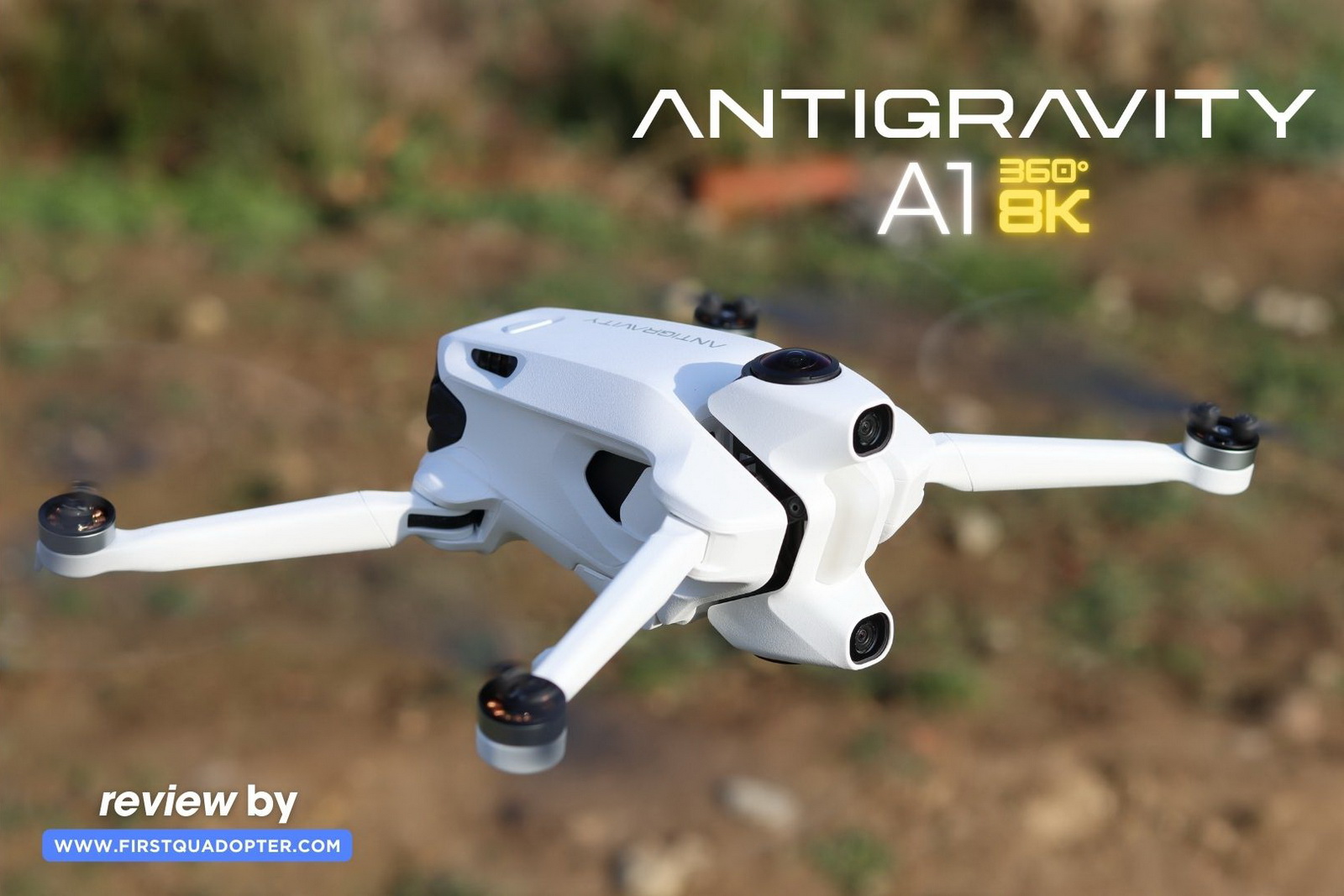
First heard about the Antigravity A1 on April 30 this year, and from that point on got into the loop with regular updates on its development. The drone was officially revealed to the public on August 14, sparking even more anticipation. Then, on November 7, I finally received the A1 for hands-on testing—well ahead of its official online sales launch scheduled for December 4. Since getting my hands on it, I’ve been putting it through its paces in a variety of conditions. In this review, I’ll share my firsthand experience with the A1—its strengths, quirks, and whether it lives up to the hype.
When Elon Musk entered the market with his electric cars that delivered race-car-like acceleration, some event organizers quickly recognized a new niche opportunity — selling the ‘Tesla feeling’ experience for corporate team-building events. Similarly, flying the A1 could easily be marketed as the ‘Antigravity feeling’ — a completely new kind of thrill, even compared to FPV drones. It’s an experience that any drone enthusiast or curious newcomer has to try.
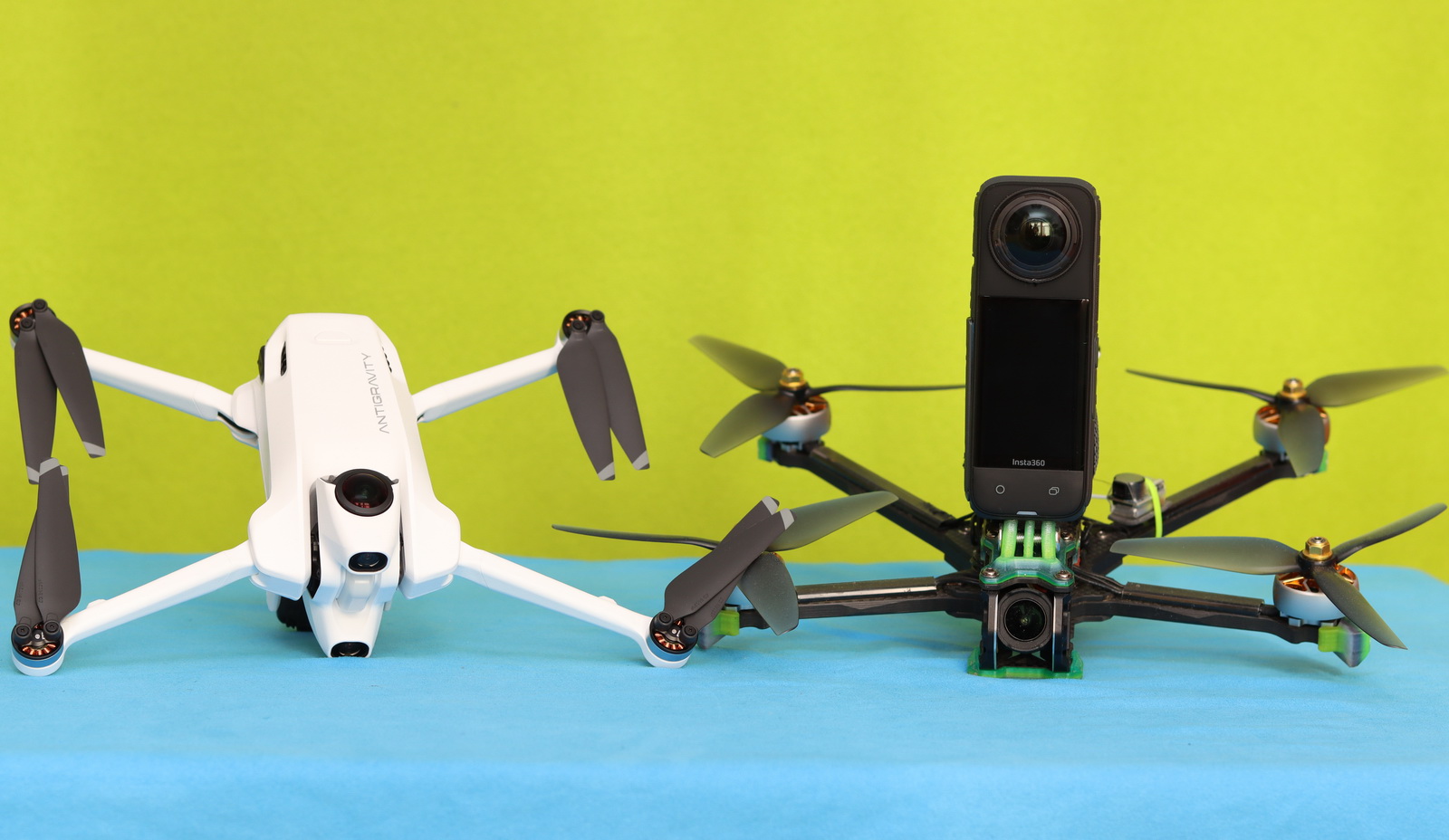
Before the Antigravity A1, there were several attempts to bring 360° drones to the market, all under Insta360’s umbrella. The first was the Pavo360, launched in 2021 — a Whoop-style 3-inch FPV drone specifically designed for the SMO 360 camera. Next came the Insta360 Sphere in 2022, a custom camera rig created for the Mavic Air 2 and Air 2S drones. I also tried converting one of my 6-inch FPV drones into a 360 drone by mounting my Insta360 X4 on top. The Antigravity A1 can’t be compared to those early attempts; it represents a completely new ecosystem that includes a motion grip controller and Vision Goggles, offering a unique and immersive way to experience the world from above.
My Journey with the Antigravity A1 – From Rumors to First Flight
Disclosure: I received this 360° drone as part of a product review collaboration with Antigravity. Product specifications and quality may vary depending on the manufacturer’s consistency, so I cannot guarantee that your experience will match mine exactly—especially since I received a pre-release review unit.
Without revealing any confidential details, it’s worth noting that the Antigravity brand was incubated by Insta360 and third parties. The A1 drone, their first foray into aerial technology, is built on the same innovative foundation as Insta360’s X4 and X5 camera systems. This heritage is evident in the drone’s imaging capabilities, which promise a unique 360° experience that sets it apart from conventional drones on the market.
Being a new product imported from China, the customs clearance took almost a week, about the same time as the shipping from China to my country. The authorities requested all sorts of documents, including a declaration about the drone’s weight and maximum takeoff weight. I explained that the A1 is one of the first drones equipped with a built-in sensor designed to prevent its use for smuggling or other illegal activities.
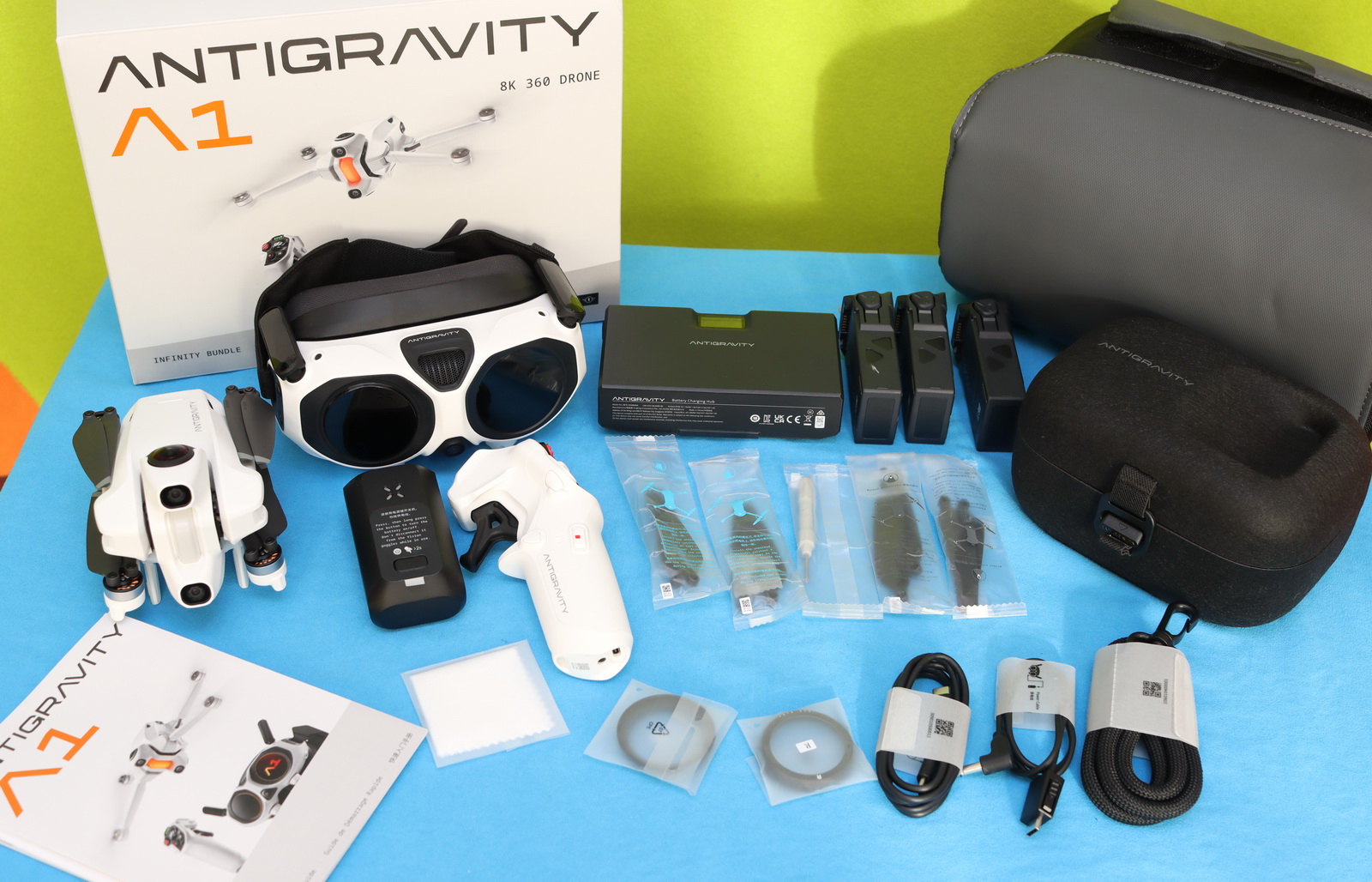
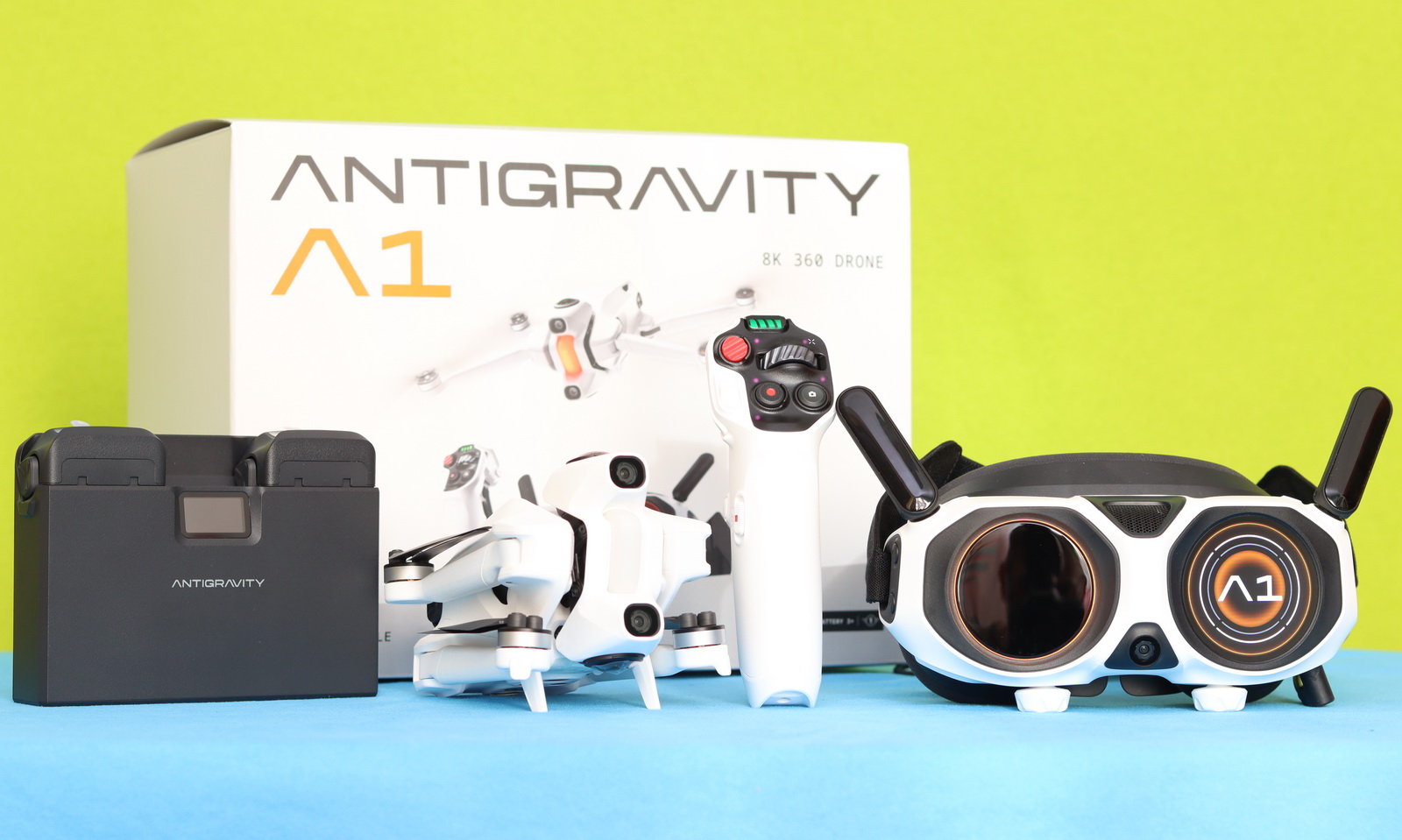
I received the “Infinity Bundle,” which includes the A1 drone with a hard protection case, motion grip controller, Vision Goggles with battery, a charging hub, three high-capacity batteries, spare propellers, charging/data cables, a card reader, and a sling bag that keeps everything neatly organized and safely stored. Additionally, they sent me a lens replacement kit, a standard flight battery, a landing pad, and a high-speed 256GB micro SD card.
First Glimpse: Compact Design and Straightforward Sensors on the Antigravity A1
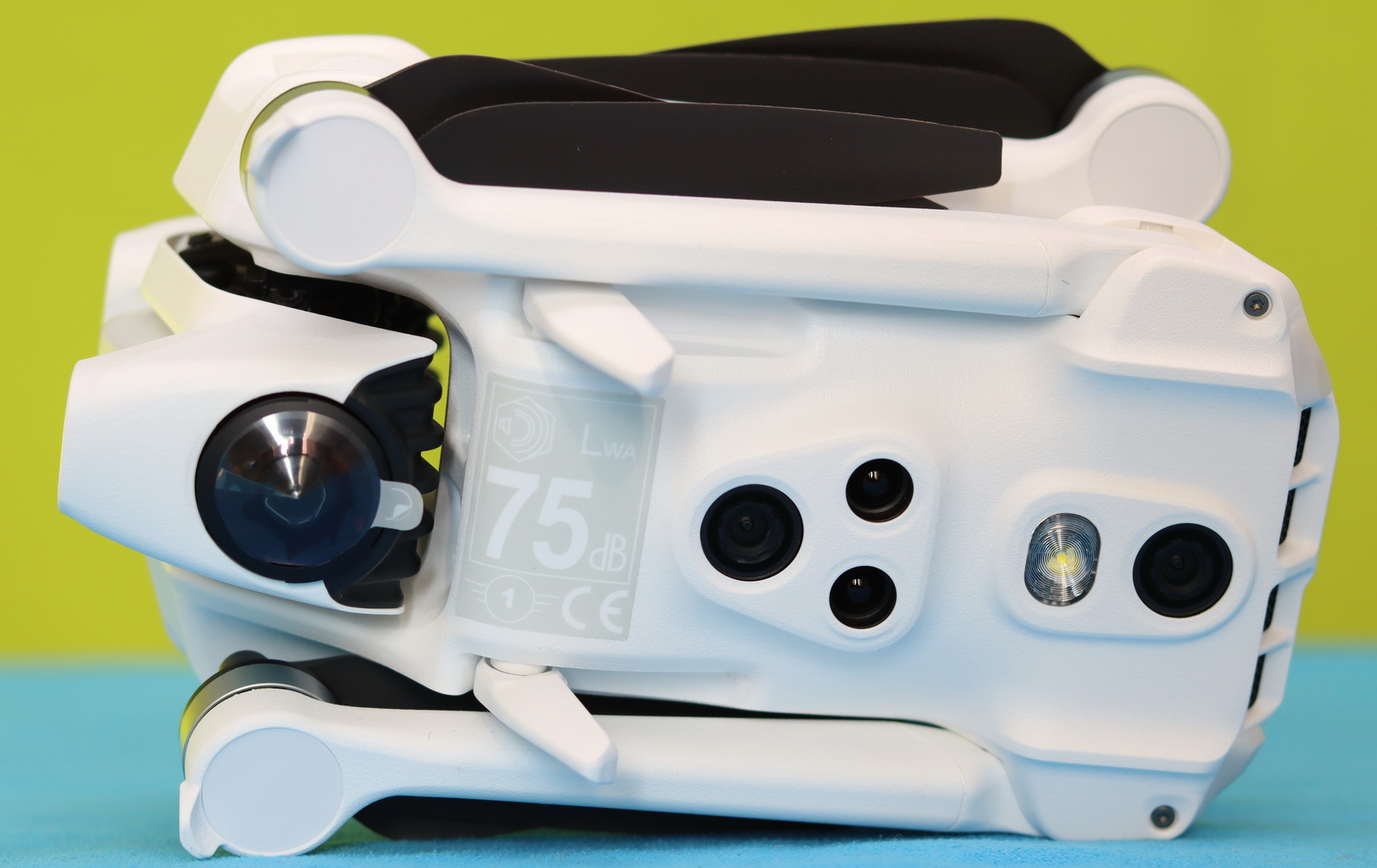
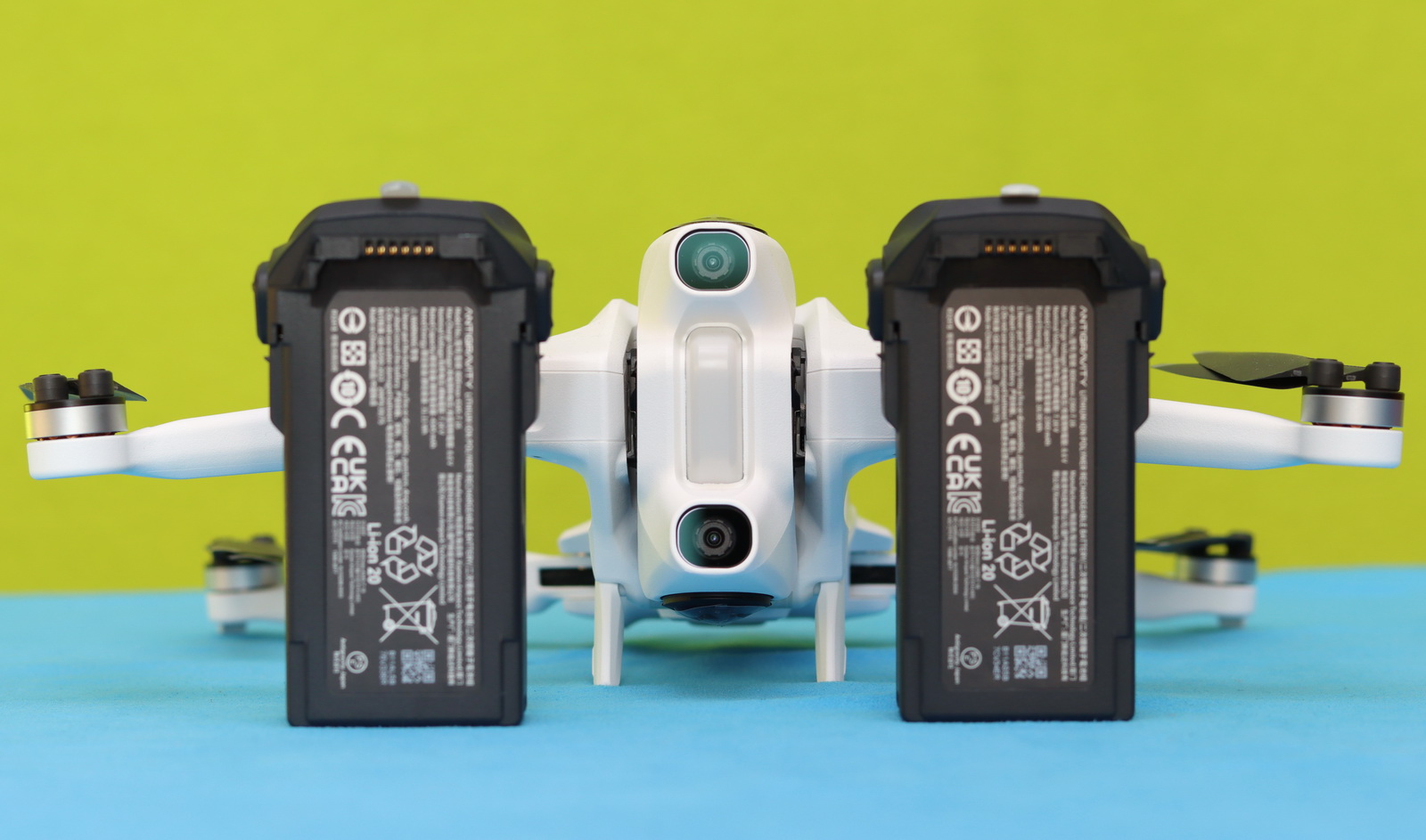
Except for the front design-wise, the Antigravity A1 is very similar to any sub-250-gram drone. It features foldable arms for portability, and the battery loads from the rear—nothing unusual there. The real difference is at the front: instead of a single camera on a 3-axis camera flanked by two horizontally positioned obstacle avoidance (OA) sensors, it has two OA sensors mounted vertically, with a status LED in the center. The cameras sit at the top and bottom of the nose. To protect the 180° fisheye lens during takeoff and landing, the A1 includes two tiny retractable landing gears.
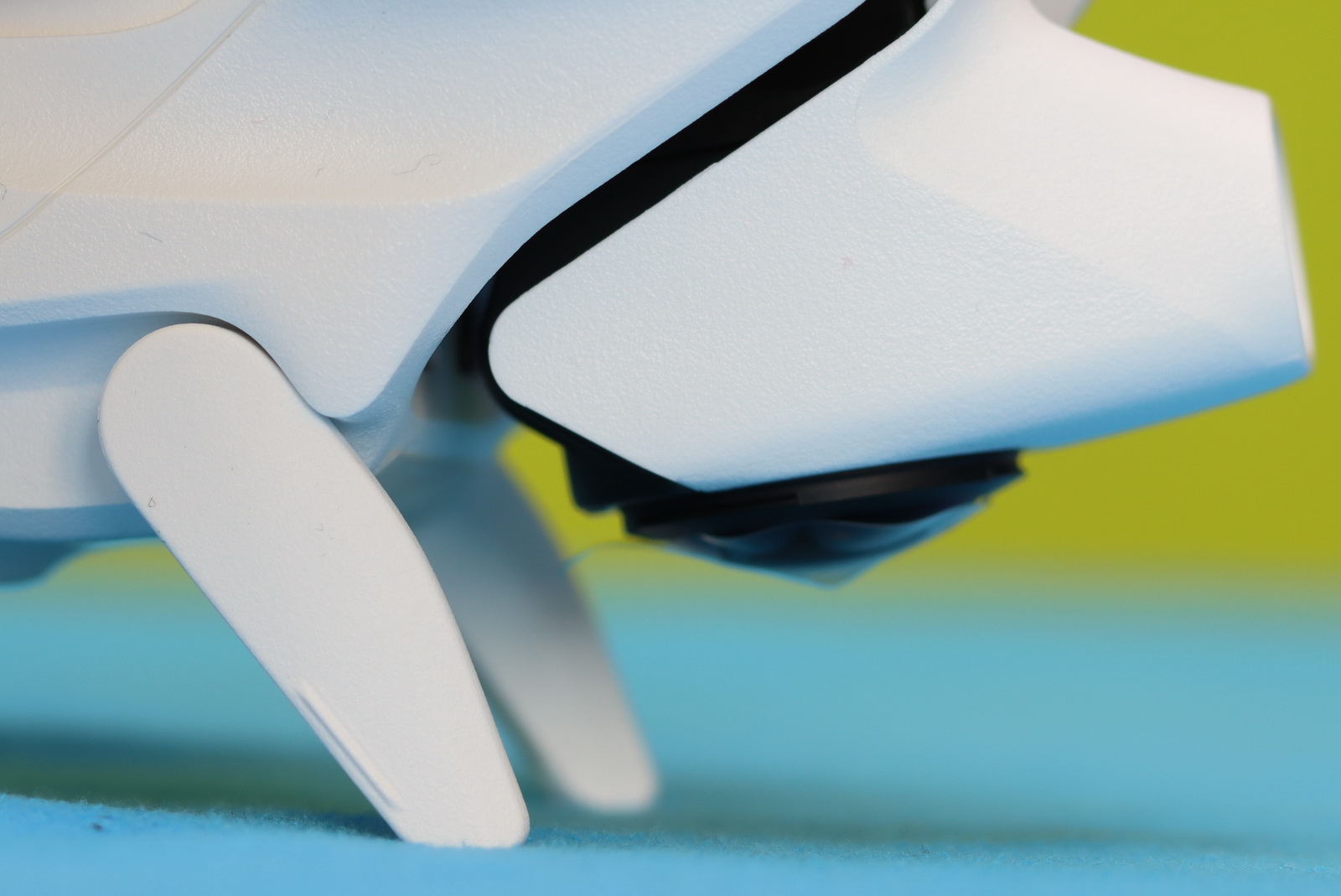
When folded, it measures just 141.3 × 96.2 × 81.4 mm and weighs 249 g (0.55 lb) with the standard battery or 291 g (0.64 lb) with the high-capacity battery.”
On the belly, there are four sensors in total—two optical and two TOF—along with a bright white LED to assist during night flights. Until I understood how to fly the Antigravity A1, I was a bit concerned knowing it only has forward and downward obstacle avoidance sensors—no rear, side, or top collision avoidance. Under the battery bay, there is a Type-C charging port and a microSD slot that can accommodate memory cards of up to 1TB.
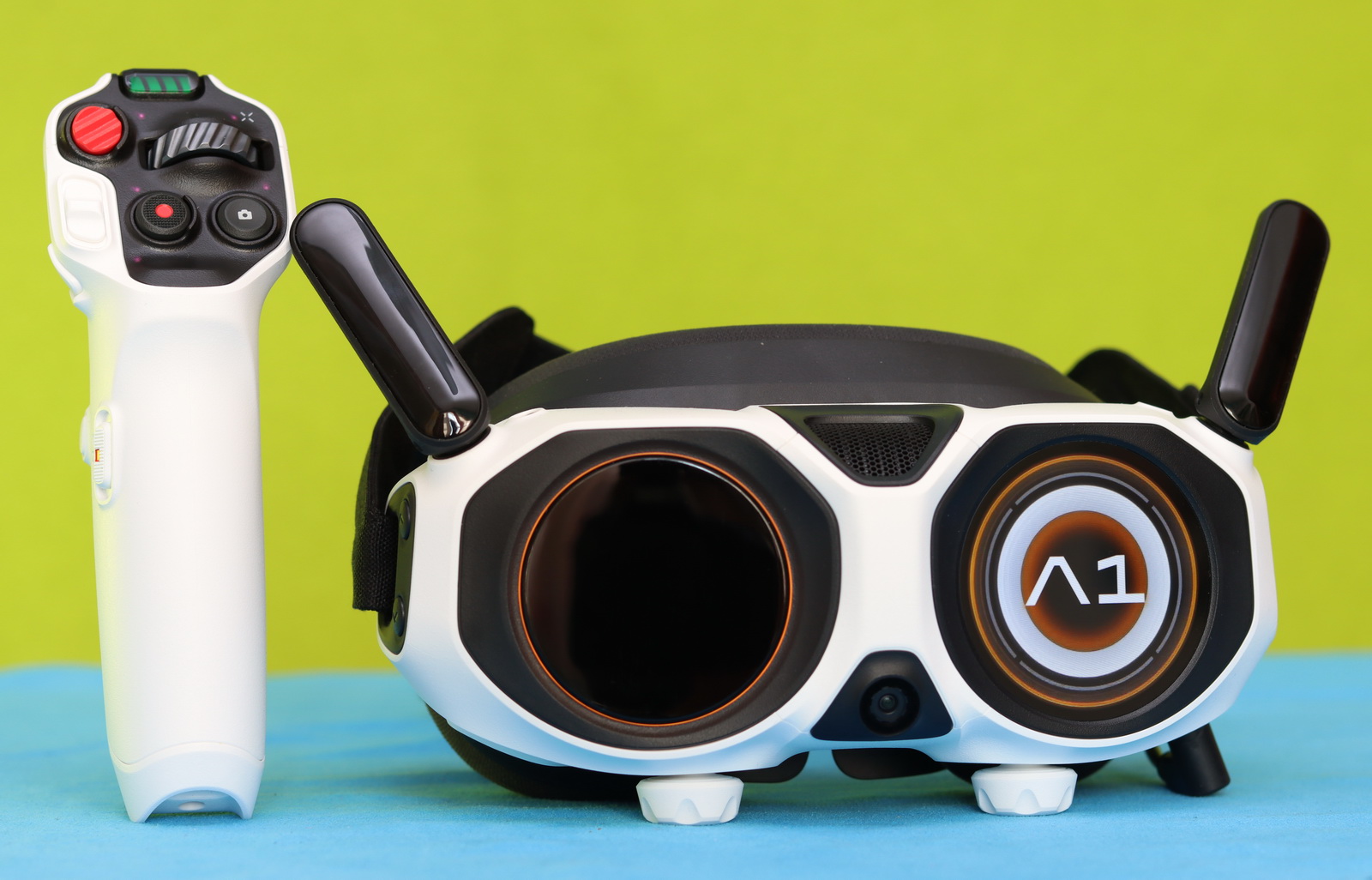
The Antigravity Vision goggle is also white and comes with two foldable antennas and a comfortable head strap. Unfortunately, it is not intended to be used with prescription glasses, but it does feature diopter adjustment from -5.0 D to +2.0 D and an interpupillary distance range of 59–72 mm. If your myopia correction range is between -5.00 D and -8.00 D, you can additionally use the 300-degree myopia correction lenses for an optimal user experience. The headset has only three buttons (volume up/down and Home / Linking Button), and it is mainly controllable through the Bluetooth grip controller.
Grabbing the A1 grip controller feels natural—like it was made for your hands. The throttle trigger sits right on the back, while buttons and switches hug both sides and the front panel, ready whenever you need them. Right under the battery indicators is the all-important emergency brake/RTH button, next to the 360° dial for instant heading control.
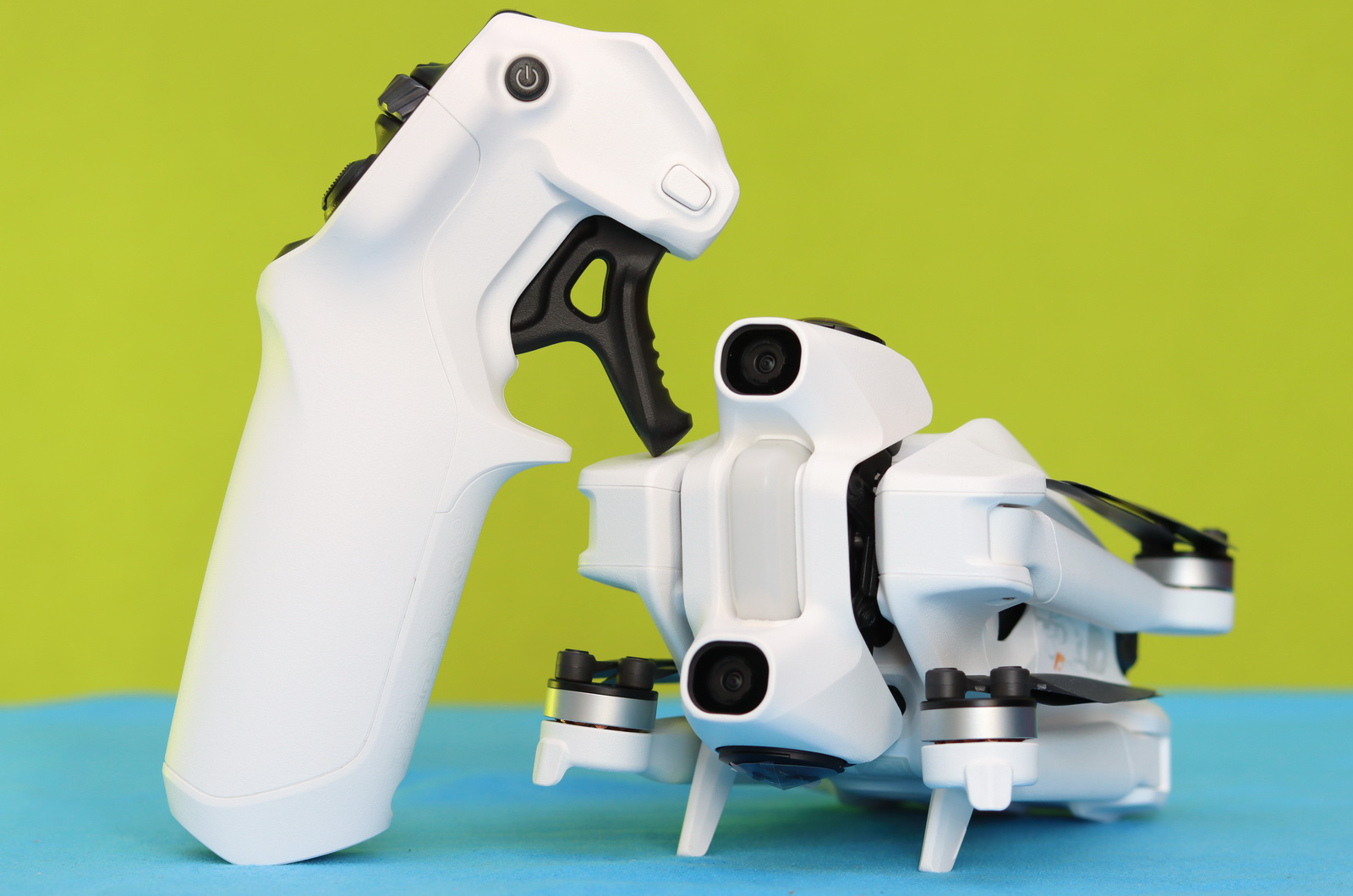
The Flight Slider in the third row arms the motors and gets you in the air, flanked by the record and shutter buttons to capture every move. On the left, the Flight Mode switch lets you toggle between Normal, Sport, and Cine, with C1 and C2 customizable buttons for your personal shortcuts. Flip to the opposite side, and the Power and Menu buttons keep everything running smoothly.
One System, One Flight — Binding and activating the A1, Vision Goggles & Grip controller
After I finished unboxing everything, giving it a proper visual inspection, and scrolling through the PDF user manual, I fired up my phone and installed the Antigravity app provided by email.
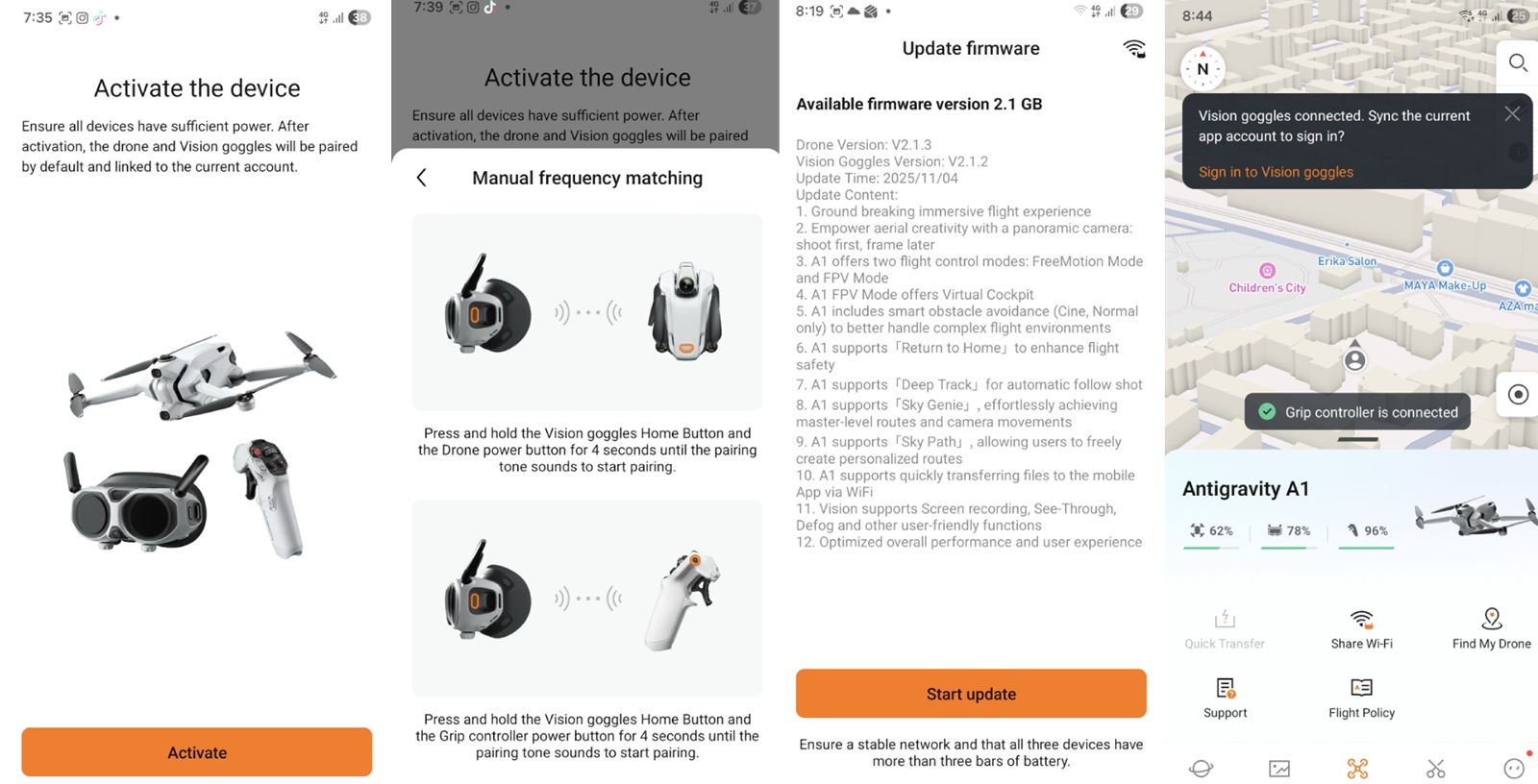
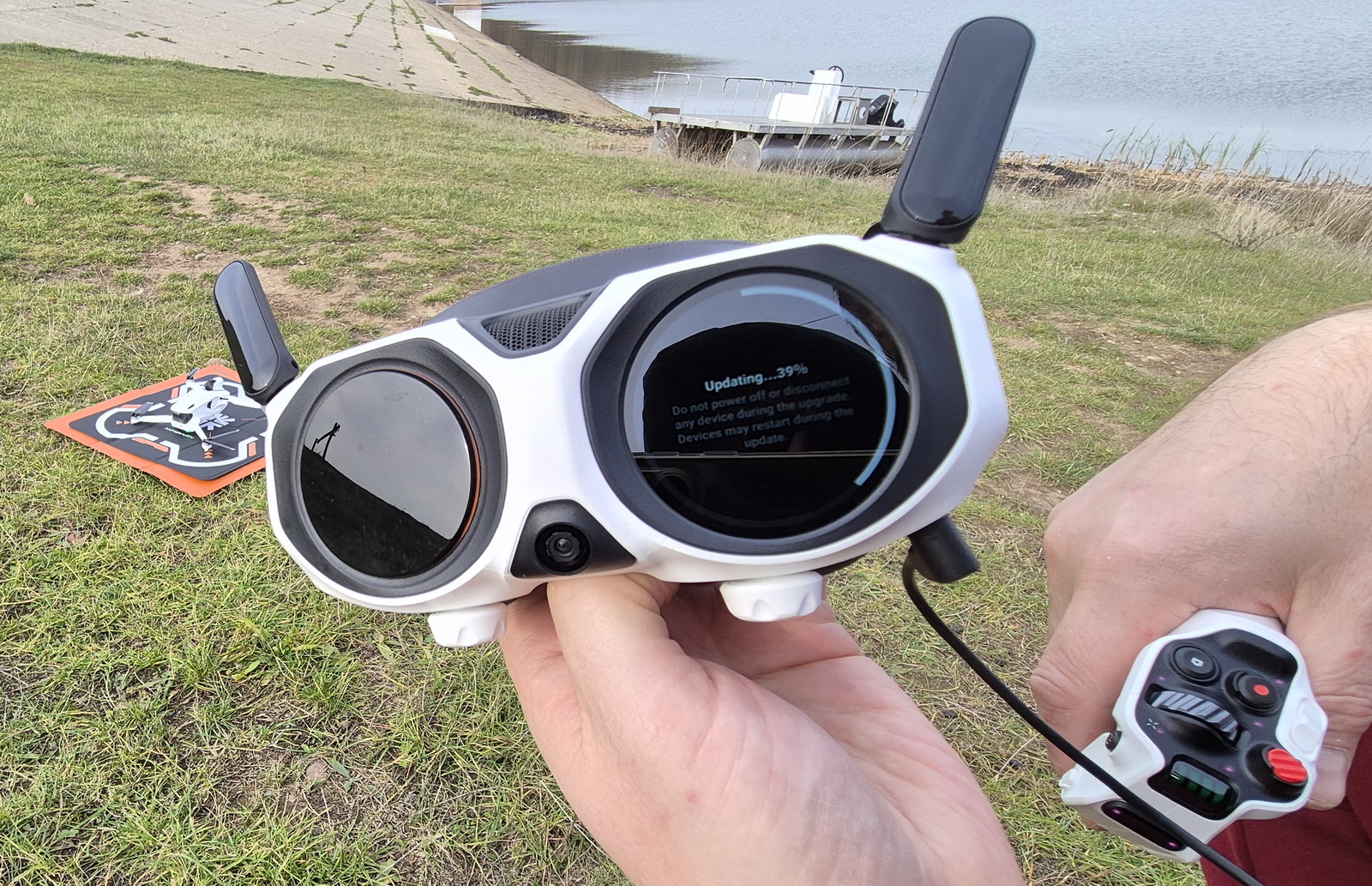
Activation is required through the mobile app before using the drone. The process starts by powering on all devices—the drone, headset, and remote controller. Once powered, you bind all three together, and then activation should complete. Normally, this is straightforward, but in my case, the drone refused to pair with the goggles despite several attempts. After some troubleshooting, I suspected the issue might be the microSD card inserted in the drone. Once I removed it, restarted all three devices, and repeated the process, everything worked perfectly. It was a small hiccup, but an easy fix.
Experience total flight freedom with the Mention Grip and Vision Goggles
To be honest, after more than 15 years flying with Mode 2 controllers consisting of two sticks and a couple of shoulder switches, the idea of a motion grip had me a little on edge. Before my first flight with this new intuitive system, my biggest concern was simple: how on earth am I going to fly forward? So I started simple. I practiced arming, disarming, and taking off and landing without the headset, just to get a feel for the basics. Then I set myself a “precision” challenge: touch down right in the center of a 40×40 cm landing pad. After a minute of micro‑nudges and hovering like a nervous hummingbird, I realized the smarter move was… to shuffle the landing pad under the drone. Problem solved :)
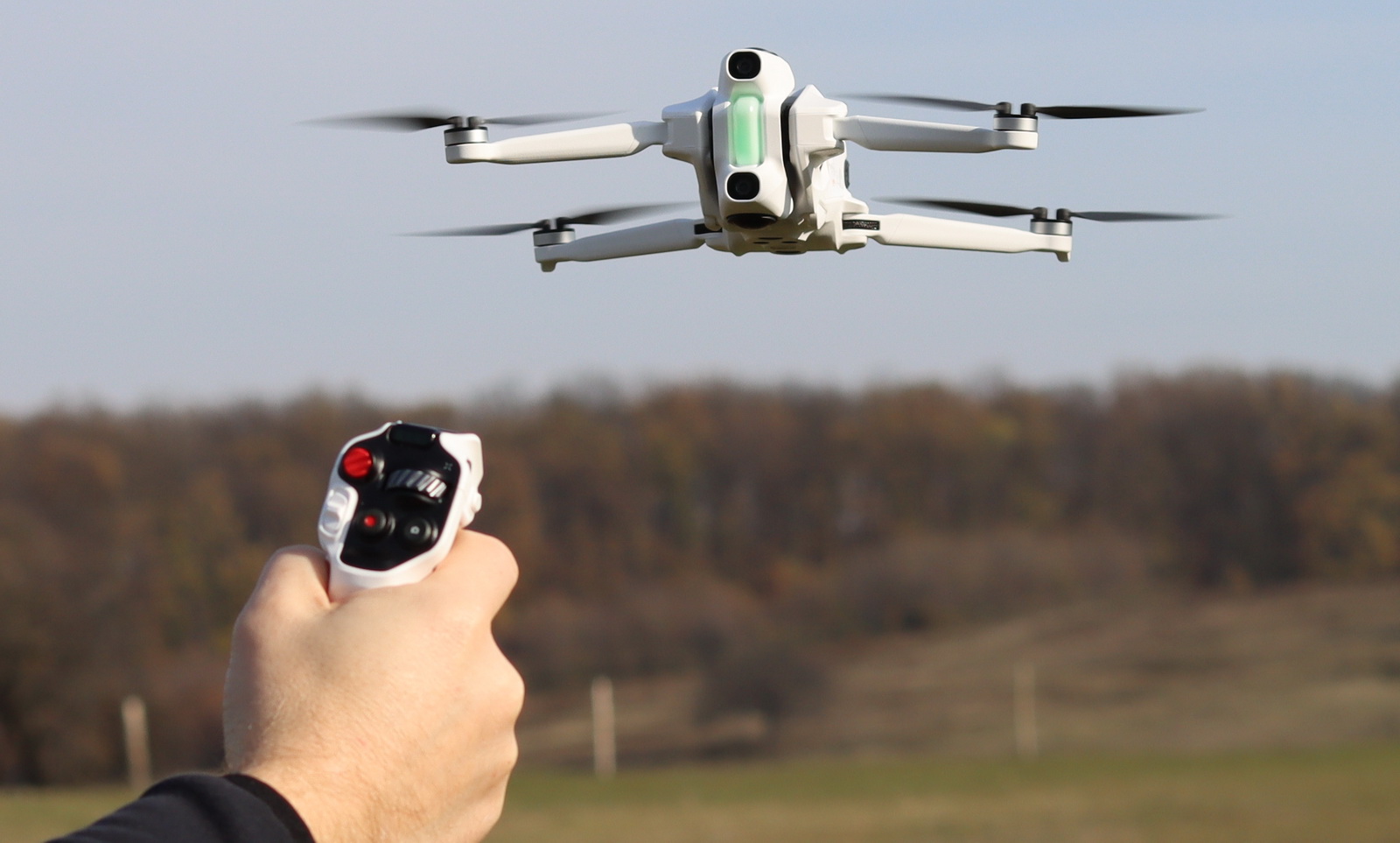
With that out of the way, it was time for the real test. Vision goggles on, thumbs light, I eased forward… and the motion grip clicked. Instead of juggling sticks and mixing inputs, the virtual laser pointer simply guided the drone exactly where I wanted to go. Forward felt natural, turns were carved rather than tapped, and my old ‘Mode 2 brain’ quietly stepped aside. By the end of the session, the anxiety had faded into a grin.
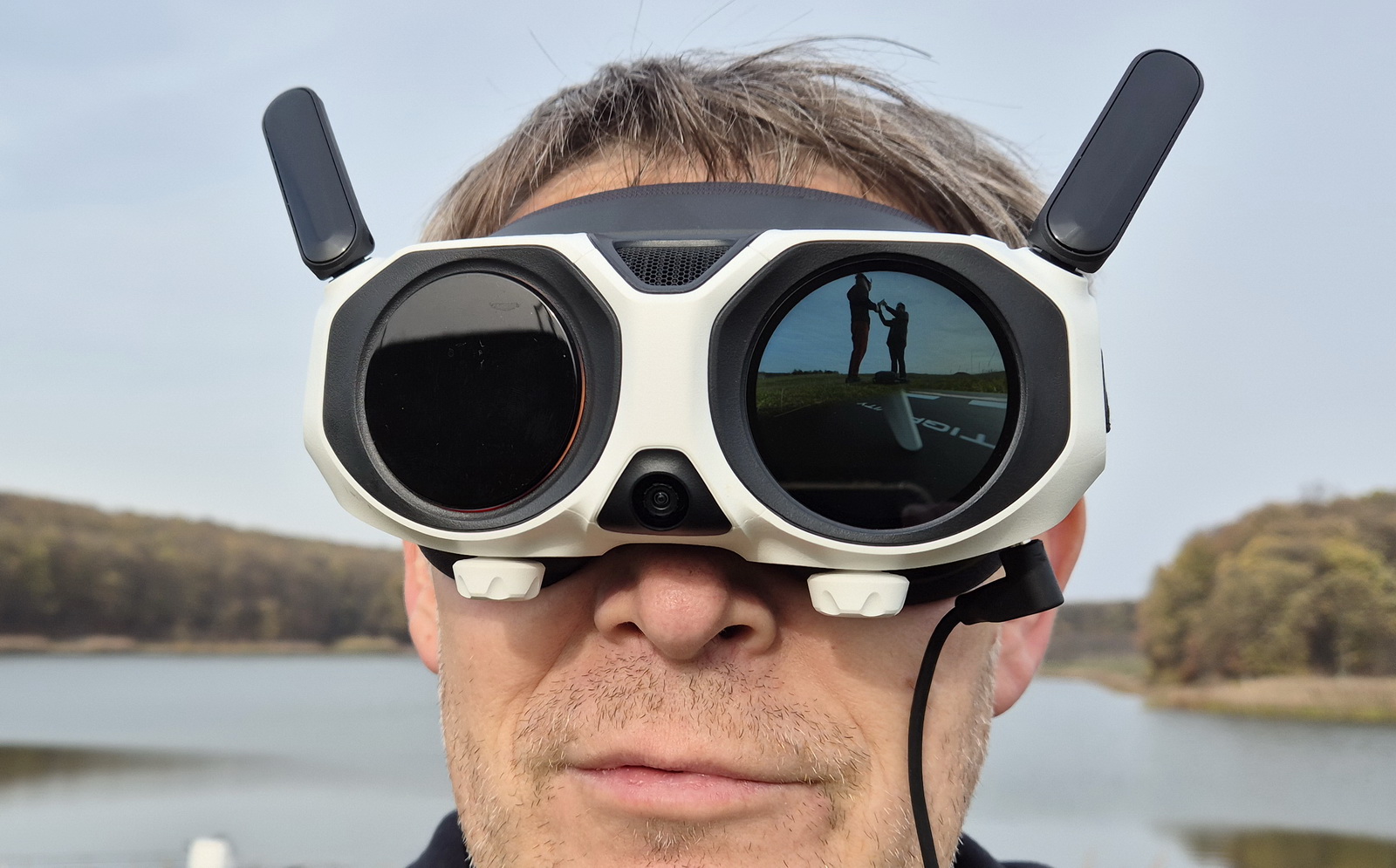
Both the headset and grip controller have built-in gyro sensors that follow your movements. The VR display features two crosshairs: one indicating the drone’s forward direction and another showing your current viewpoint. When your viewing angle differs from the forward direction, a picture-in-picture (PIP) window appears on the goggles, displaying both perspectives simultaneously.
What’s even cooler about the Antigravity Vision goggles is the front screen, which allows you to instantly share your flights with friends. Furthermore, it features a built-in ultra-wide-angle camera that allows you to see through the goggles by double-tapping the left button. This function is handy when you’re flying solo and suddenly hear weird noises around you—or a dog that decides to be your co-pilot, and not in a friendly way.
FPV Mode with Augmented Reality (AR)
FPV drones usually tie your view to the flight path and camera angles, keeping your perspective locked in. The Antigravity A1 breaks those chains, fully separating your viewing angle from the drone’s direction. Now you can explore your surroundings freely, taking in every detail, without ever altering your flight course. Even with head tracking turned on, the Avata 2 keeps your view tied to its flight direction—you’re forced to look where you want the drone to go.
In FPV mode, a subtle turn of your wrist translates into precise directional control, and it’s easier to make continuous turns without turning your body. Unleash agility and the pure thrill of immersive flight.
In this mode, you can customize your VR cockpit with a variety of animated overlays, ranging from dragons to spaceships. Using augmented reality (AR), the Antigravity A1 blends the real world with digital animations, transforming every flight into a thrilling adventure.
8K 360° video: Capture Everything. Edit Anytime.
When we talk about “360°,” most people imagine a circle—but that’s only true in one dimension (1D). In 2D, 360° covers all directions on a flat plane, giving you a panoramic view. In 3D space, however, it’s no longer just a circle—it becomes a sphere, offering complete coverage in every direction: up, down, left, right, forward, and backward. The Antigravity A1 takes this concept further with its “OmniView” system, delivering true spherical vision for unmatched situational awareness. This isn’t just 360° around you—it’s 360° on all axes, often referred to as full 360° coverage or omnidirectional vision.
What makes the A1 truly revolutionary is its advanced AI vision image processing, which renders the drone virtually transparent in flight.
The beauty behind Insta360’s technology is that you only need to capture once, then reframe anytime—your footage stores every angle in full spherical detail, allowing you to choose and save any point of view later.
On the first two flights, I was so excited and focused on the flight that I forgot to start video recording. I realized what happened only when I was back home and wanted to download the footage; the micro SD card was empty.
The Antigravity A1 features a dual-lens 1/1.28-inch sensor system capable of recording 8K at 30 fps, 5.2K at 60 fps, or 4K at 100 fps in full 360 degrees, with a maximum bitrate of 170 Mbps. Since the lenses are exposed, they are designed to be replaceable by the owner. On the other hand, this dual-lens system doesn’t require a gimbal for stabilization, which typically relies on three sensitive motors that are prone to damage even in the lightest crash.
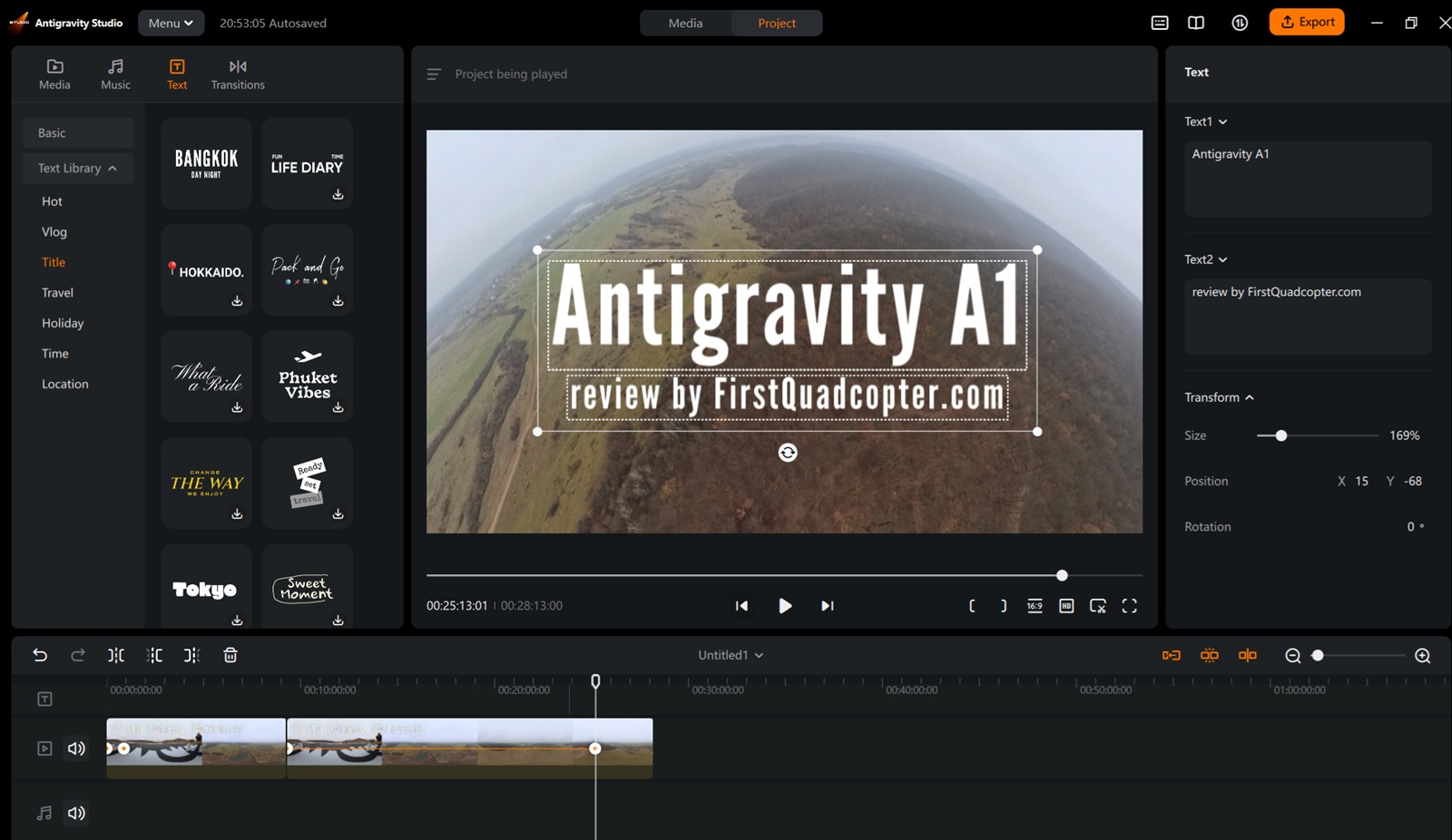
The captured footage is saved with the .insv extension, and it needs to be processed with the Antigravity mobile app or the Antigravity Studio desktop software. They support quick transfers, automatic reframing, color correction, and a suite of auto-editing tools. Whether you’re creating instant social-ready clips or professional-grade exports, the entire 360° workflow is handled within one connected ecosystem.
Autonomous Creative Flight Modes: Let the A1 Do the Magic
Since the headset is mandatory while flying, the Antigravity A1 isn’t exactly a selfie-friendly drone. But honestly, who even needs selfies? The moment I put on the Vision headset, I look like I’m about to launch a space mission. Tom Cruise with his Top Gun sunglasses? Cute — but not badass COOL!
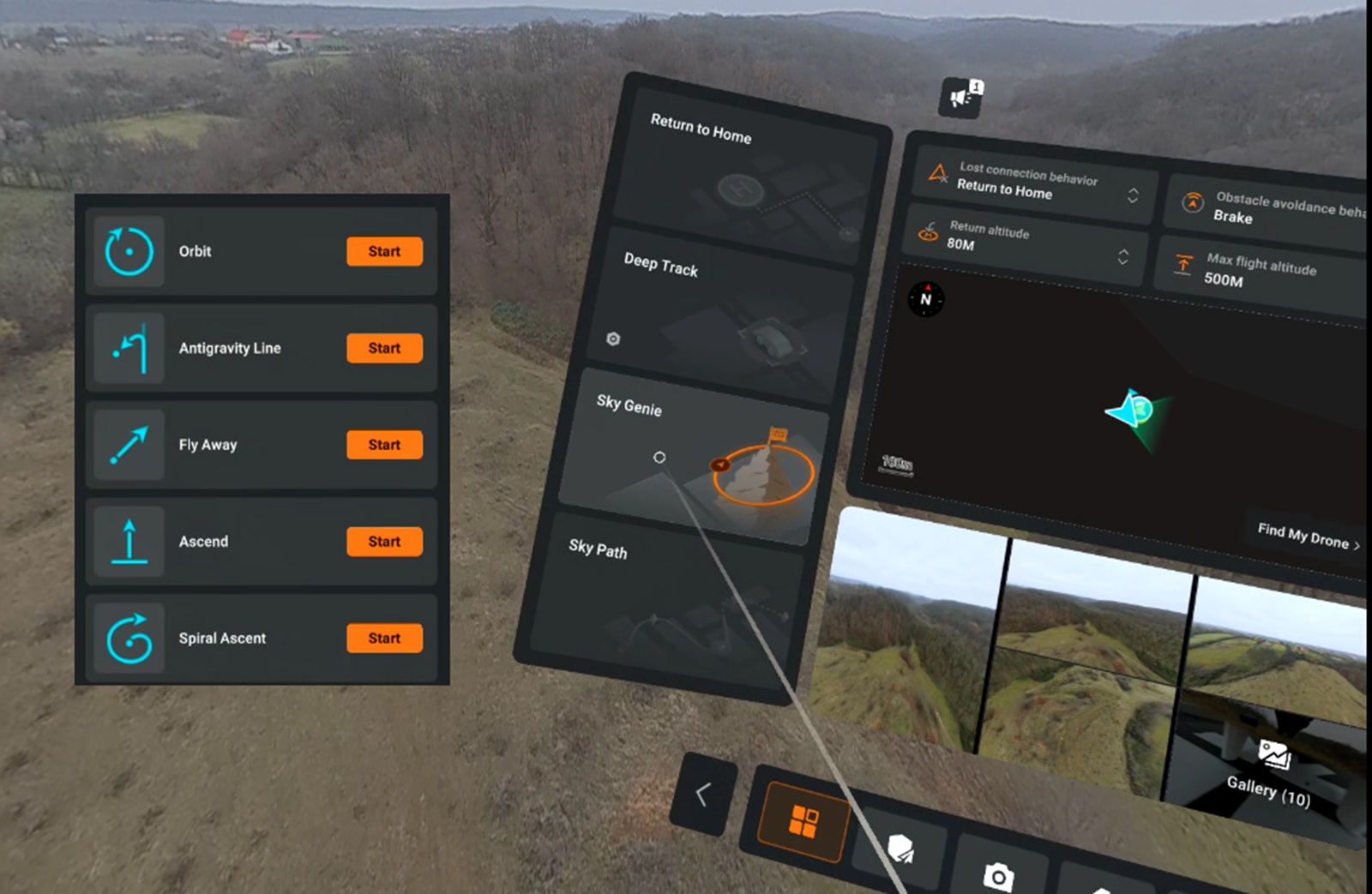
Once you dive into the system menu, it’s like opening the doors to the drone’s secret abilities. On the left panel, right under the RTH button, you’ll find a trio of autonomous flight modes: Deep Track, Sky Genie, and Sky Path. Each one feels like discovering a new superpower. Sky Genie, for example, is basically your collection of cinematic QuickShot-style moves—but with a bit more flair. It includes classics like Orbit, Fly Away, Ascend, and Spiral Ascent, along with the signature Antigravity Line.
Flight Performance: Real-World Range, Battery Life, and Razor-Sharp RTH
Usually, for flight performance, I allocate two separate sections—one for range and one for battery life. But since this review is probably already too long, I decided to combine them.
Battery life was the first parameter evaluated, as it provides insight into the drone’s stability, reliability, and low-battery behavior. The initial test was performed using the high-capacity 4,500 mAh battery, rated for up to 35 minutes of flight time.
During testing, the ambient temperature was approximately 4°C with minimal wind. Under these conditions, the Antigravity A1 achieved nearly 30 minutes of hover time before initiating an automatic landing at 15% battery. At that moment, the OSD display estimated 5 minutes of remaining flight time.
The standard 2,360 mAh battery is expected to deliver approximately 17–22 minutes of flight time, depending on operational factors such as speed, temperature, and wind.
How far does it fly?
Next, I went out to my usual test field, a large open area without any flight restrictions. I performed the test at 70–100 meters altitude, as I do with all other drones I review.
I received the first warning of a blocked video signal at 3,241 meters (2.01 miles), when the signal indicator dropped from four bars to one. I continued the flight to 4,182 meters, at which point the indicator dropped to zero and I received a ‘Video Signal Weak’ message. Despite this, the feed on my goggles was still clear, and the A1 responded perfectly to my controls, so I continued with confidence until 5,000 meters—a safe limit I had set.
Interestingly, even as I flew further, the signal briefly increased to two bars, suggesting the drone may use a type of dynamic transmission power. When I pressed the RTH button, the battery level was at 65%, leaving plenty of power for a safe return.
Based on this test, you can expect a range of around 6 km and a total flight distance of approximately 15 km on a single charge. The advertised range in FCC mode (US region) is 10 km (6.21 miles), and in CE mode (Europe) it is 6 km.
Return-to-Home Accuracy
On the flight back, I didn’t touch a single button and simply let the A1 return and land autonomously. To my surprise, it touched down perfectly in the center of the landing pad. I should mention, though, that on a previous test, I had left a spare battery on the pad, and the A1’s downward sensor detected it, warning me that it couldn’t land—safety first, even when flying itself!
Class 0 vs Class 1 – Legal Concerns When Flying with Antigravity A1
As mentioned, the Antigravity A1 comes with two types of batteries. With the standard battery, the drone weighs under 250 grams, which places it in the friendly Class 0 category—requiring only registration and no pilot course. However, when you switch to the high-capacity battery, the weight jumps to around 290 grams, moving it into Class 1. In this category, an A1/A3 exam becomes mandatory. It’s a small change that can have a big impact on compliance, so it’s worth considering before prioritizing flight time.
| Class 0 (C0) – A1 with standard battery | Class 1 (C1) – A1 with Plus battery | |
| Max take-off weight | <250 g | <900 g |
| Max Speed | 19 m/s | 19 m/s |
| Remote ID | Not required | Required |
| Flight Area | Over people (no crowds) | Near people |
| Pilot Registration | Not required (if no camera) | Required |
| Pilot license | No | Yes (A1/A3) |
Pricing, availability, and bundle options
Antigravity A1 is officially on sale starting today, December 04, 2025, and is available in three bundles:
- Standard Bundle — US$1,599 (1 battery)
- Explorer Bundle — US$1,899 (3 standard batteries and charging hub)
- Infinity Bundle — US$1,999 (shown in this review)
Each bundle includes the A1 drone, Vision goggles, and Grip controller, along with different accessories and battery configurations tailored to various types of pilots. The A1 is available now through the Antigravity Store, Best Buy, and authorized retail partners worldwide.
Technical parameters
The Antigravity A1 officially launched on August 14, but the full technical specs weren’t released until the store went live — suggesting that some features were probably still in development.
| A1 drone – DE001 | |
| Maximum Takeoff Weights | 249 g (0.548 lbs) w/ Standard Battery 291 g (0.642 lbs) w/ High-Capacity Battery |
| Dimensions | Folded:141.3 mm × 96.2 mm × 81.4 mm Unfolded:308.6 mm × 382.3 mm × 89.2 mm |
| Battery | Standard (S) battery: 8.6V/2360 mAh High-Capacity (HC) battery: 8.6V/4345 mAh |
| Max flight time | Approx. 22 mins (w/ S Battery) Approx. 35 mins (w/ HC Battery) |
| Max flight distance | Approx. 14 km or 8.6 miles (w/ S battery) Approx. 32 km or 19.8 miles (w/ HC Battery) |
| Max Wind Resistance | 10.7 m/s or 23.9 mph |
| Global Navigation Satellite System | GPS + BeiDou + Galileo |
| Obstacle Avoidance System | Three-dimensional model using cameras, infrared TOF, and AI algorithms |
| 360 Camera | 2 x 1/1.28 inch sensors F2.2 aperture Max image size: 55MP (10486 × 5248 Max video: 8K@30fps or 4K@100fps Max bitrate: 170 Mbps |
| Video Transmission System | OmniLink 360 (2k@30fps) |
| Storage | Internal: 20 GB External: micro SD up to 1TB |
| Max Signal Transmission Distance | 10 km (FCC) 8 km (SRRC) 6 km (CE) |
| Vision Flight Goggles – DGS001 | |
| Weught | Approx. 340 g (battery not attached) |
| Dimenssiones | Folded: 174 mm × 106 mm × 92 mm Unfolded: 200 mm × 106 mm × 115 mm |
| Inner Display Size | 2 x 1.03-inch Micro-OLED (2560×2560px) |
| LCD resolution | 2560 × 2560 |
| FOV | DFOV 90° HFOV/VFOV 65 |
| Diopter Adjustment Range | -5.0 D to +2.0 |
| Interpupillary Distance Range | 59 – 72 mm |
| Storage | Internal: 30 GB External: micro SD up to 1TB |
| Battery | External 7.6V / 4500 mAh |
| Antennas | Six antennas, 2T2R (dynamically switching) |
| Grip Motion Controller – SRCSE001 | |
| Weight | Approx. 115 g |
| Dimensiones | 143 mm × 45mm × 72.5 mm |
| Transmission distance | Approx. 10 m (32 ft) |
| Battery Life | Approx. 4 hours w/ 3.6V 2300 mAh |
Bottom line
My journey with the Antigravity A1 definitely doesn’t stop here. The three-week testing period proved insufficient to explore the full potential of this 360° drone. Persistent rain and temporary airspace restrictions related to National Day preparations limited flight opportunities, leaving several capabilities still untested.
I want to put its obstacle-avoidance system to the test in challenging flight environments while Deep Track is active. Now that the embargo has been lifted, I’m also curious to fly it in urban areas and explore its Omniview capabilities.
And yes—I still owe you some 8K footage, which I promise to upload as soon as possible.
You Can Trust Our Reviews!
Since 2014, FirstQuadcopter has thoroughly reviewed, tested, and rated hundreds of products, including drones, gimbals, power stations, action cameras, 3D printers, video lights, and other high-tech gear to help you make better buying decisions.
We don’t do paid reviews or agree to affiliate links. All products are tested fairly and equally, and if anything changes over time, I will update the written reviews.
As always, if you found this review helpful, don’t forget to like, share, comment, and bookmark for more content like this!
Hi, is there any news about the Antigravity dual-stick controller?
When I was a kid, I often wondered what it would be like to fly like a bird. Now, at nearly 50, the Antigravity A1 makes this dream come true. It is a truly immersive experience. I hope the image quality will be improved over time, which would allow me to retire the Mini 5 Pro.
Can you fly the Antigravity A1 using just the phone and grip controller only and not the Vision goggles?
No — you cannot fly the Antigravity A1 without the Vision goggles.
I’ve been using the drone for two weeks, and the phone alone does not provide an FPV video feed. The live point‑of‑view camera is shown only inside the Vision goggles, not on the phone screen.
The flight experience is based on head tracking: the camera’s point of view changes as you rotate your head while wearing the goggles. Without them, you don’t get the FPV view, which makes proper flight impossible.
Thank you VTD
What is the difference of Antigravity A1( C0 ) and A1 ( C1 )? I’m in Italy.
I just wanted to install the latest firmware with Christmas cockpit theme, but the Vision goggles doesn’t find my home Wi-Fi network. Any idea?
You should make two separate hot spots one for 2.4ghz and one for 5ghz and connect your phone and Antigravity goggles to the same Wi-Fi network.
Good luck and HNY!
Image quality is terrible :(
Patiently waiting for the Avata 360 before I decide to join this new 360 hype.
DJI Avata 360 Price Leaked: Pricing starts at $426 for the drone only and $999 for the Fly More combo. This game just became more interesting.
I just bought the A1, Dji has still got a lot to learn in 360!
Some photos show that the A1 can fly with the normal controller, but the ‘Basic’ kit is not available at the moment.
360 prop guard also coming for the Antigravity A1!
Does anybody know if it will be over 250 g with prop guard (standard battery)?
Yes, it will be over 250g, the prop guard weights 5–10 grams for sure.
Mode 2 controller comes only in summer of 2026
Just checked, and in Europe it’s €1,399, making it nearly twice as expensive as the MINI 5 Pro. However, if you add Goggles 3 to the kit, the prices become comparable.
This review made the A1’s strengths very clear.