
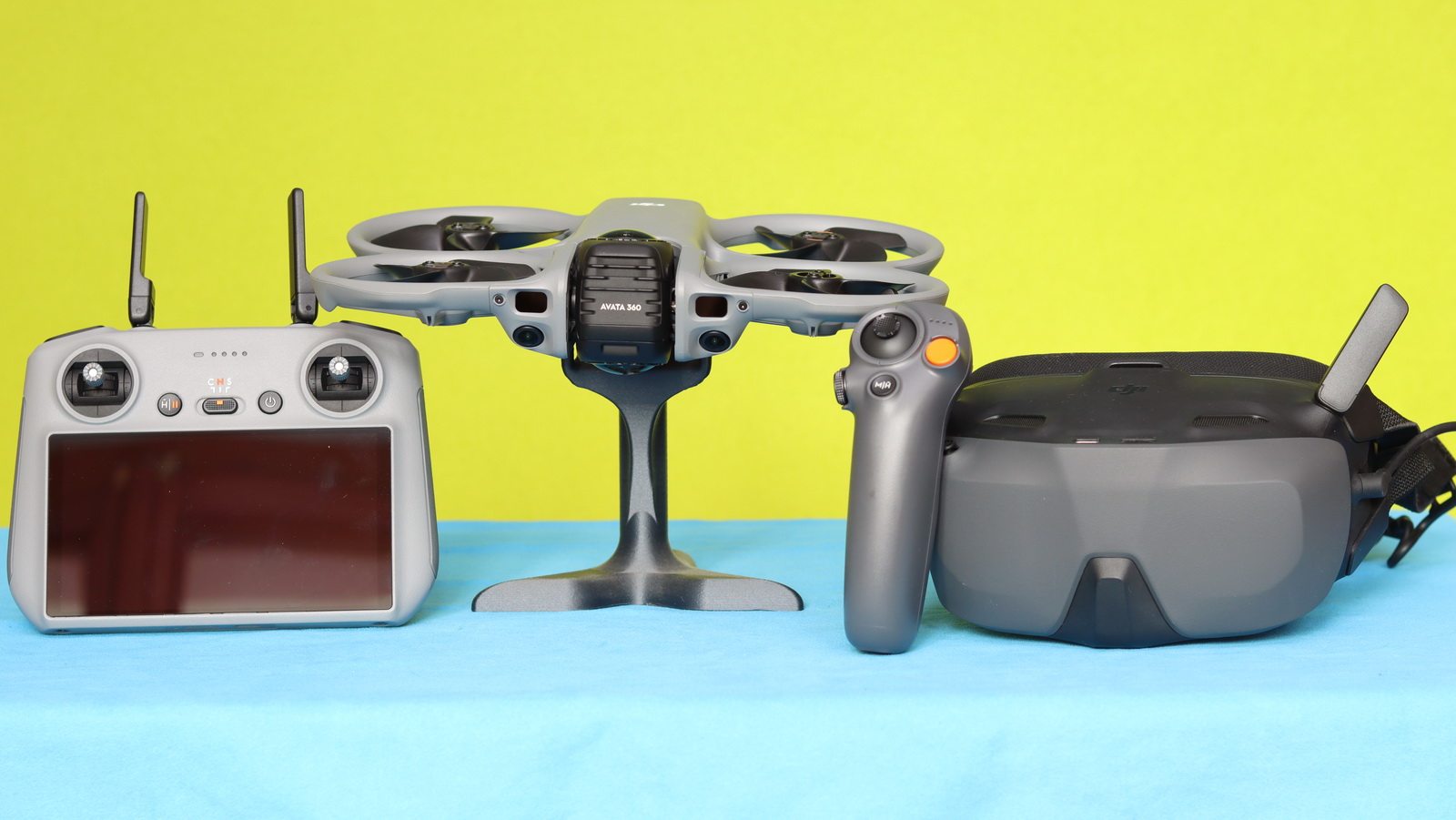
After publishing my Avata 360 review, most of the questions surprisingly focused on the drone’s compatibility rather than flight range or battery life. DJI has published a compatibility list, but it seems that it is not clear to everyone which radio controllers and FPV goggles actually work with the DJI Avata 360, and which combinations will provide the desired user experience.
The setup you choose is extremely important and should always match your preferred flight style and experience level. Not every configuration is suitable for every pilot, and understanding your own comfort level will help you get the best experience out of your drone.
If you are a casual flyer with basic knowledge, or someone who simply wants to capture smooth footage without a steep learning curve, it’s important to prioritize ease of use and control. In this case, a standard remote controller with a screen (such as DJI RC 2) is usually the best option. It offers a familiar experience similar to traditional drones and allows you to maintain visual line of sight, which is safer and more intuitive.
On the other hand, FPV (First Person View) setups that use goggles provide a completely different experience. Flying with FPV goggles is the most immersive way to pilot a drone — it feels like you are sitting inside the aircraft, seeing everything in real time from its perspective. This is ideal for advanced users or those looking to perform cinematic or dynamic shots. However, FPV flying is not for everyone. If you are new to drones or only fly occasionally, FPV goggles can feel overwhelming at first.
Avata 360 compatibility table (working combinations)
The DJI Avata 360 features DJI’s O4 (OcuSync 4) transmission system, which ultimately determines device compatibility. Only FPV goggles and radio controllers that support O4 can be paired with the drone, making compatibility an important factor to consider before purchasing additional equipment.
I chose to focus the compatibility table on working combinations because, although the Avata 360 is compatible with certain devices individually, not all of them work together in every setup. For example, the Mini 4 Pro can be used with Goggles 3/N3 and the RC 2 at the same time, but the Avata 360 does not support this type of configuration.
Curiously, while the Avata 360 is sold in a combo package with the RC 2 controller and works seamlessly with it, the drone is not compatible with the more advanced RC Pro 2. This may come as a surprise to users who expect DJI’s premium controller to support its latest products.
Personally, I tested the Avata 360 with the RC 2, as well as with the Goggles 3 paired with the Motion Controller 3. From that experience, I quickly realized that the Motion Controller 3 isn’t my preferred way to fly. As an FPV pilot, I feel more comfortable with a traditional dual-stick setup, so I plan to invest in the FPV Controller 3 instead.
| Setup Type | FPV Goggles | Controller | Use Case |
| Standard Flight | ❌ None | RC 2 / RC‑N2 / RC‑N3 | Easy, beginner-friendly |
| FPV Easy Mode | Goggles 3 / N3 | RC Motion 3 | Immersive + easy control |
| FPV Advanced Mode | Goggles 3 / N3 | FPV Remote Controller 3 | Full manual flying |
Devices That Are Not Supported / Compatible with the Avata 360
- ❌ FPV Headsets: Goggles V1, Goggles V2, Goggles 2, and Integra
- ❌ Radio controller: RC-N1, Smart controller, RC 1, FPV V2, RC Motion 2, RC Pro, and RC Pro 2
Bottom line
The best Avata360 setup is not necessarily the most advanced one — it is the one that matches your skill level and makes you feel comfortable while flying. A well-chosen setup will not only improve your flight experience but also help you fly safer and with more confidence. It may also be worth mentioning that the Avata 360 is not compatible with batteries or other components from previous Avata models.
Recommended Approach
- Beginners → start with standard RC (RC 2 / RC‑N series with phone)
- Intermediate users → try Motion Controller 3 with FPV headset for easier FPV feel
- Advanced users → go full FPV goggles + FPV Controller 3
Important Compatibility Rules
- ✅ FPV goggles 3/N3 ONLY work with Motion 3 or FPV Controller 3
- ✅ RC 2 / RC‑N controllers work WITHOUT goggles only
- ❌ You cannot mix standard RC with goggles mode
- ❌ Older devices (Goggles V2 / Goggles 2 / Integra / Motion 2) are NOT supported
For the best user experience and control, I recommend the RC 3 with Goggles 3. In my opinion, it’s the best way to fly and control the Avata360. I don’t understand why DJI doesn’t offer this combination as a bundle.
Is there any chance of a future firmware update that would allow the Avata 360 to be used with the RC 2 and Goggles 3?