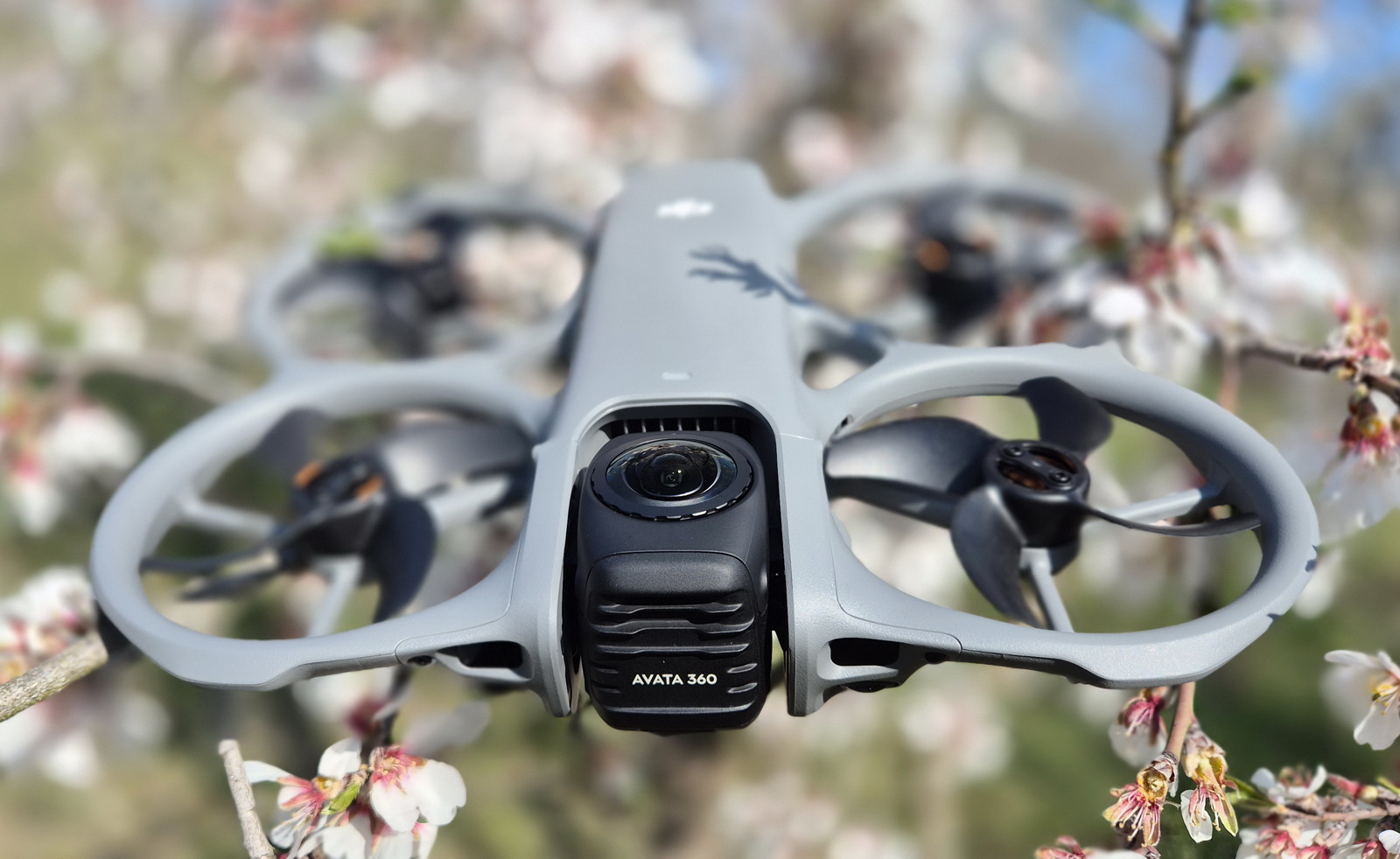
The Avata 360 is DJI’s first Whoop-style flagship drone featuring a dual-camera system for a complete 360° spherical view and 8K@60fps HDR recording, a powerful O4+ video transmission system, and advanced obstacle sensing. This review will focus on the real flight performance, image quality, and overall user experience of this new drone, as well as whether it’s worth the hype and how it compares to its rival.
Last year, DJI introduced the OSMO 360 action camera using 1/1.1″ sensors, so it was natural to expect that they would come up with an aerial version soon. When the first rumors appeared about DJI’s upcoming 360 drone, everyone expected it to be a Mini-style drone, comparable to the one recently released by a newcomer in the consumer drone industry. DJI didn’t want to bring a similar product to the market—they wanted to be creative and offer something different and probably more practical.
My son literally grew up with drones—he was 4 years old when I got my first drone, and now he’s 16. During this time, I’ve tested and reviewed more than 200 drones from various brands, including DJI. Curiously, he had zero interest in this hobby, but I think the DJI Avata 360 will change that, as it is something totally different from what he has seen me fly before. While its Whoop-style blade protection makes it safe for tight spaces, the 360 camera unlocks a whole new level of creative freedom—fly once, reframe endlessly.
DJI Avata 360 from unboxing to flight performance
Disclosure: I received this 360 drone for a product review collaboration with DJI. However, my review is entirely unbiased and reflects my honest opinions and experiences. Technical specifications and quality may vary according to the manufacturer’s reliability, so I cannot guarantee that you will receive an identical product to the one featured in my article, especially since I received mine from the first production batch.
Review units were sent out a month ahead of the official release on March 26, 2026, and for the first time, reviewers were allowed to share teasers and initial impressions of the Avata 360 weeks before the launch date—but nothing about the technical specifications.
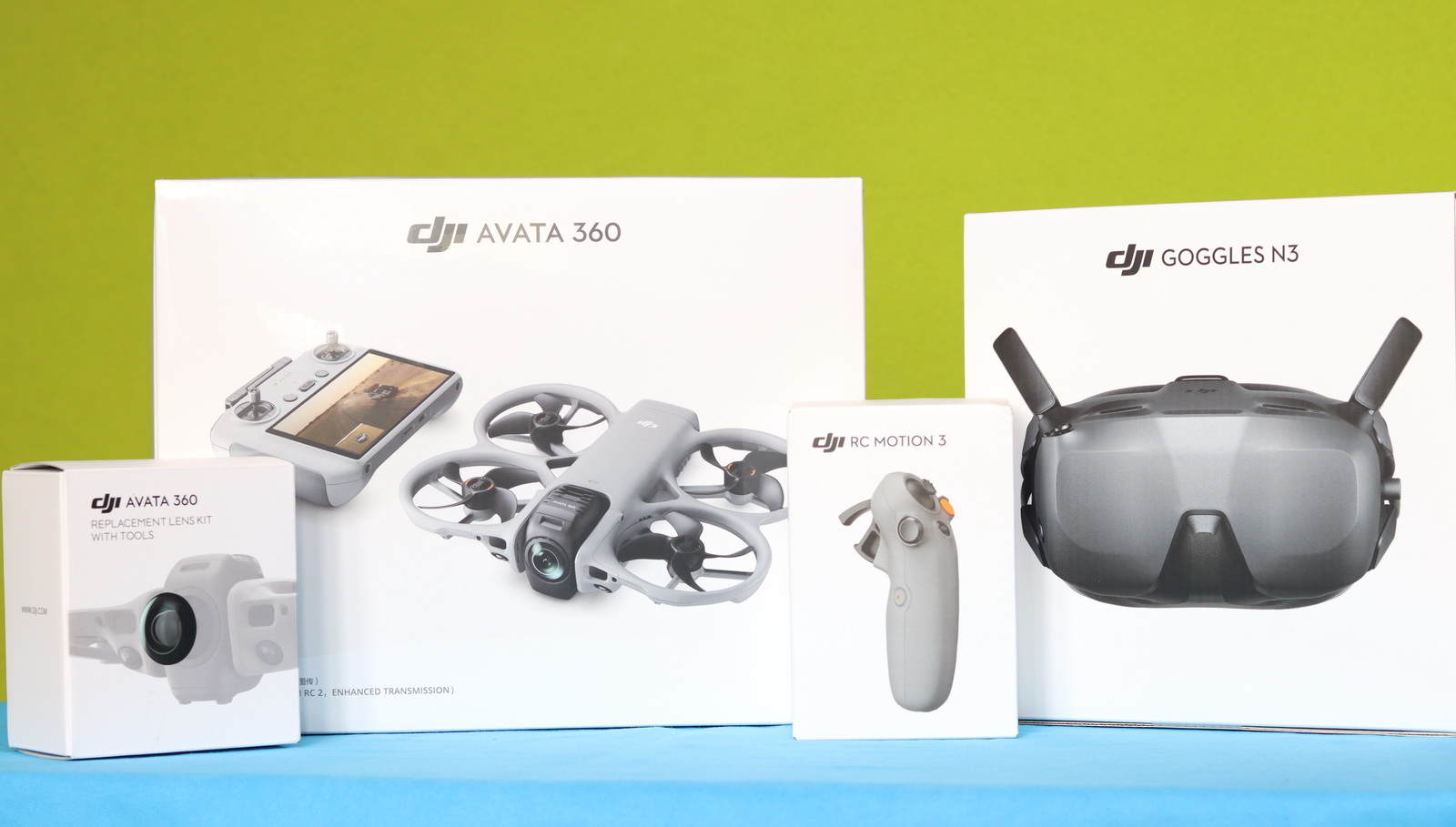
My review unit arrived last week, and until I unwrapped it, I didn’t know which bundle DJI had sent me. I already own the DJI Goggles 3 and RC-2 controller, so I was confident that I would be able to test it even if they had sent only the drone.
The real surprise came when I opened the package. Inside, I found the full media kit, which included the Avata 360 Fly More Combo pack, Goggles N3, RC Motion 3, and a replaceable lens set.
In addition to the Avata 360 drone, the Fly More Combo kit, which comes in a nice sling bag, includes the following accessories:
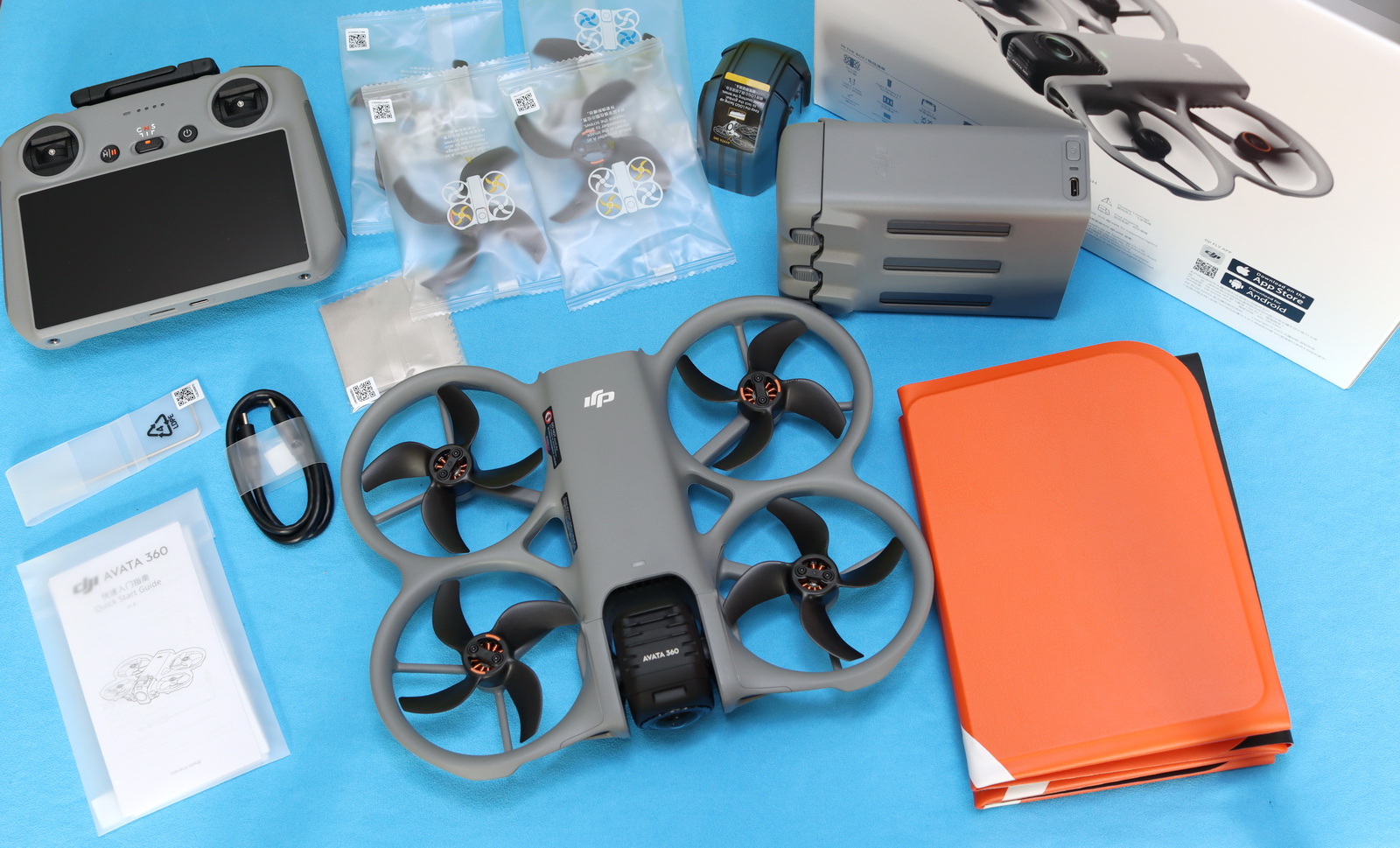
- DJI RC 2 with enhanced transmission (cellular dongle)
- 3 Intelligent flight batteries and a Two-Way charging hub
- Camera protector and lens cleaning cloth
- Two pairs of spare propellers
- Foldable landing pad
- USB Type-C data cable
DJI Avata 360: At a glance
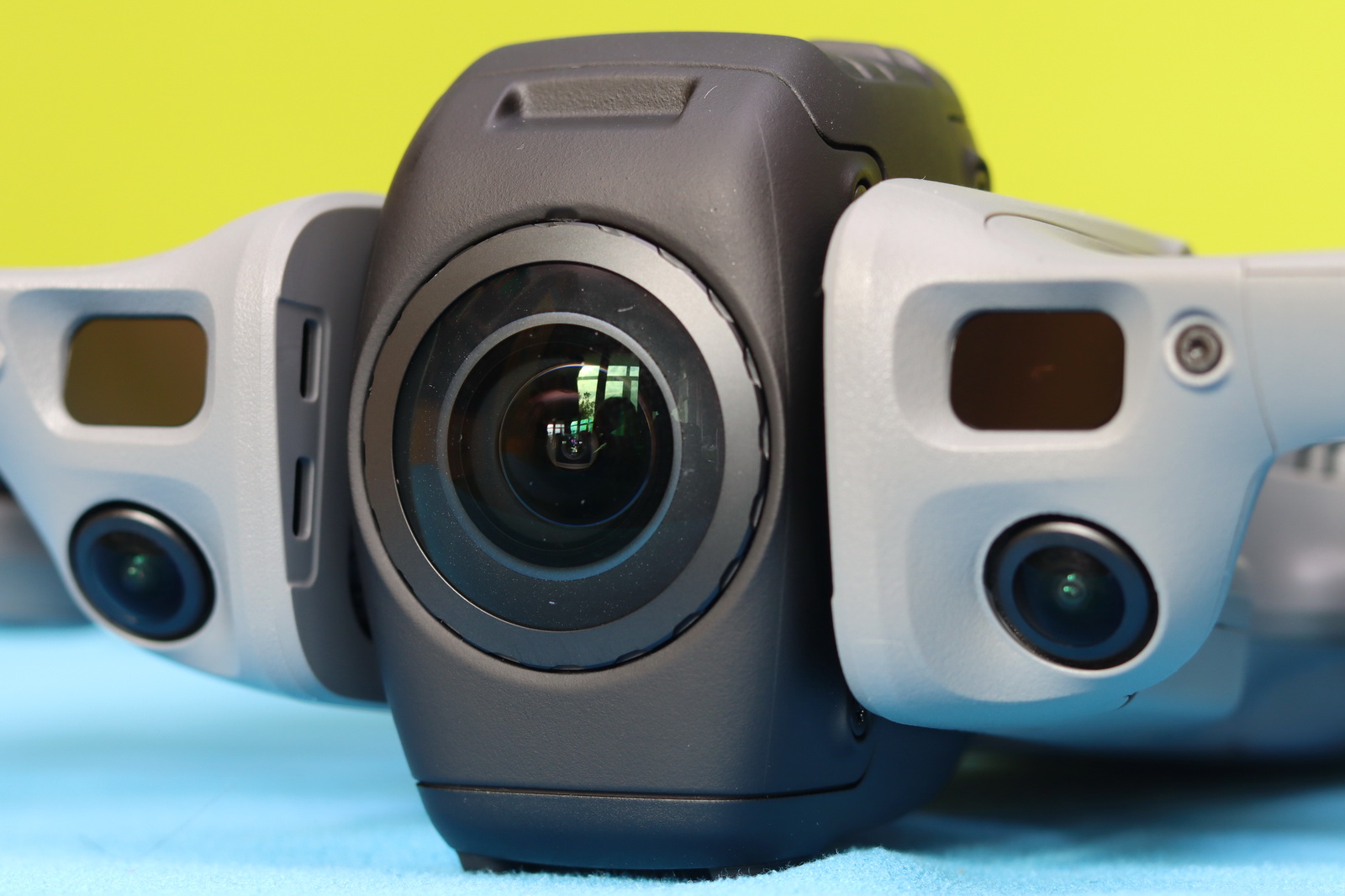
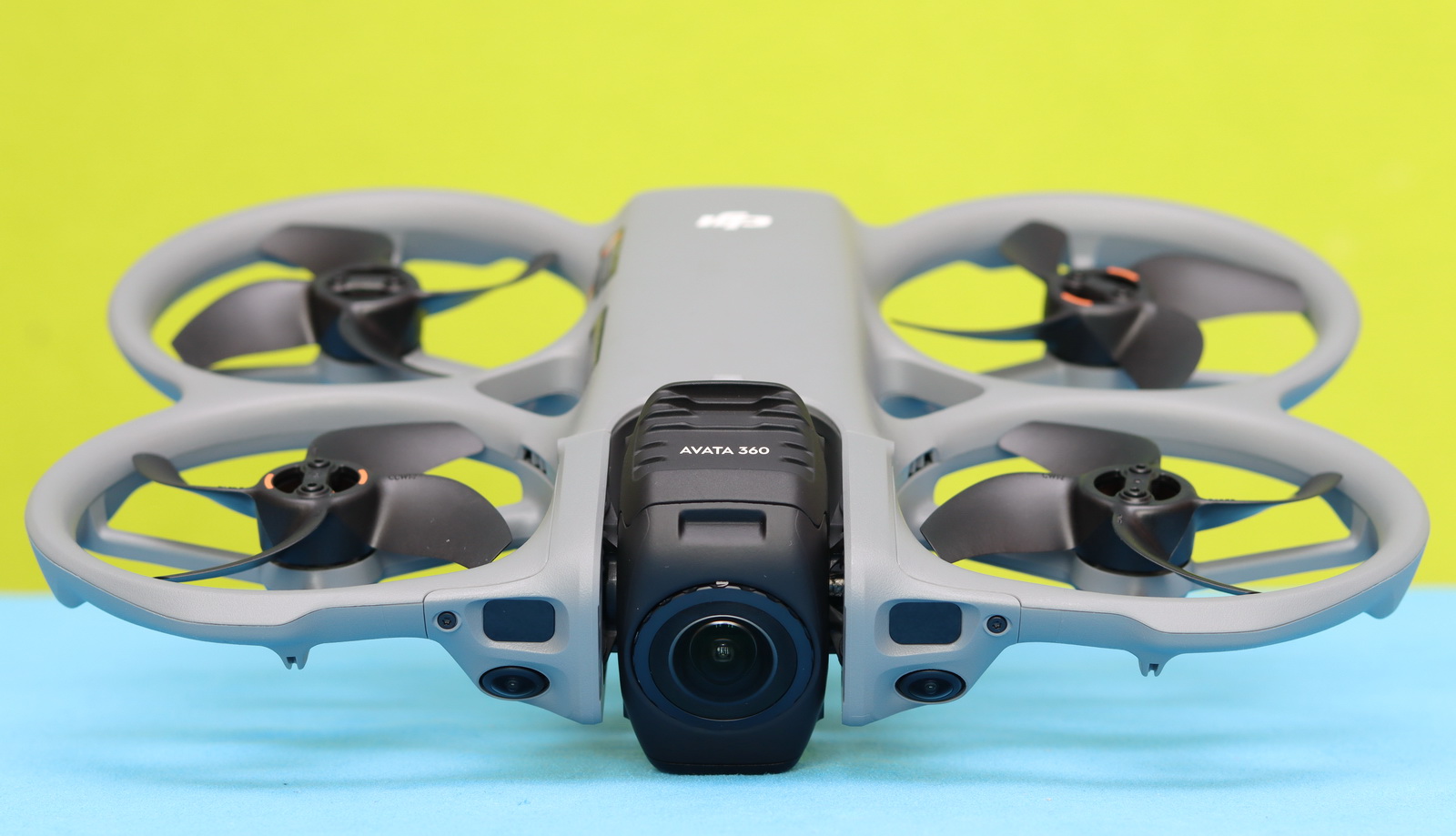
Just like its predecessors, the Avata 360 also features a whoop-style design with ducted propellers. In order to eliminate the drone from the shot, it has a very slim form factor. It measures 246 × 199 × 55.5 mm and weighs 455 grams, including the battery. The front vision sensors are enhanced with LiDAR for better obstacle avoidance, especially at night. On the belly, there are additional ToF positioning sensors.
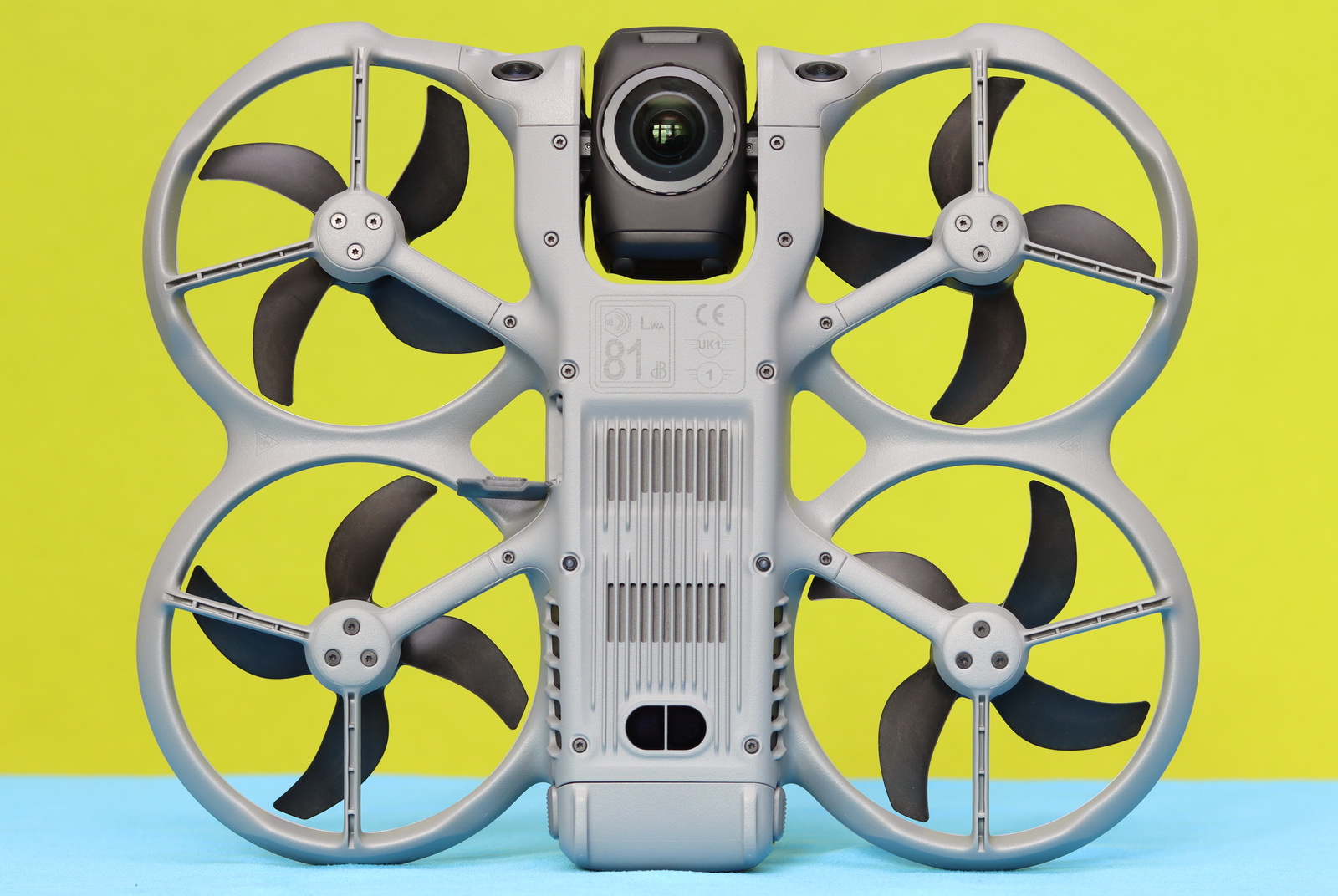
The dual-lens 360 camera has two operation modes. In single-lens mode, only one camera lens is used, facing forward. When 360 mode is activated, it rotates so that one lens faces upward and the other downward, capturing a complete sphere, while the drone remains completely invisible thanks to advanced stitching algorithms. During take-off and landing, the camera automatically rotates 180 degrees to protect the lens from touching the ground. Two tiny rubber feet under the camera smooth the landing.
The microSD slot and the USB-C port are located on the left side, hidden behind a rubber cover. The built-in 42 GB of usable storage space can be expanded with a memory card of up to 1 TB.
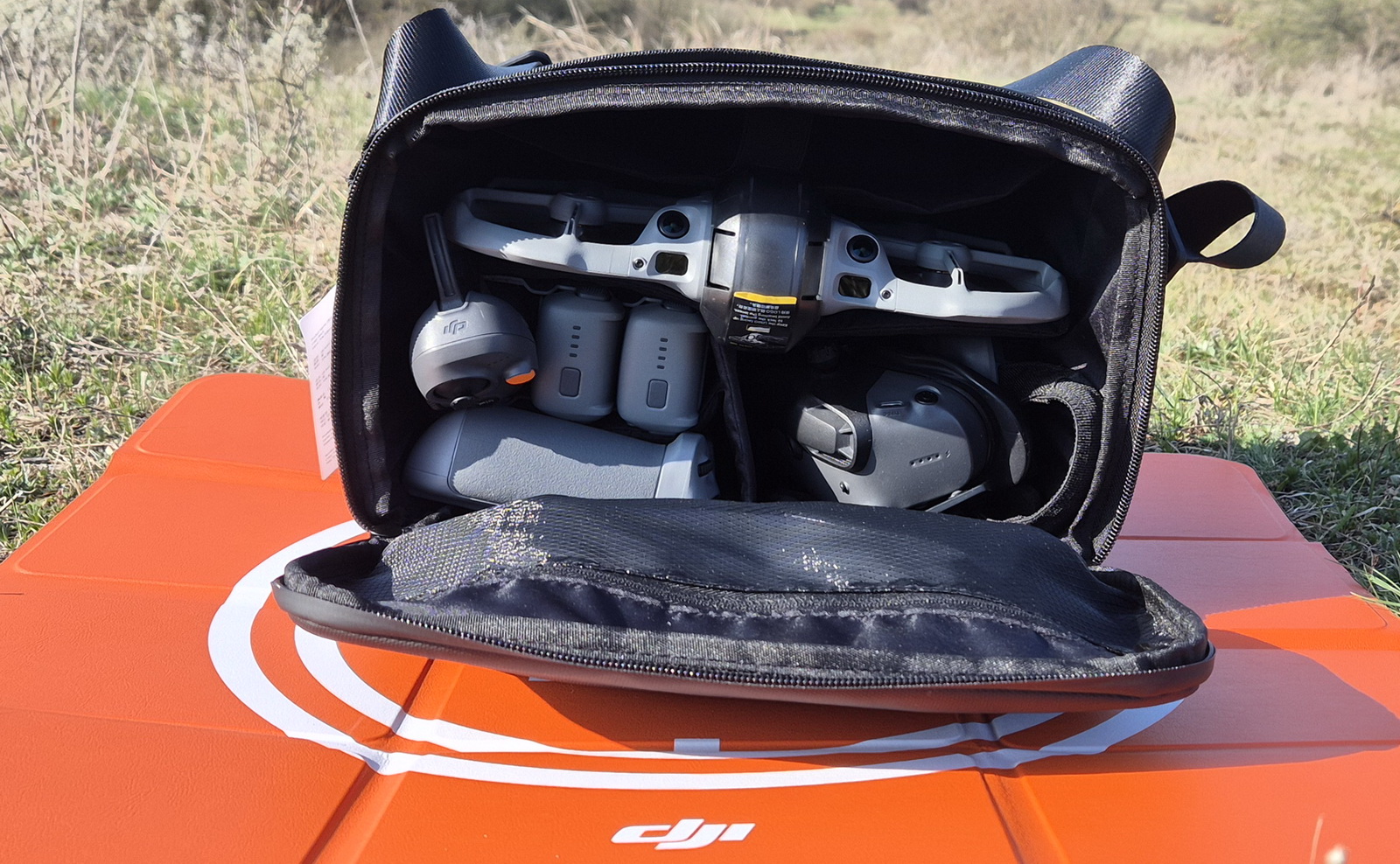
As mentioned, the DJI Avata 360 Fly More Combo kit includes a shoulder bag with a zippered pocket inside the top flap for smaller accessories (such as a USB cable, spare propellers, and a cleaning cloth), as well as five dedicated compartments for the landing pad, the drone, the RC 2, and the charger. As shown in the image below, I also managed to fit the FPV Goggles 3 and the RC Motion 3 inside the bag.
DJI Avata 360: The Camera That Sees and Records Everything
The third-generation Avata uses a dual-lens camera with specs similar to the Osmo 360. It features two 1/1.1″ CMOS image sensors and is capable of recording 360° 8K@60fps HDR video with a maximum 180 Mbps bit rate. The beauty of the camera is that it can be rotated 180 degrees and operated in single-lens mode—a feature that isn’t available on its competitor. In single-lens mode, resolution is reduced to 4K@60fps.
You can also capture 120 MP 360° photos with a resolution of 15,520 × 7,760. Both video and photo files are quite large. For example, a 360° JPG is about 50 MB, and a 5‑minute video is more than 6 GB.
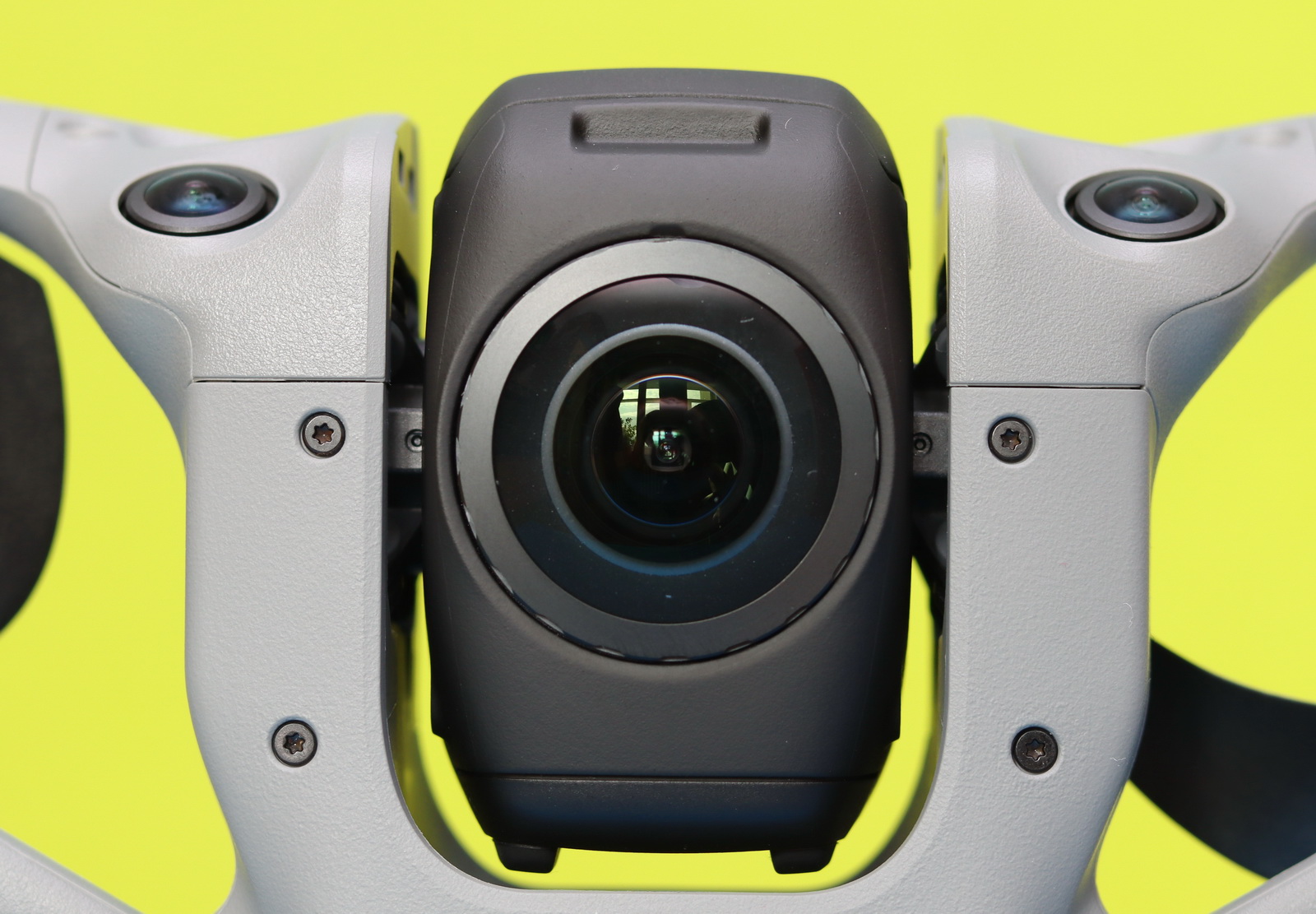
While it doesn’t have a mechanical 3-axis gimbal, in 360° mode, you get a virtual gimbal that allows you to change the viewing direction—from front to forward, from the left side to the right side, and from ground to sky. Additionally, you can adjust the FOV in a range of 104°–272°. In single-lens mode, you also have a PTZ function, but in a more limited range.
The Avata 360 footage needs to be edited in DJI Studio and exported. This is where you can reframe the shots, adjust the horizon, change FOV, and use various tricks to turn a simple clip into something much more dynamic. At first, it may seem a bit complicated, but once you get used to the workflow, it actually becomes a very creative and enjoyable part of the whole 360-video experience. You can even add ActiveTrack to the video, and the exported footage will focus on the selected subject.
Coming from the Air and Mini series, I have to admit I was a bit disappointed. Even though the resolution is high, the fisheye lens just can’t match the same pixel‑level clarity. This is noticeable in both single‑lens and 360° modes, and it’s something you really feel when comparing shots side by side.
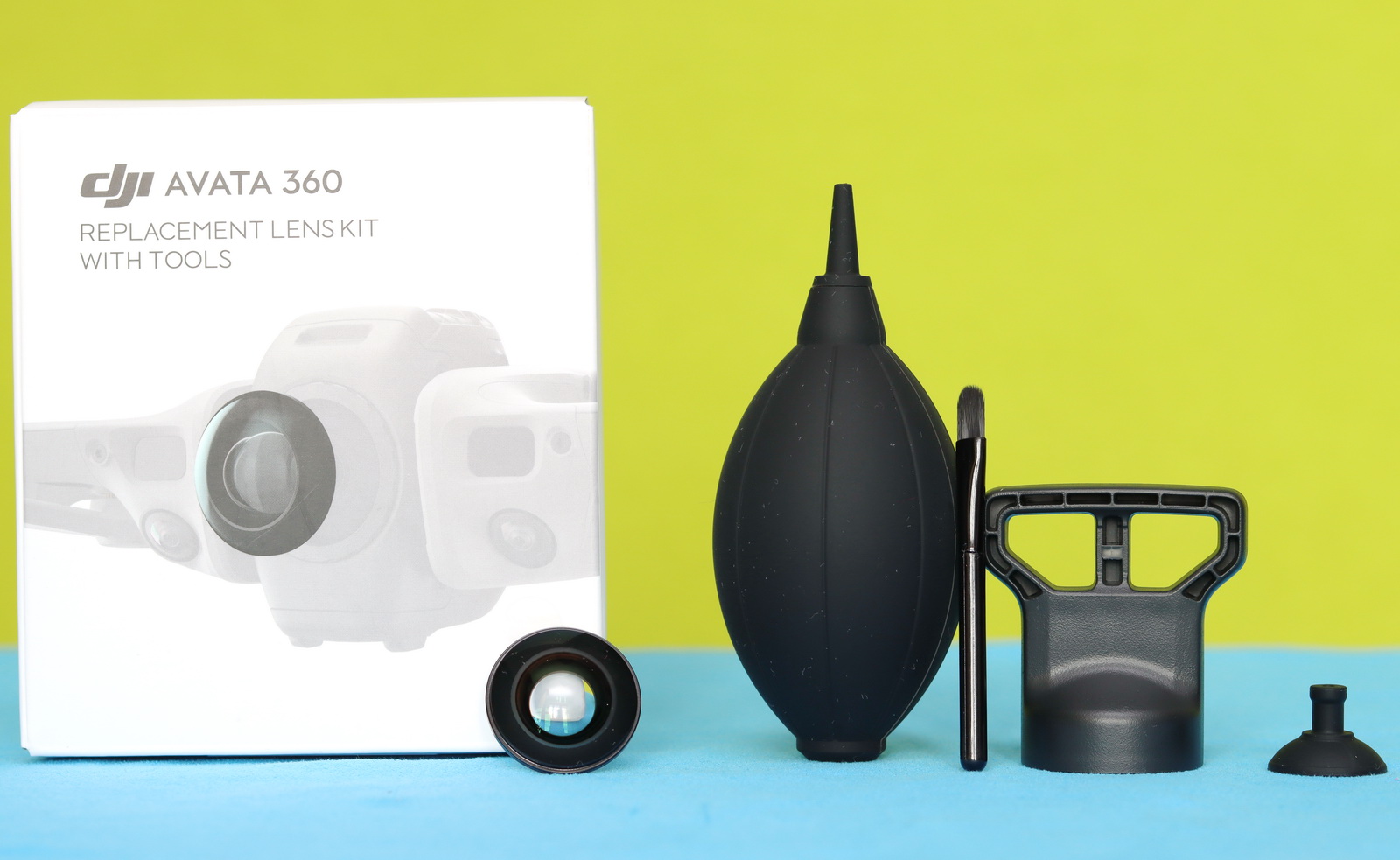
Replaceable front elements
Anyone who has ever used a 360 action camera knows how exposed the lenses are—and how almost impossible it is not to scratch them. To reduce service returns just for replacing scratched glass, they designed it to be user-replaceable. You can buy a replacement lens kit with the necessary tools and swap out the old lens yourself—no need to send it in for repair.
Avata 360: Controller and FPV goggles compatibility
It’s definitely worth appreciating that DJI doesn’t want to force us to purchase accessories (goggles and remote controllers) with every new drone. I was happy to find out that my two-year-old DJI Goggles 3 worked just fine with the Avata 360 after a firmware update.
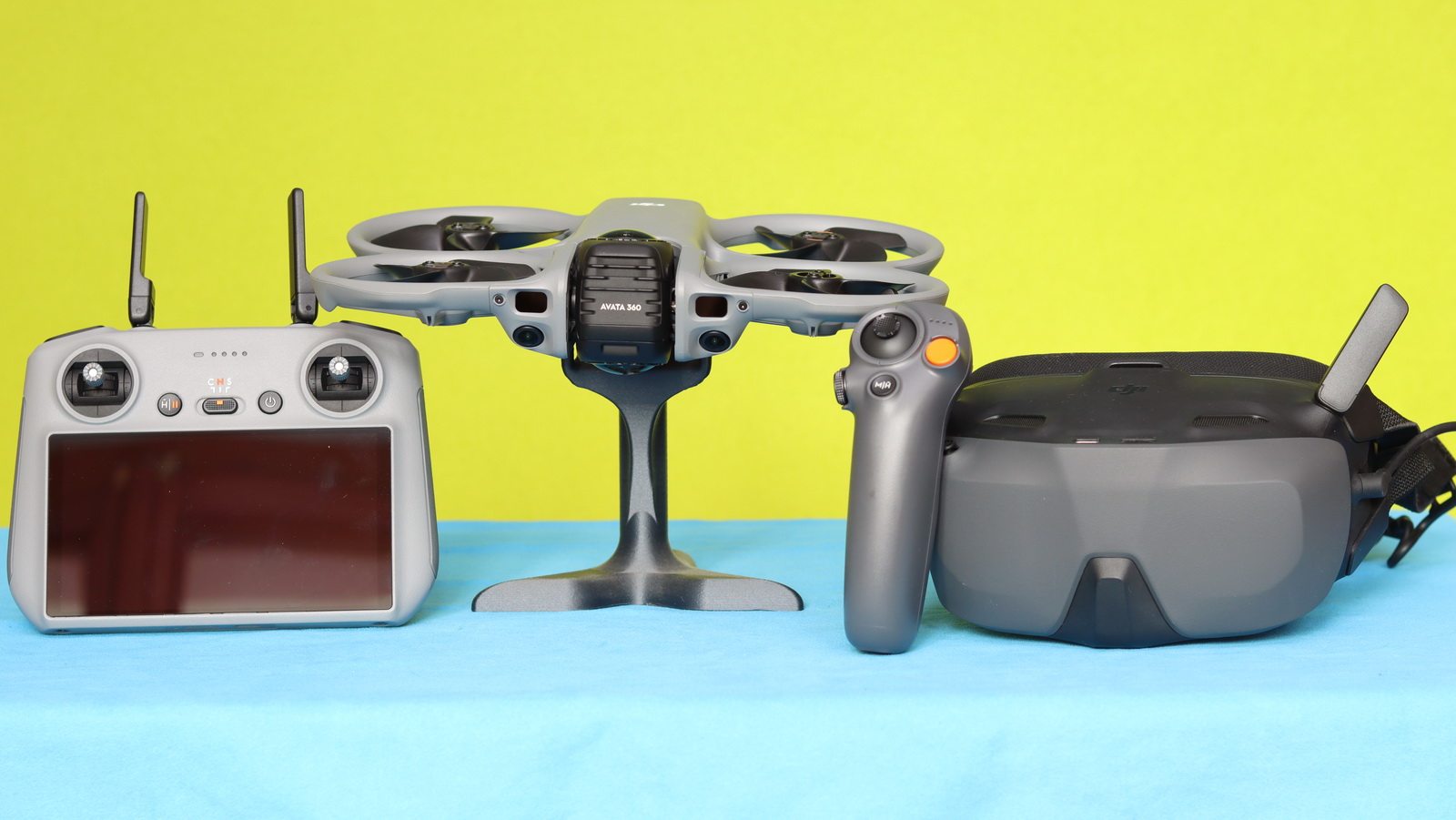
When you purchase the drone alone, it is important to know which controllers and FPV goggles are compatible with it. The setup also needs to match your flight preferences. For example, if you want a fully immersive experience, I recommend pairing it with the RC Motion 3 controller and the Goggles 3 or N3 FPV headset. On the other hand, if you experience motion sickness or want to capture nature footage more easily, pairing it with the RC 2 could be the best option for you. The table below shows the compatible and incompatible accessories, as well as the required firmware versions.
| Equipment | Supported Yes/No |
| Controller | |
| RC 2 | Yes, FW 10.00.00.02 or newer |
| RC-N2 | Yes, FW 00.00.00.47 or newer |
| RC-N3 | Yes, FW 00.00.00.47 or newer |
| RC Motion 3 | Yes, FW 01.00.02.00 or newer |
| FPV V3 | Yes, FW 01.00.03.00 or newer |
| RC-N1 | No |
| Smart controller | No |
| RC 1 | No |
| RC Pro | No |
| FPV V2 | No |
| RC Motion 2 | No |
| FPV Goggles | |
| Googles 3 | Yes, FW 01.00.12.44 or newer |
| Goggles N3 | Yes, FW 01.00.08.51 or newer |
| Goggles V1 | No |
| Goggles V2 | No |
| Goggles 2 | No |
| Integra | No |
DJI Avata 360: Getting into the air
Receiving a pre-release test unit, starting with the Avata 360, was a bit different from what it would normally be. I needed to download the compatible software from dedicated links using the credentials I received from DJI. I also had to perform firmware upgrades on my existing gear to make it compatible with the Avata 360. Even so, everything was straightforward. When I turned on the Avata 360, Goggles, and the controller, they immediately paired with each other.
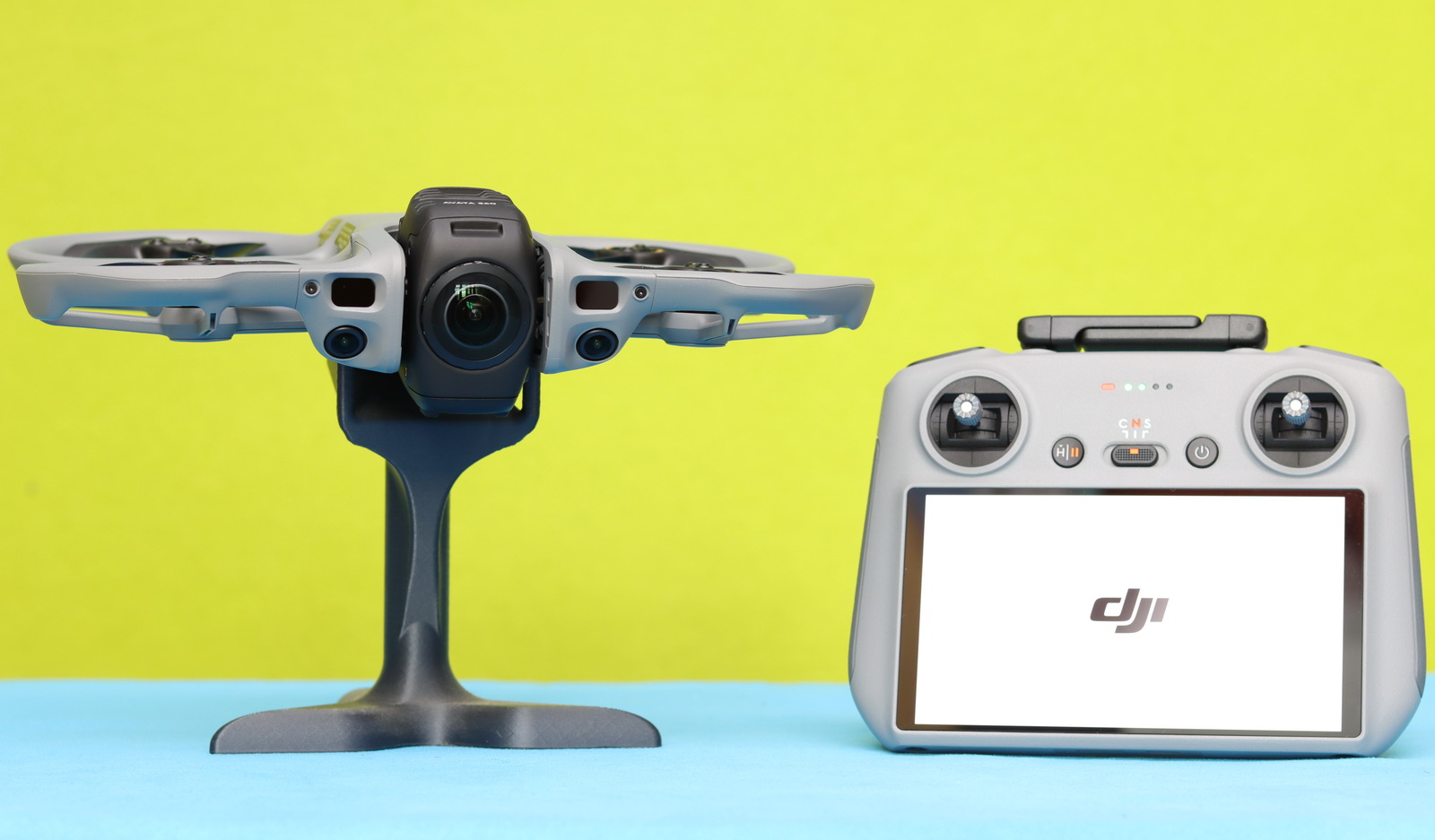
After binding, the first screen on the RC 2 shows warnings about how to legally use the Avata 360 in different regions. For example, in Europe (EASA), the Avata 360 falls into the C1 class (250 g – 900 g), which requires an A1/A3 certificate.
When I first took off, it was from the kitchen table, and my wife said she could see the excitement in my eyes. Even though I haven’t been a kid for many years, I still feel the same curiosity whenever I test a new gadget—just like finding the toy I really wanted under the Christmas tree. 😊
DJI Avata 360: Flight experience
I tested two different flight setups. First, I used the RC 2 with the built-in screen, flying in both single-lens and 360 modes. During the second flight session, I used the Goggles N3 together with the RC Motion 3.
Flying with the RC2 is surprisingly natural and effortless. With all the built-in assistance DJI provides—automatic takeoff, obstacle avoidance vision sensors, LIDAR sensors, and return-to-home—you can jump straight into the action, even if you’ve never flown a drone before. Don’t worry if you didn’t get the framing just right while flying—there’s no need to stress. Later, in the DJI Studio video editor, you can easily reframe your shots and make them look perfect.
On the other hand, using the RC Motion 3 and the Goggles 3 didn’t feel as immersive and intuitive as with my other 360 drone. The main interface looks basic, like a Betaflight OSD—nothing like the fancy virtual cockpit used by the other brand. The review window was short, and I will do a deeper dive in this mode, as I may not have caught all the movements the first time.
The Avata360 features an “Easy Acro” mode that is totally different from true manual mode. For many experienced FPV pilots, the lack of a full-manual mode will be a deal breaker. It feels more like a safety-focused drone than a real freestyle machine.
In the air, the DJI Avata 360 is generally noisy—you can hear it from as far as 500 meters with no problem. It has enough power for fast movements and handles medium wind gusts easily, so cruising in high mountains or along the seaside shouldn’t be an issue. I also saw some tests in rainy conditions, and despite raindrops on the top lens, the Avata 360 performed well, making it suitable for harsh conditions.
Flight performance: Battery life and Range
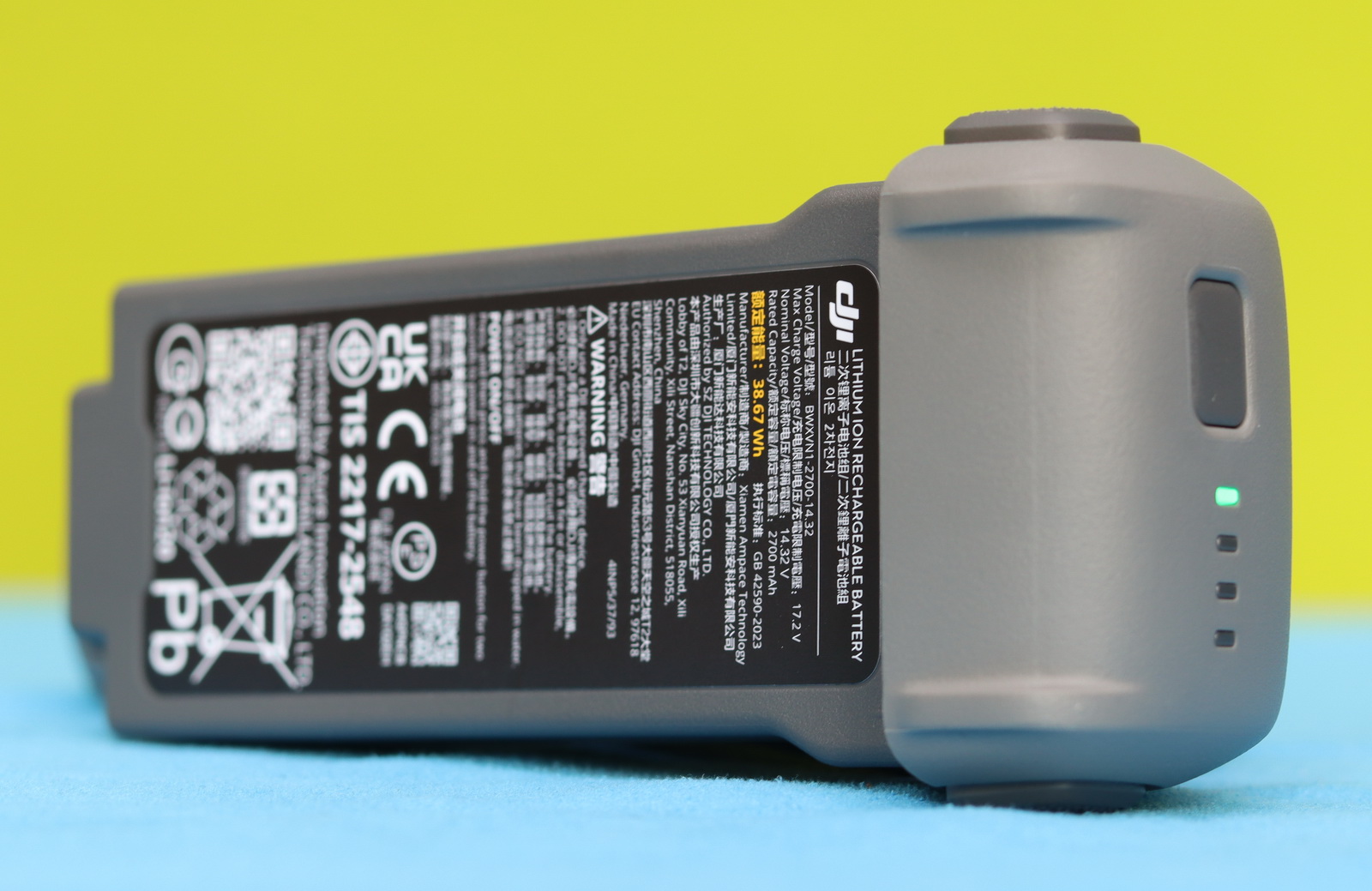
The Avata 360 is powered by a 4-cell 2700 mAh battery that promises up to 23 minutes of flight time and 22 minutes of hovering—of course, under optimal conditions. During my test in moderate wind, it managed to stay in the air for 19 minutes while recording. When it landed, the indicator showed a remaining flight time of one minute (7%). Since battery performance can improve slightly after 10–20 charge cycles, the advertised flight time seems to be close to real-world performance.
The theoretical range (how far it can fly) of a drone is defined by two factors: the reliability of the transmission system and the battery life. In real-world environments, however, the transmission distance is heavily affected by obstacles (buildings, trees, or high terrain) and radio interference. While the Avata 360 is equipped with DJI’s latest OcuSync 4+ transmission system, which offers up to 20 km (12.43 miles) in FCC standard or 10 km (6.21 miles) in CE standard, DJI honestly admits that in challenging urban flight environments with buildings and strong interference, the range can drop dramatically to a few hundred meters.
As 23 minutes of maximum battery life is enough for roughly 13.5 km (8.39 miles), testing the full range would only be possible by landing, having a helper load a new battery, and then continuing the flight.
Now let’s take a look at my results. I performed the range test in the same open flight field as all my other drone reviews, with no visual obstruction, low interference, and a consistent flight altitude of 70 meters.
I received the first signal warnings at around 3,700 meters (2.30 miles), and at 3,970 meters, the communication disconnected, triggering the Avata360’s fail‑safe Return‑to‑Home (RTH). For comparison, my Mini 4 Pro, also using the RC 2 controller, maintained a perfectly stable signal well beyond 7 km. I only turned back because of a low battery, not because of any signal issues.
Active Tracking, Obstacle Avoidance, and Quick Shot Modes
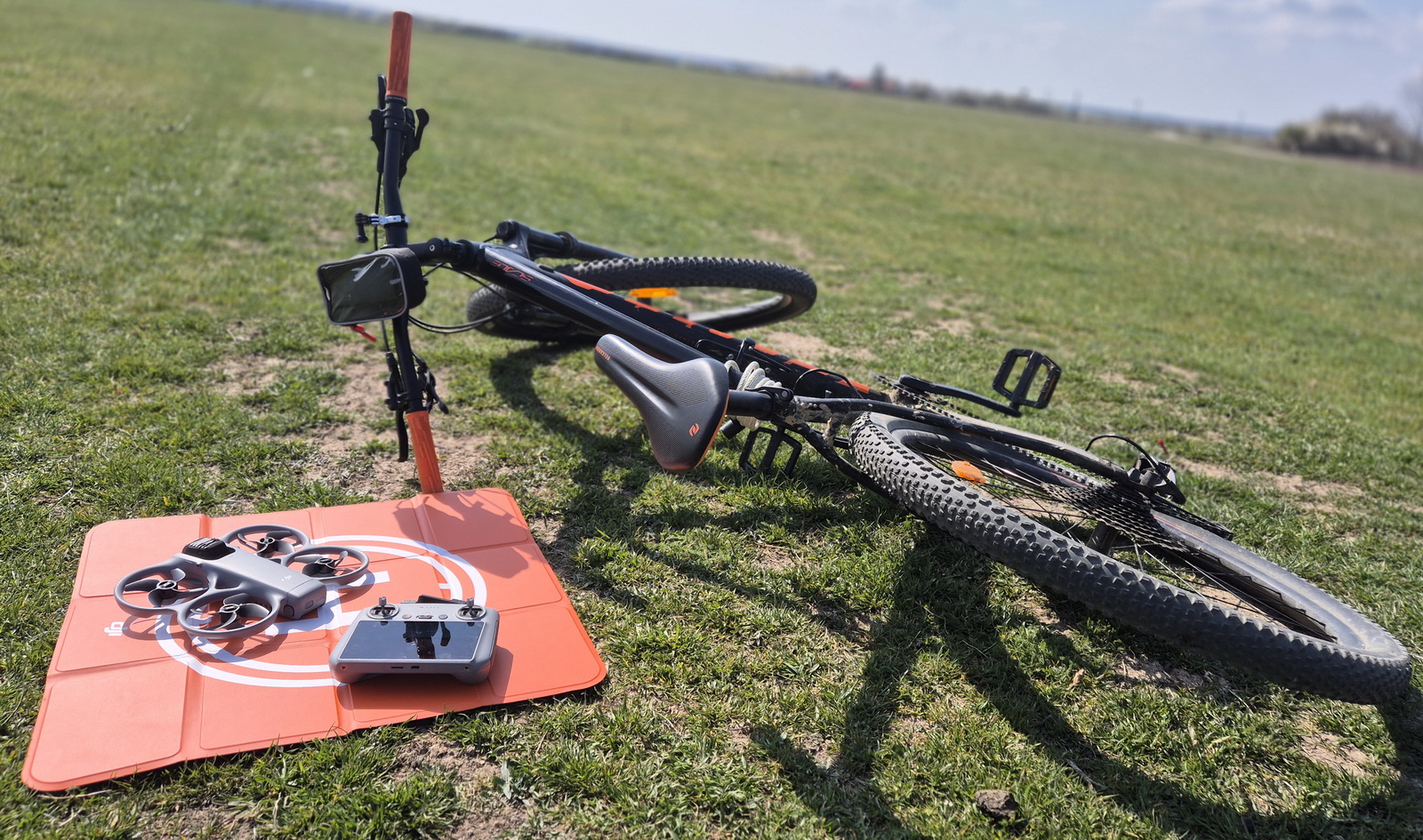
It couldn’t be a full 360 review covering everything without also testing these three features. A reliable obstacle avoidance (OA) system is mandatory for safe autonomous Active Tracking and creative QuickShots modes. Besides the frontal vision and LiDAR sensors, the Avata 360 relies on the two main cameras to avoid obstacles. A big warning here: in single-lens mode, only front and downward detection is active. During my tests, I also noticed that using the main cameras for OA is not as precise as the dedicated omnidirectional vision sensors found on the Mini and Air series.
The Active Tracking mode has two settings: Normal and Cycling, for faster movements. You can set the point of view from the front, behind, or the sides. Or you can just use Free View, and the drone will select the best angle automatically. Personally, I like this feature. After I marked the subject (aka me) with the green box, I put the controller back into the bag and enjoyed the ride. The Avata 360 followed me without losing me from the frame even once.
When entering QuickShots mode, the DJI Fly app will show a short demo for each function. You can choose from Rotate, Drone, Rocket, Circle, Helix, and Boomerang modes. These allow you to create cool social shorts effortlessly.
Pricing, availability, and package options
The DJI Avata 360 has officially been announced today, March 26. It is now available for purchase immediately in the Chinese market. Global rollout will begin in April, with availability varying by region. In the United States, the drone will not be sold through the official DJI website. Like most DJI drones, the Avata 360 also comes in multiple package options.
If you’re upgrading from the Avata 2 or already own a compatible RC controller and DJI goggles, you can save money and get the drone itself for $499.
On the other hand, if you start from zero, the DJI Avata 360 Fly More Combo and the Motion Fly More Combo are reasonably priced considering what’s included in the package.
Spare batteries are available for $70 per unit. The DJI FPV Remote Controller 3 costs $199 separately and can be a worthwhile addition if you want to maximize your FPV flying experience, as it gives you more precision.
For more details and package options, check the following link: https://www.dji.com/global/avata-360
Evolution of the DJI Avata series
The Avata 360 is the third generation of the series, and it follows the Whoop-style design of its predecessors. Accommodating a dual-lens 1/1.1″ camera, it is slightly bigger and heavier compared to the original Avata and Avata 2. While flight time remains approximately the same as the previous edition, the range is increased by approximately 54%.
| Avata | Avata 2 | Avata 360 | |
| Dimensiones | 180x180x80mm | 185x212x64mm | 246×199×55.5 mm |
| Weight | 410g | 377g | 455g |
| Camera | 1/1.7″ CMOS 4K/60fps |
1/1.3″ CMOS 4K/60fps HDR |
2 x 1/1.1-I″ CMOS 360° 8K/60fps HDR |
| Internal memory | 20GB | 46GB | 42GB |
| Transmission system | DJI O3+ | DJI O4 | DJI O4+ |
| Max range | 10 km | 13 km | 20 km |
| Battery | 4s 2420 mAh | 4s 2150 mAh | |
| Max flight time | 18 minutes | 23 minutes | 23 minutes |
| Release date | August 25, 2022 | April 11, 2024 | March 26, 2026 |
DJI Avata 360 vs. Antigravity A1: An Alternative from Insta360
I tested and reviewed the Antrigravity A1 a few months ago, and it impressed me from the very first flight. A 360° drone opens a completely new world. My only problem was that it felt very fragile when flying in challenging environments and tight spaces. Instead, the Avata 360 whoop design is much more practical for these situations. You can bump into walls or trees without crashing. Actually, during testing of the Active Tracking feature, the obstacle avoidance system missed (didn’t see) a small branch that the drone hit. It became slightly unbalanced, but continued the flight safely. A normal, non-whoop drone would crash for sure in the same situation.
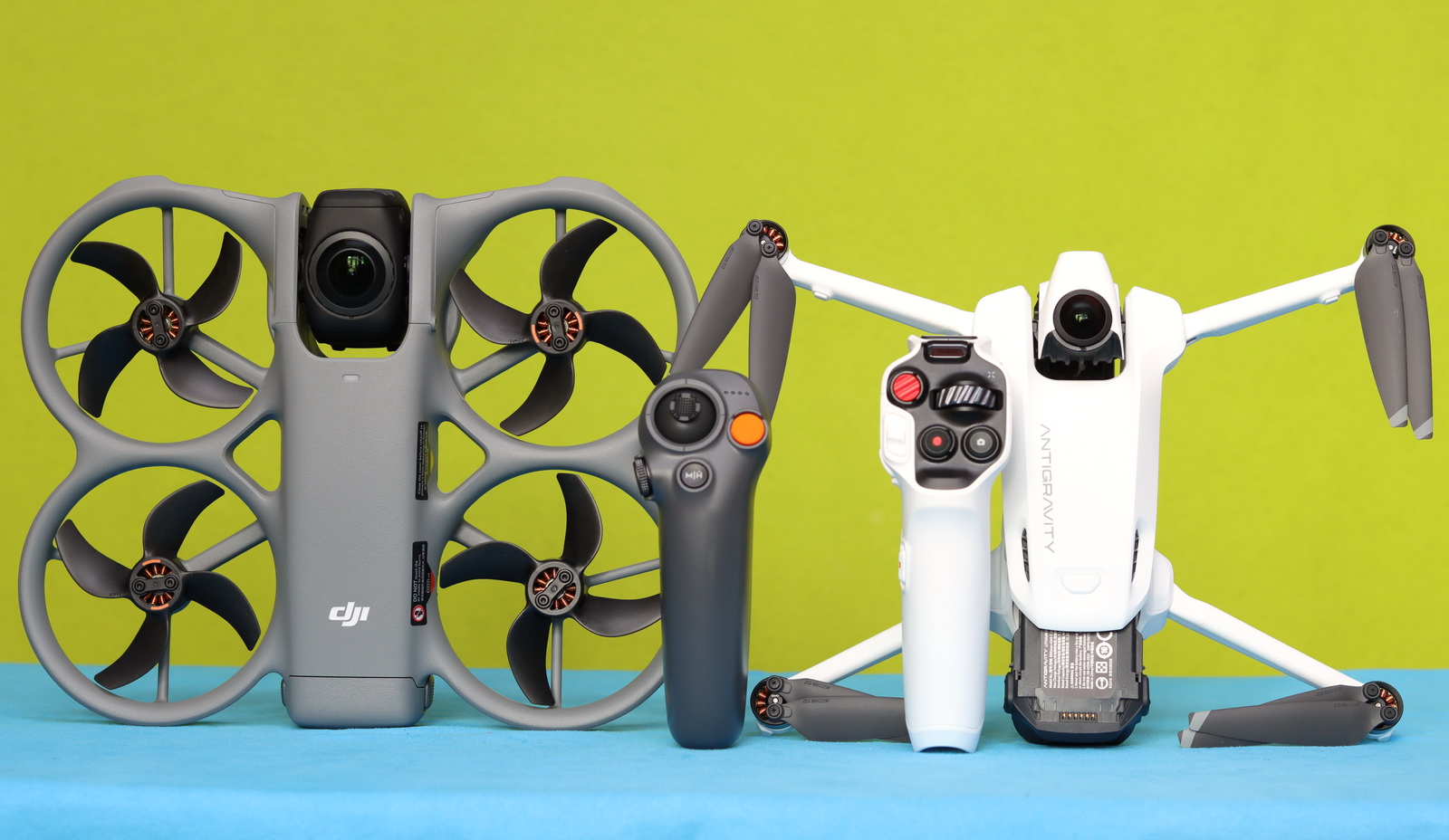
Both drones feature a dual-camera system, but the Avata 360 has a slightly larger image sensor (1/1.1″ vs 1/1.28″) and allows you to fly in both single-lens and 360 ° modes.
Using the high-capacity battery, the Antigravity A1 has a much longer flight time compared to its rival (39 min vs 28 min). At the same time, the Avata 360’s OcuSync 4.0+ transmission system promises double the range of the A1.
| Specifications | Avata360 | Antigravity A1 |
| Release date (Online availability) | March 26, 2026 | December 4, 2025 |
| Design | Whoop-style | Foldable |
| Operation modes | FPV with goggles and Normal RC with Phone | FPV with goggles |
| Compatible devices | Controller:5 Goggles:2 |
Controller:1 Goggles:1 |
| Camera | Dual 1/1.1″ CMOS | Dual 1/1.28″ CMOS |
| Video | 360°: 8K@60fps Single lens: 4K@60fps |
360°: 8K@30fps Single lens: N/A |
| User-replaceable lenses | Yes | Yes |
| Camera protection | Rotatable camera module | Retractable landing gears |
| Obstacle avoidance | Front & Downward + LIDAR | Front & Downward |
| Transmission system | OcuSync 4.0+ & Cellular dongle | OmniLink 360 |
| Range | 20KM | 10KM |
| Live view quality | Single lens: 1080p@100fps 360 mode: 1080p@60fps |
Single lens: N/A 360 mode: 2K@30fps |
| Flight time | Up to 28 minutes | Up to 24 / 39 minutes |
| Weight | 455 grams | 249 grams / 291 grams |
| Pricing | $528 – $1,333 | $1,279-$1,849 |
You Can Trust Our Reviews!
Since 2014, FirstQuadcopter has reviewed, thoroughly tested, and rated hundreds of products, including drones, gimbals, power stations, action cameras, 3D printers, video lights, and other high-tech gear to help you make better buying decisions.
We don’t do paid reviews or agree to affiliate links. All products are tested fairly and equally, and if anything changes over time, I will update the written reviews.
As always, if you found this review helpful, don’t forget to like, share, comment, and bookmark for more content like this!