
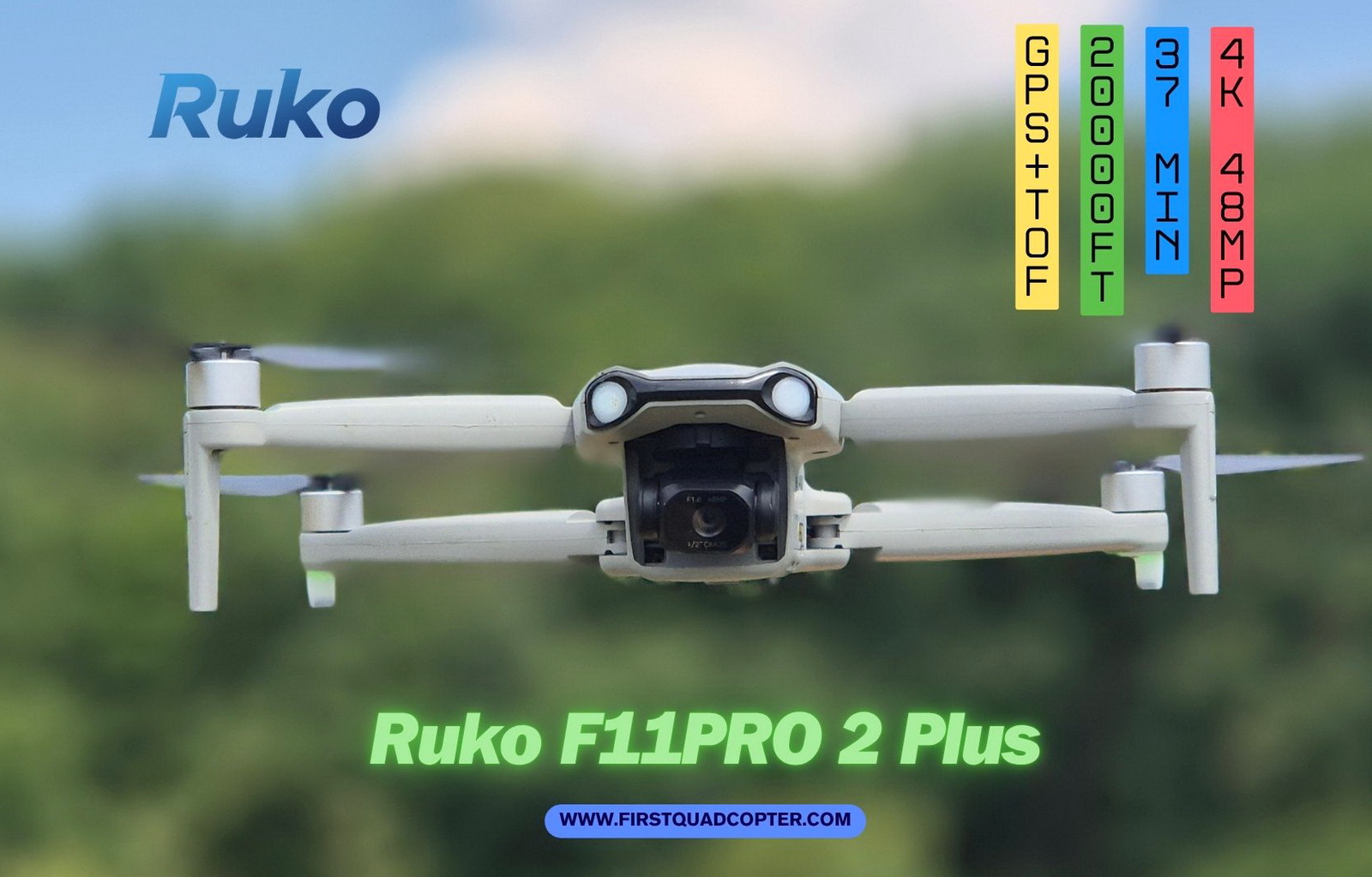
RUKO is far from being the oldest or biggest brand in consumer drones, but its F11 series has steadily improved over time. The F11PRO 2 Plus is the newest model, doubling its predecessor’s flight range, improving flight time, and introducing a new 48MP camera with a 1/2″ CMOS sensor.
The Ruko F11PRO 2 Plus is intended to be a budget drone for beginners. It comes with basic features, no obstacle avoidance system, decent image quality, and two batteries to allow a flight session of up to 74 minutes. This review will focus on the real-world reliability and performance of this drone.
Ruko F11PRO 2 Plus review
Disclosure: I received this 4K drone for a product review collaboration with RUKO. Although the product was offered for free, all opinions in this article remain mine, and the sponsor did not influence me.
A few months before the official release date, RUKO contacted me regarding the possibility of testing and reviewing their upcoming drone. Having some good experience with the company’s previous models, I happily accepted their offer.
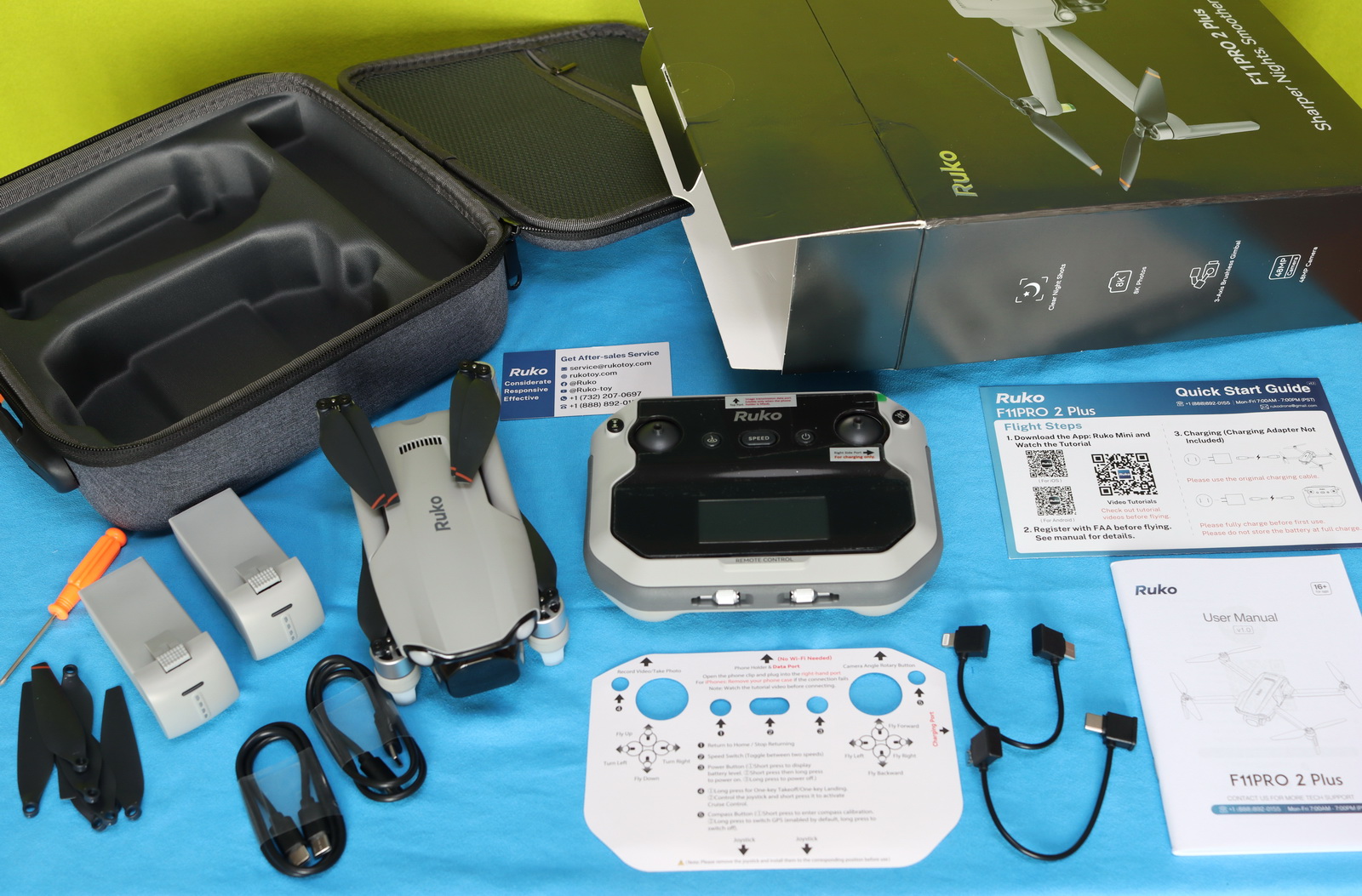
Shortly after launch day, I received the Ruko F11PRO 2 package. Inside the box were two flight batteries, RC-to-phone data cables, two USB Type-C charging cables, a set of spare propellers, a detailed user manual, a quick start guide, and the remote controller. The entire kit comes neatly organized in a sturdy carrying case, which makes transportation and storage both convenient and hassle-free.
Ruko F11PRO 2 PLUS: At a glance
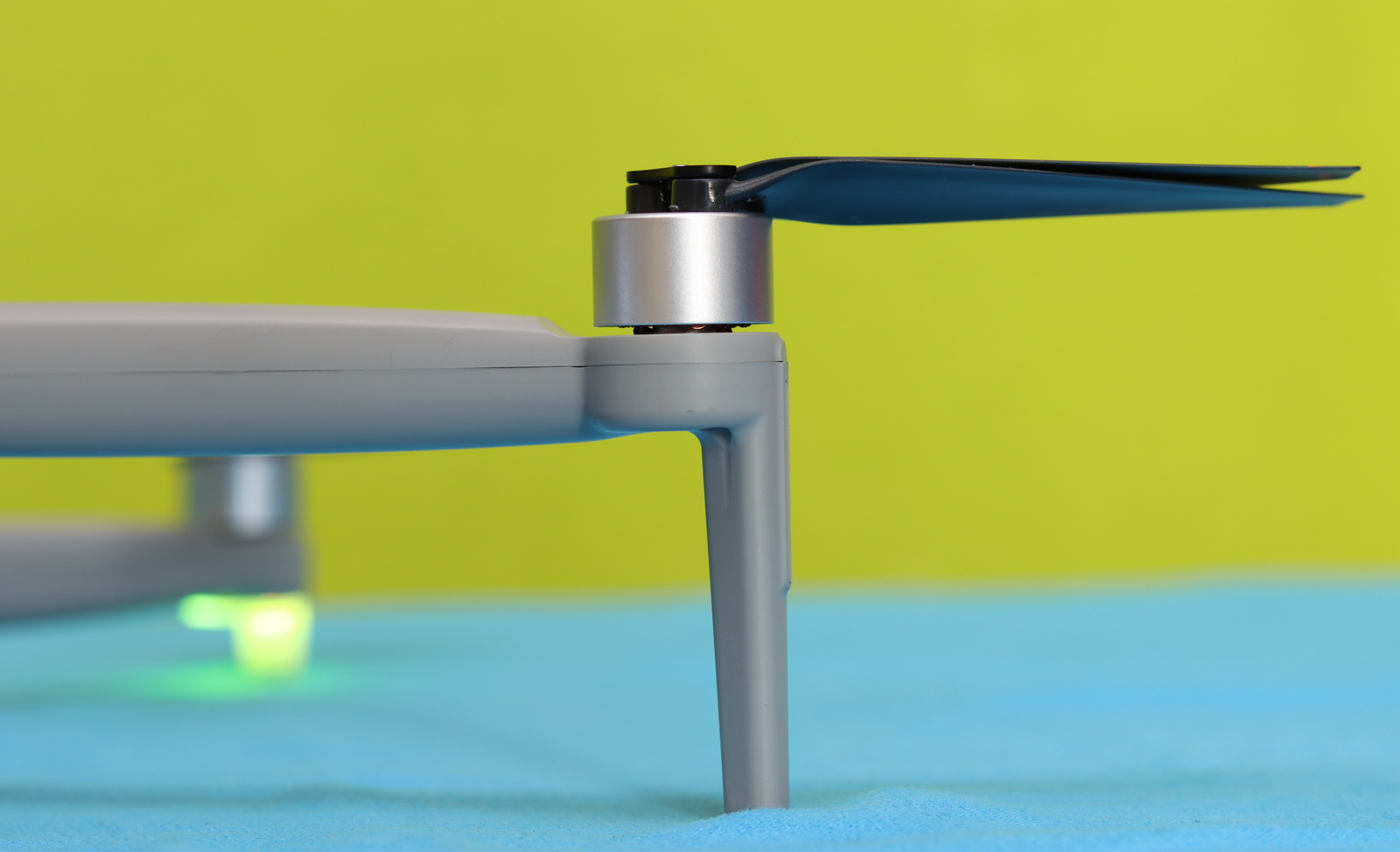
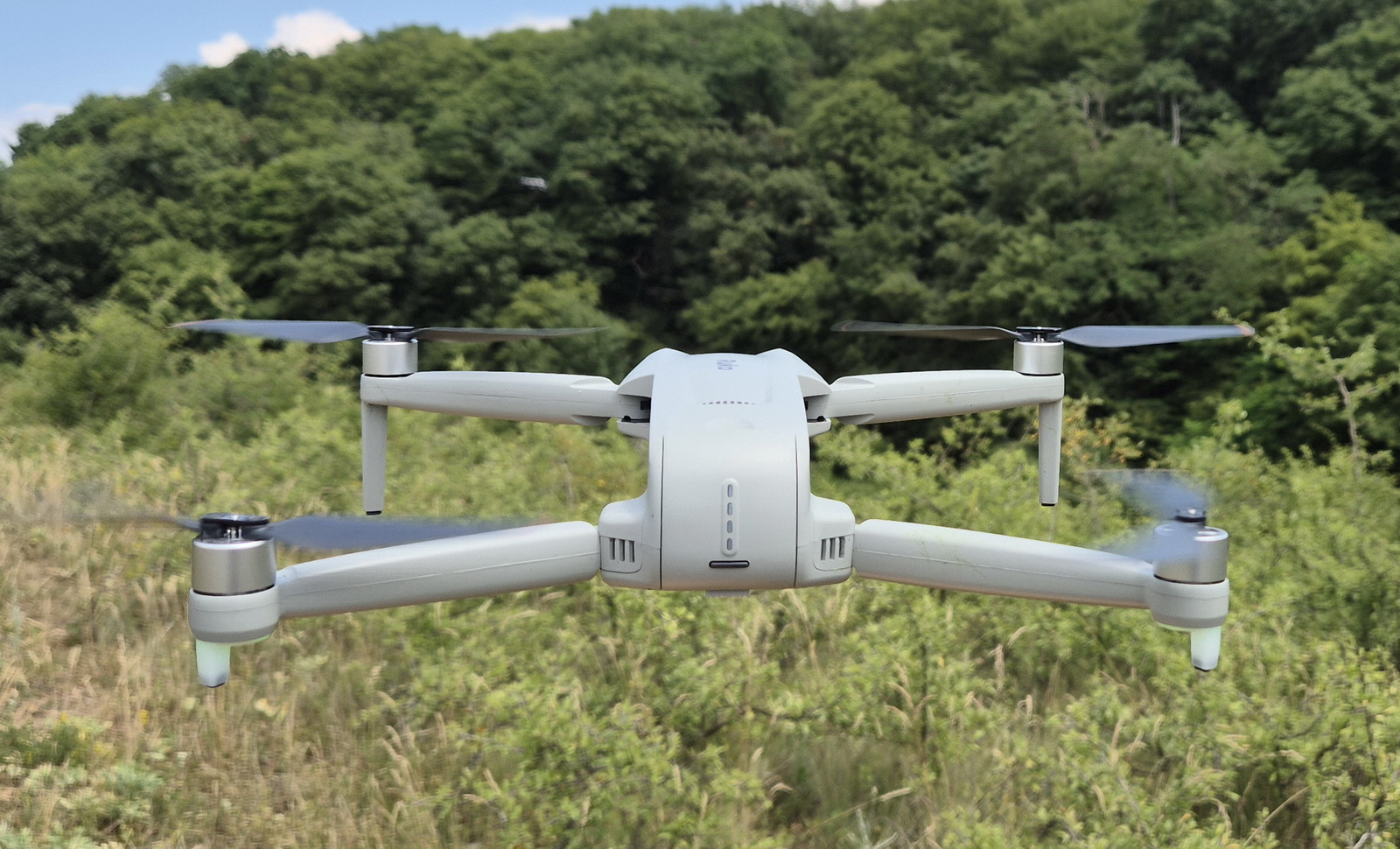
If you’re expecting a major design refresh from the Plus edition, you may be disappointed. The airframe remains unchanged, with the only obvious visual difference being the redesigned camera mounted beneath the nose. With folded arms, the drone measures 165 × 90 × 65 mm (6.5 × 3.54 × 2.56″) and weighs about 370 grams, which is no surprise, considering that the 2S 3200mAh battery alone weighs 123 grams. When preparing the drone for flight, first unfold the front arms, followed by the rear arms. When folding it for transport, follow the reverse order.
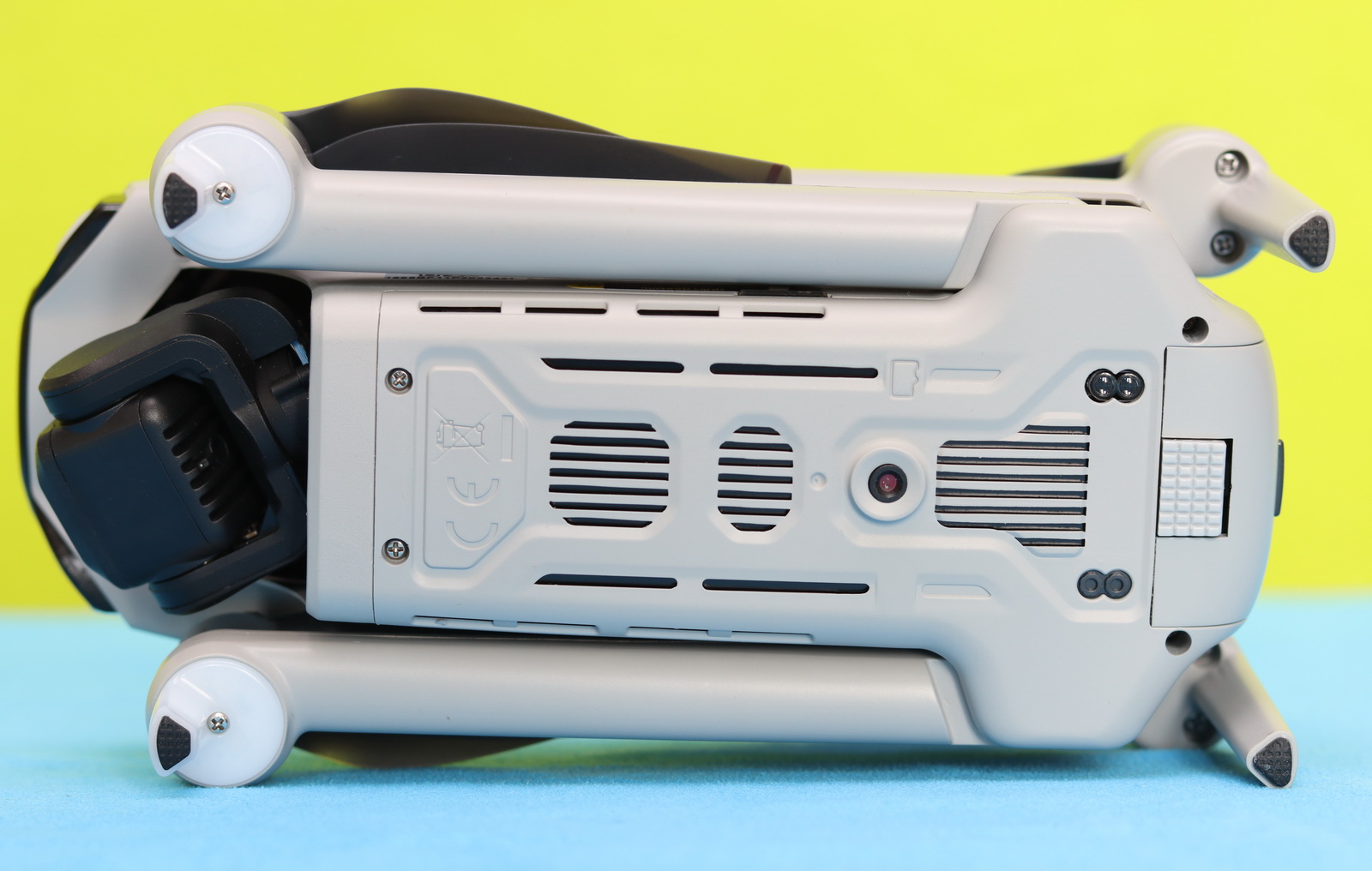
When I flipped it upside down, I noticed that, in addition to the optical flow sensor, there’s also a small pair of TOF sensors underneath. These TOF (Time of Flight) sensors work by measuring the distance to the ground using light pulses, allowing the drone to more accurately determine its altitude. This extra layer of sensing really helps improve hovering stability, especially in low-light conditions where the optical flow sensor alone may struggle.
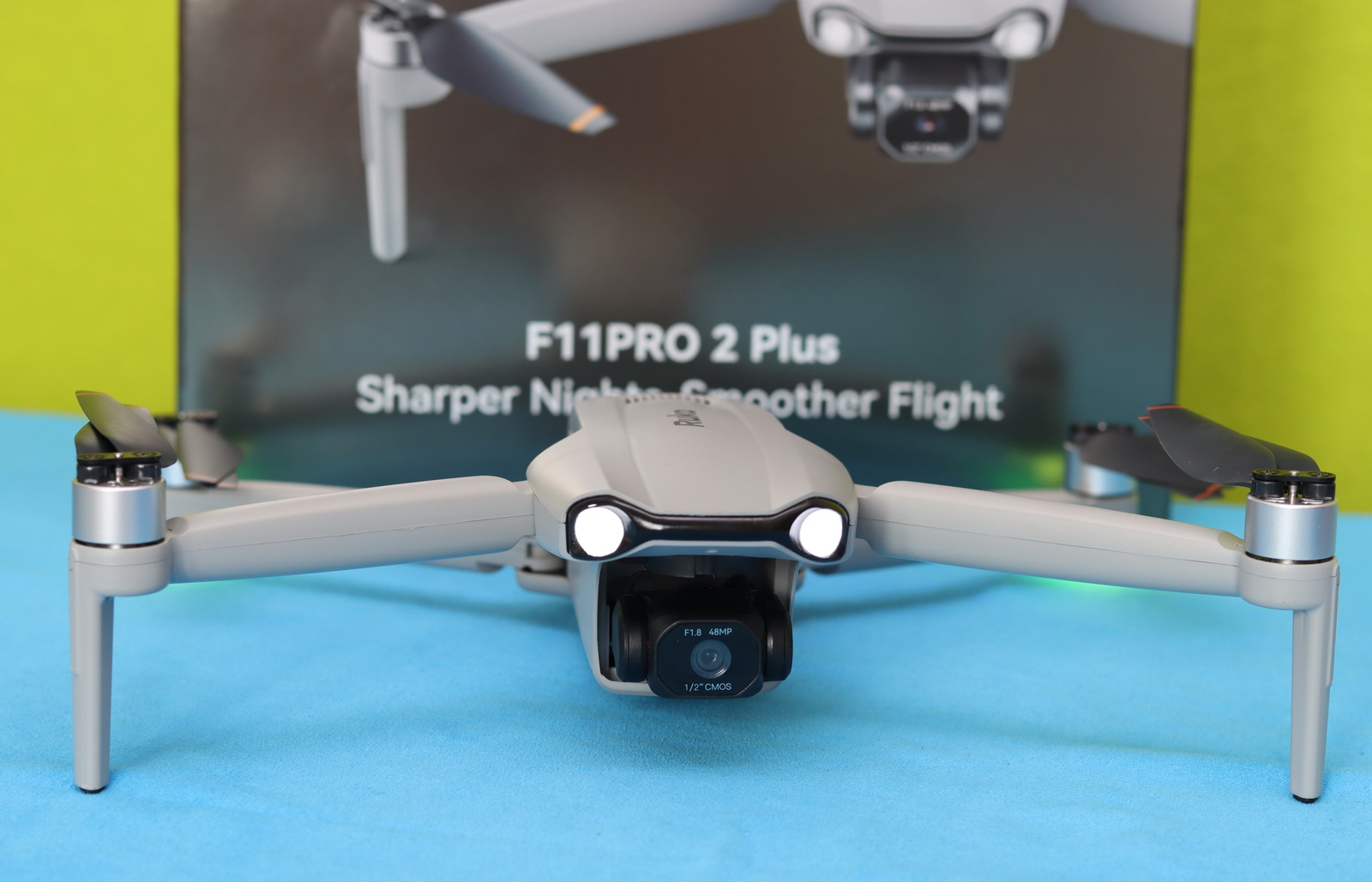
The fuselage features an elegant gray finish that gives the drone a clean and modern appearance. Up front, two bright LEDs help maintain visual orientation when flying in line-of-sight (LoS) mode, especially during evening or nighttime flights. It’s a small detail, but one that can make a big difference when trying to determine the drone’s heading from a distance.
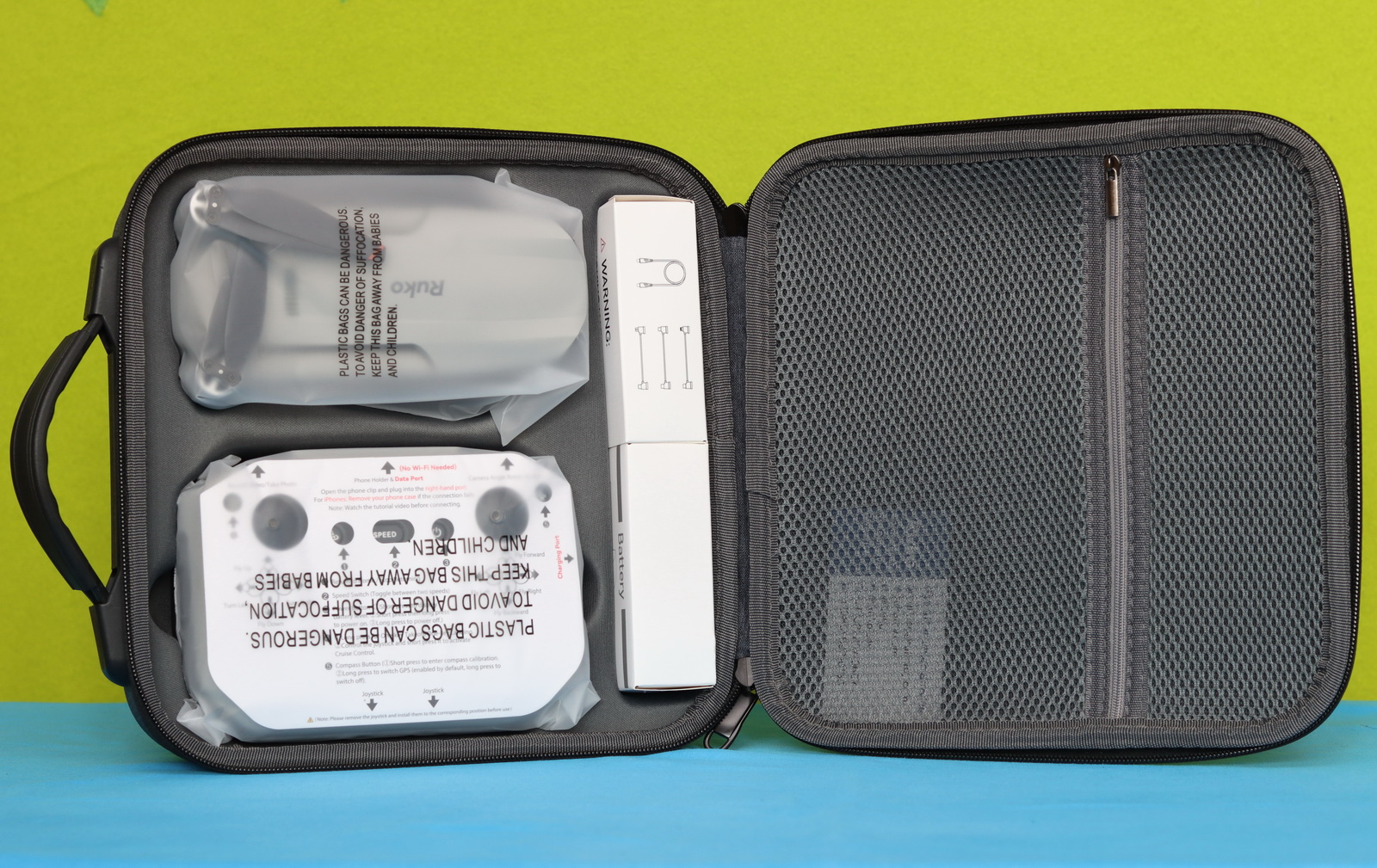
Just like its predecessor, the F11PRO 2 Plus comes in a handbag that can store up to 3 flight batteries (one in the drone and two in dedicated bays), the remote controller, and the drone itself. The bag has an internal zipped pocket for small accessories such as spare propellers, data cables, and drone manuals.
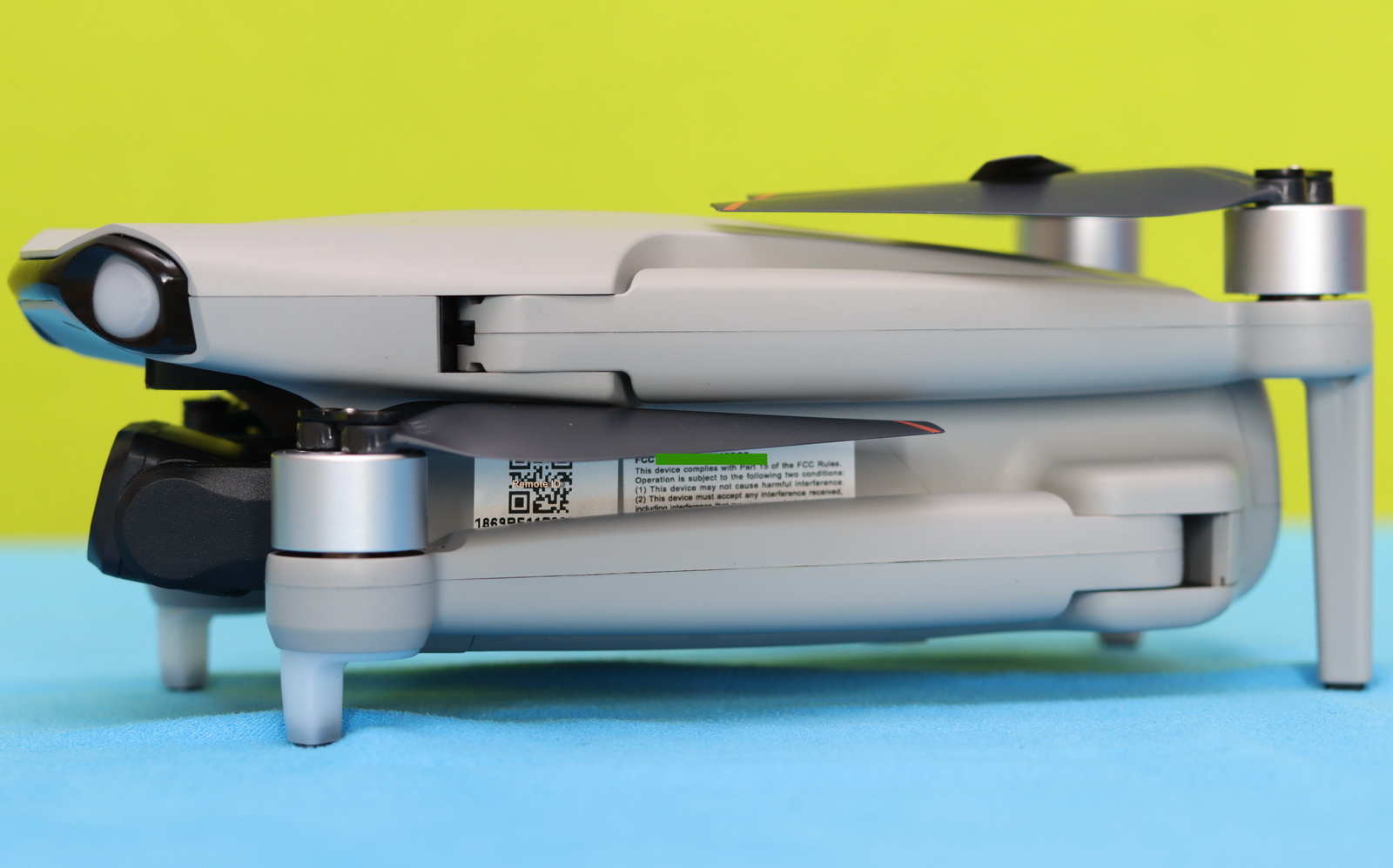
Weighing over 250 grams, in order to be FAA-compliant, the F11PRO 2 Plus features a built-in Remote ID module. As shown in the image below, the QR code with the RID serial number is found on the left side of the drone.
Pricing and availability
During the “Independence Day Sale,” the F11PRO 2 Plus is on sale with 29% off, priced at just $423.99. You can obtain an additional 10% discount on your first order by subscribing to their newsletter. For an extra $39.98, you can purchase the 65W Ruko charger. This drone is also available through the company’s official Amazon store.
How We Review Drones: What We Test and Why
Before we dive into the details, let me explain what we typically evaluate with every drone that arrives on our test bench. We don’t rush to publish our reviews. Instead, we spend several days with each product, testing it in different conditions to uncover both its strengths and weaknesses. Only after we’ve had enough real-world flight time do we sit down and share our honest impressions.
Every review begins the same way—with a careful unboxing and a thorough visual inspection. I take a close look at the drone’s design and overall build quality and check for any signs of damage that may have occurred during shipping, such as cracks or loose components.
Next, I install the companion app on both Android and iOS devices to verify compatibility and ensure the setup process is as smooth as possible on each platform. Here, I should mention that during the tests, I noticed a couple of random APP restarts.
Meanwhile, I put the flight batteries and remote controller on charge so everything is ready for testing. One recommendation I always make is to never leave charging devices unattended—especially drone batteries. Although incidents are rare, lithium batteries can overheat or catch fire if something goes wrong, so it’s always best to charge them in a safe location and keep an eye on them.
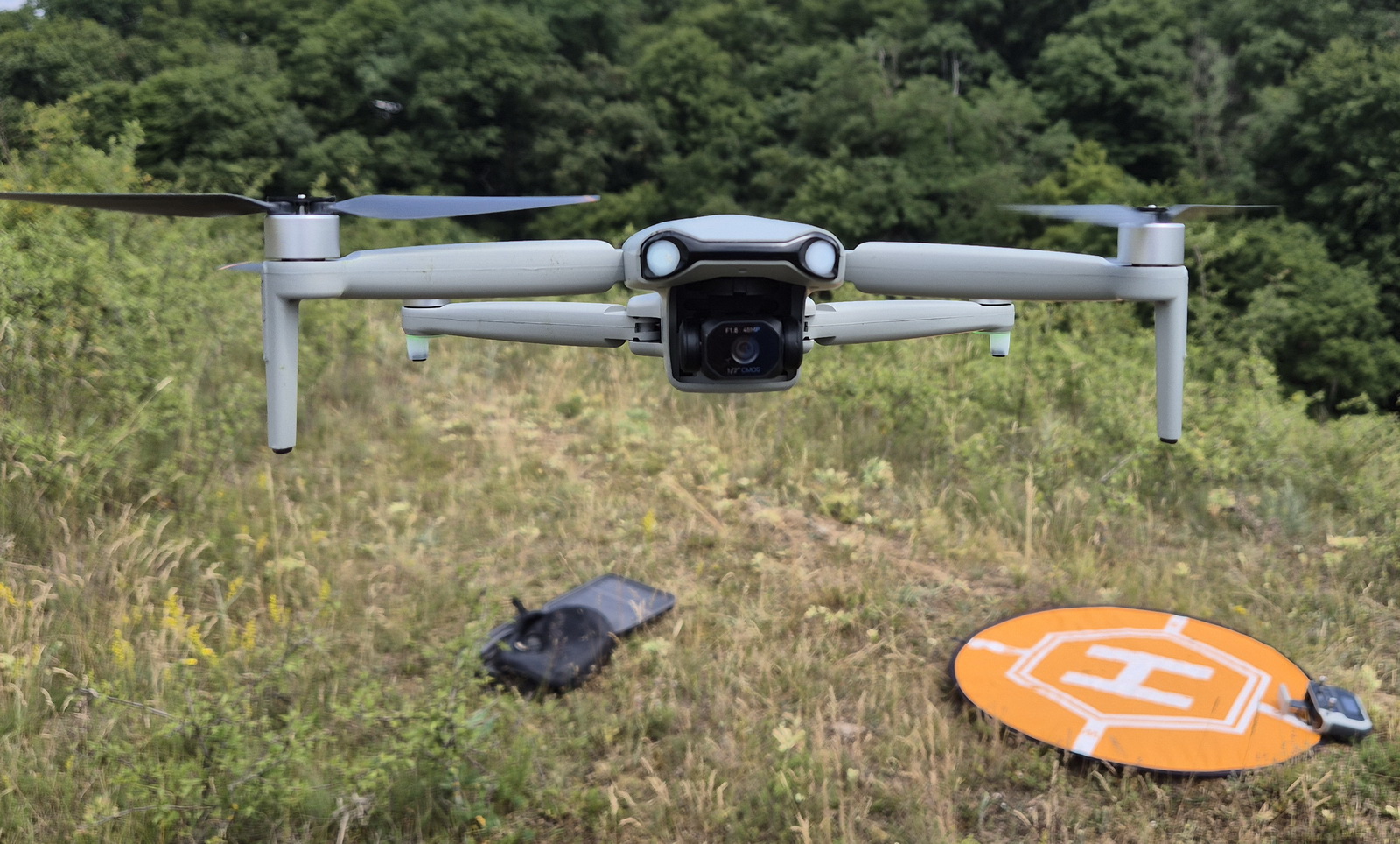
Before sending the drone out over long distances, I always perform a hover test to evaluate its stability and overall endurance. Before the full-range flight, I also simulate a communication loss by turning off the radio while the drone is only about 100 meters away. This allows me to verify that the failsafe system works correctly and that the drone automatically initiates Return to Home (RTH), just as it should.
Only after the drone successfully passes these tests I move on to evaluating its camera performance and the various intelligent shooting modes that combine autonomous flight with cinematic camera movements.
Ruko F11PRO 2 Plus: Real-World Battery Life
That was a quick off-topic, but now it’s back to what really matters—let’s see how long this drone can fly.
The Ruko F11PRO 2 Plus claims to offer up to 74 minutes of flight time, which is more of a marketing figure, as it is only possible with both batteries. The batteries consist of two 3200mAh cells connected in series, resulting in 7.4V and a total energy capacity of 24.4Wh.
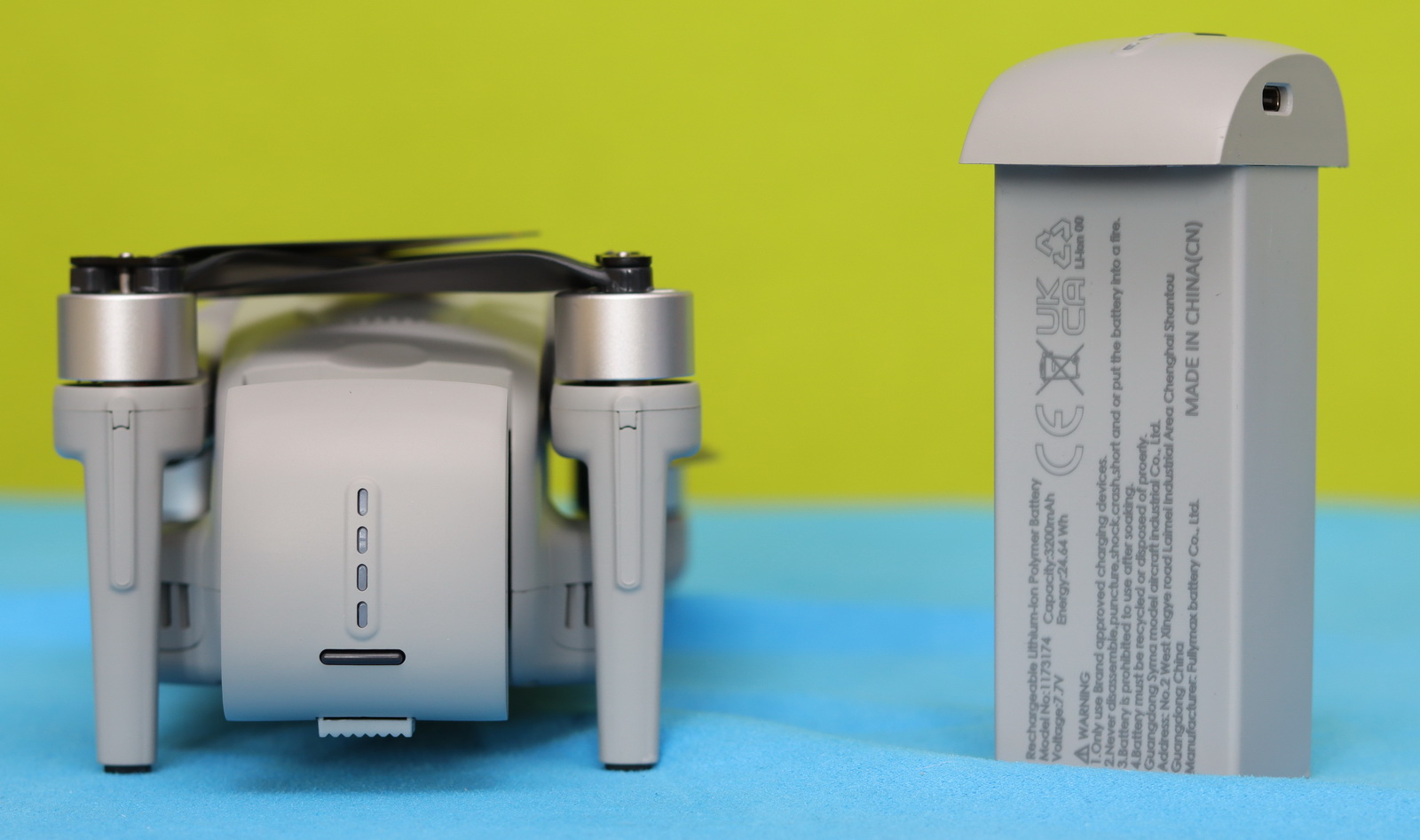
After performing three charging cycles, I loaded a freshly charged battery to 100% and started the hovering test. I got the first battery level warning at 15%, and the drone forced a landing when it reached 10%—my stopwatch showed 33 minutes and 20 seconds. There was moderate wind and an outside temperature of 28°C. When it landed, the battery was quite hot, probably over 50°C. In no-wind conditions with light cruising, you can expect up to 35 minutes of battery life, which is close to the advertised one.
Ruko F11PRO 2 Plus – Radio Controller & Flight Range Test
I received the F11PRO 2 Plus with a basic controller that requires a smartphone for live view. I got some insights that RUKO will release a new controller with a built-in screen this autumn, similar to DJI’s RC2.
The F11PRO 2 Plus uses a new digital transmission system, with double the range of its predecessor, which used Wi-Fi communication (20,000 ft vs 10,000 ft).
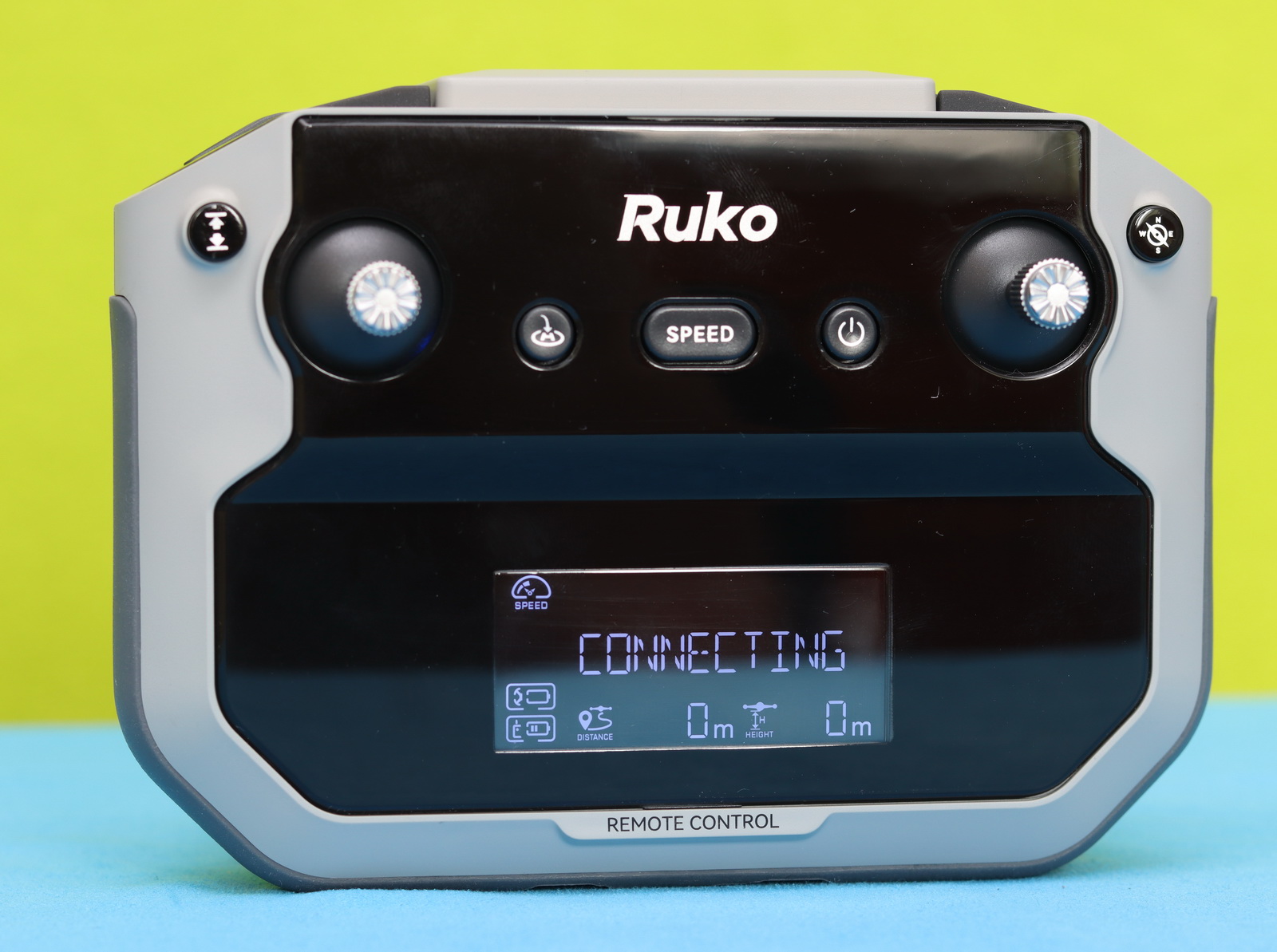
The RC has a built-in retractable phone holder and removable stick ends (stored at the bottom of the RC). In the center of the controller, there is a status screen that shows telemetry data such as flight distance, altitude, speed mode, and recording status. Additionally, the takeoff/landing, speed, and power buttons are located on the front panel. It has two USB Type-C ports: the top one connects to your phone, and the other allows you to charge the controller.
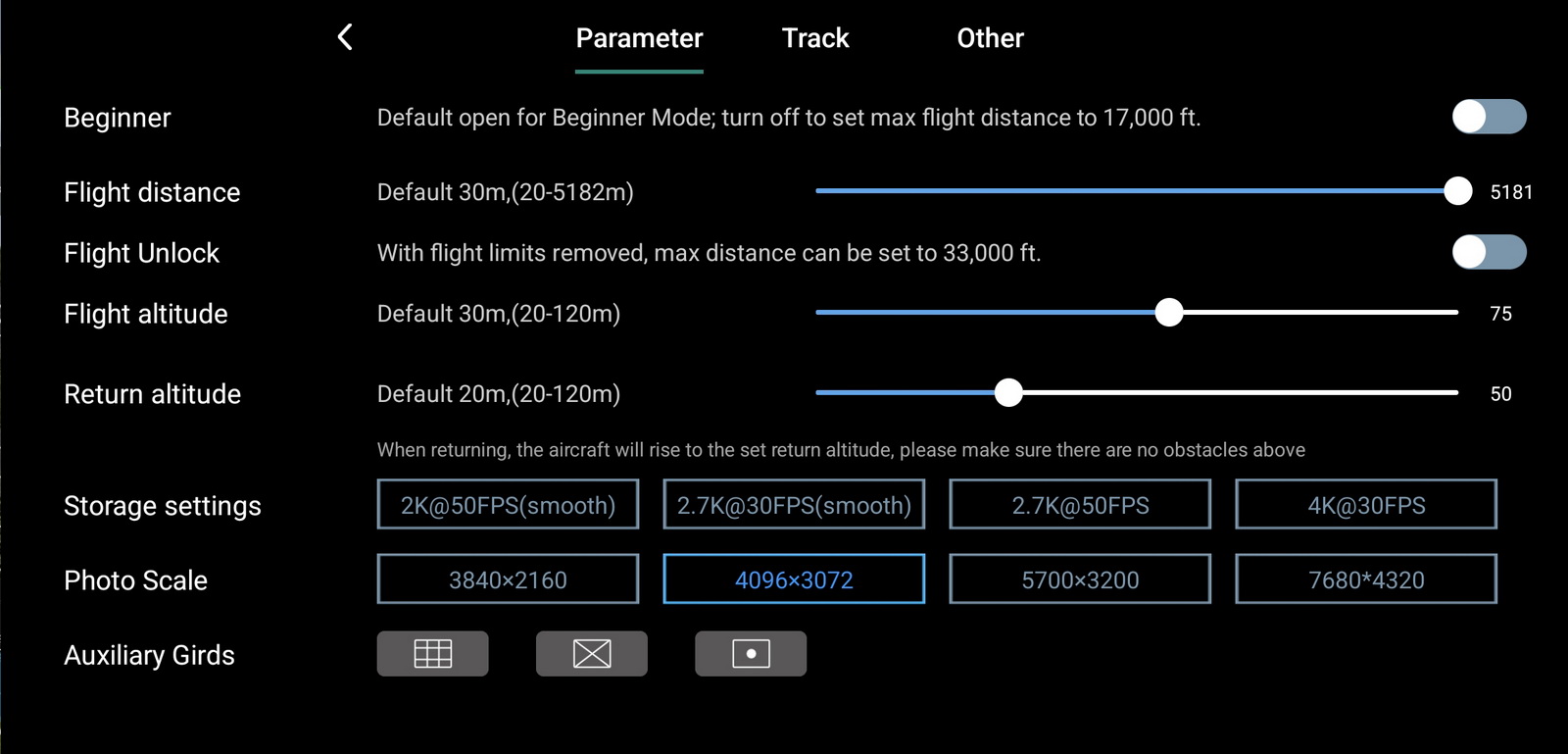
Out of the box, the F11PRO 2 Plus comes in beginner mode, which limits flight distance and altitude. If you are a newbie, I recommend keeping this mode enabled for the first couple of flights until you become familiar with the controller. Disabling beginner mode and adjusting other flight parameters, such as RTH altitude and maximum flight altitude, can be done in the RUKO MINI app.
I performed the range test of the F11PRO 2 Plus in the same flight field and at the same altitude (70meters) as the original version (non-PLUS). I can confirm that the new “digital” transmission system performs well. While the previous model’s signal became laggy with interruptions after 1,700 meters, this new model maintained a stable signal beyond 3 km and continued the flight until disconnection.
Two decades back, when I first got into this hobby, flyaways were a common fear. Today, things are much better. Flyaways are rare, and GPS systems are far more reliable. Still, every now and then, when the connection drops, that same old feeling kicks in. My heart ends up in my mouth until the signal comes back and the drone safely heads toward the take-off point.
After losing the connection with the F11PRO 2 Plus, the live video feed dropped for about 20 seconds. Once restored, the failsafe RTH had already activated, and the drone was returning home.
Ruko F11PRO 2 Plus: Camera performance
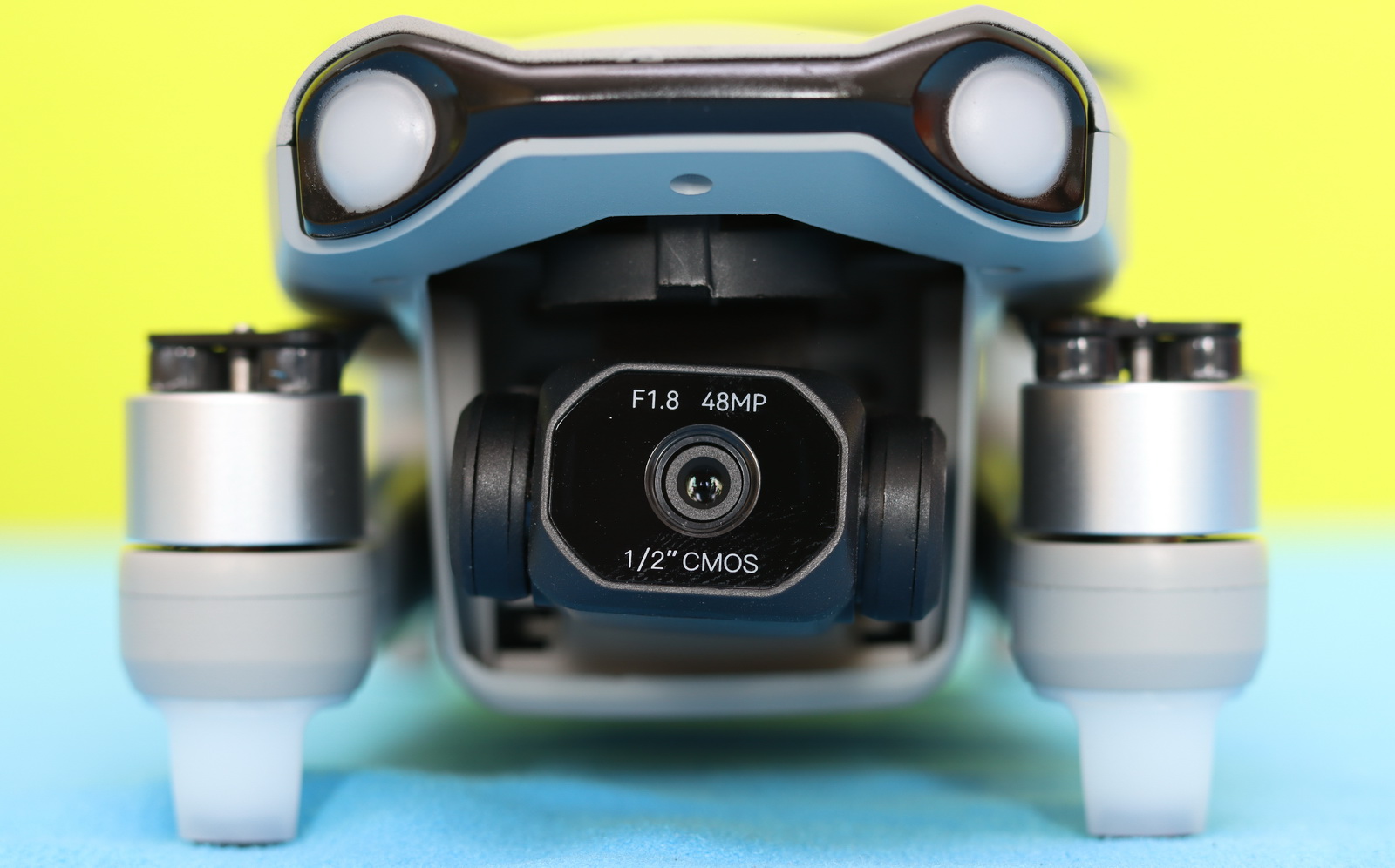
The F11PRO 2 Plus features a 1/2-inch 48MP sensor capable of capturing 4K 30fps video or 8K photos, which I found perfectly adequate for casual daytime use. It captures good detail and manages bright skies and shadows fairly well. While the image is generally sharp in the center, it gradually falls slightly out of focus toward the edges.
The three-axis gimbal offers a controllable -90° to 0° tilt range and provides image stabilization to deliver smooth video footage. As long as you’re not flying in strong winds or making abrupt controller inputs—which require some finesse—you can expect very stable, cinematic footage, especially in Stable mode.
Ruko F11PRO 2 Plus vs Non-Plus (original): What’s new?
I have to admit that Ruko probably didn’t have much time left when it came to choosing a catchy product name. To be honest, it’s a little strange to see a drone that’s both PRO and PLUS at the same time. Hopefully, the next version won’t be called the F11PRO 2 Plus 2, F11PRO 2 Plus Extra, or—if the naming department gets really creative—the F11PRO 2 Plus Ultra Max Pro. 😄
Jokes aside, the Ruko F11PRO 2 and the new F11PRO 2 Plus look almost identical. In fact, they share the same airframe, and both weigh more than 250 grams. That means if you’ve already gone through the process of obtaining the necessary drone pilot certification for the original F11PRO 2, you can legally fly the Plus edition as well, making the upgrade a seamless transition.
The Ruko F11PRO 2 Plus upgrade is significant not just because of the camera improvements, but especially due to the shift from a standard WiFi transmission system to a more advanced digital link, which delivers a more stable connection, lower latency in the live feed, and a noticeably longer and more reliable range.
| Feature/Specs | F11PRO 2 Plus | F11PRO 2 |
| Release year | 2026 | 2025 |
| Weight | 357 g | 357 g |
| Dimessiones | Folded: 165 × 90 × 65 mm Unfolded: 350 × 385 × 65 mm |
Folded: 165 × 90 × 65 mm Unfolded: 350 × 385 × 65 mm |
| Camera Sensor | 48 MP CMOS, f/1.8 | 12MP Sony sensor, f/2 |
| Photo Resolution | Up to 8K | Up to 6K |
| Video Resolution | 4K@30 fps | 4K@30 fps |
| Night mode | Yes | No |
| Flight time | 37 min/charge | 35min / charge |
| Transmission system | Technology: Advanced digital Range: ~6 km (20,000 ft) Latency: Low |
Technology: WiFi Range: ~3 km (10,000 ft) Latency: High |
| Positioning system | GPS + Optical flow + TOF + Baro | GPS + Optical flow + Baro |
| Wind resistance | Level 6 | Level 5 |
| Price |
You Can Trust Our Reviews!
Since 2014, FirstQuadcopter has reviewed, thoroughly tested, and rated hundreds of products, including drones, gimbals, power stations, action cameras, 3D printers, video lights, and other high-tech gear to help you make better buying decisions.
We don’t do paid reviews or agree to affiliate links. All products are tested fairly and equally, and if anything changes over time, I will update the written reviews.
As always, if you found this review helpful, don’t forget to like, share, comment, and bookmark for more content like this!
Thank you!
Do you have any information regarding the subject tracking feature? Is it accurate, or does it tend to lose focus over time?
It looks just like the previous model. There’s no real upgrade!